



Hi there, nice to meet you. Follow me at http://belfong.com/tweets
506 stories
·
2 followers

Mac Pro

1 Comment

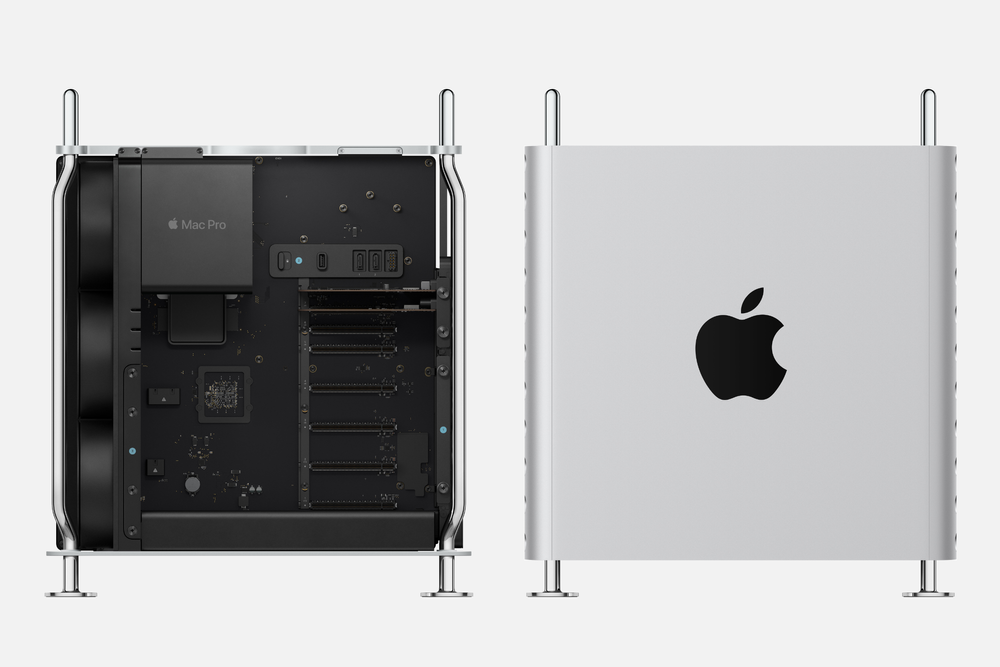
Apple ended the fraught and fumbled era of the Mac Pro on March 26, 2026.


On Thursday, March 26, 2026, Apple officially brought the Mac Pro era to a close. It marks the end of a product line that was often fumbled throughout its existence and struggled to find firm footing within Apple’s ecosystem. In the end, the Mac Pro belonged to a different era, one that existed before Apple silicon reshaped the Mac lineup.

In information provided to 9to5Mac on March 26, Apple shared that “the Mac Pro is being discontinued...” and that Apple has “has no plans to offer future Mac Pro hardware.”

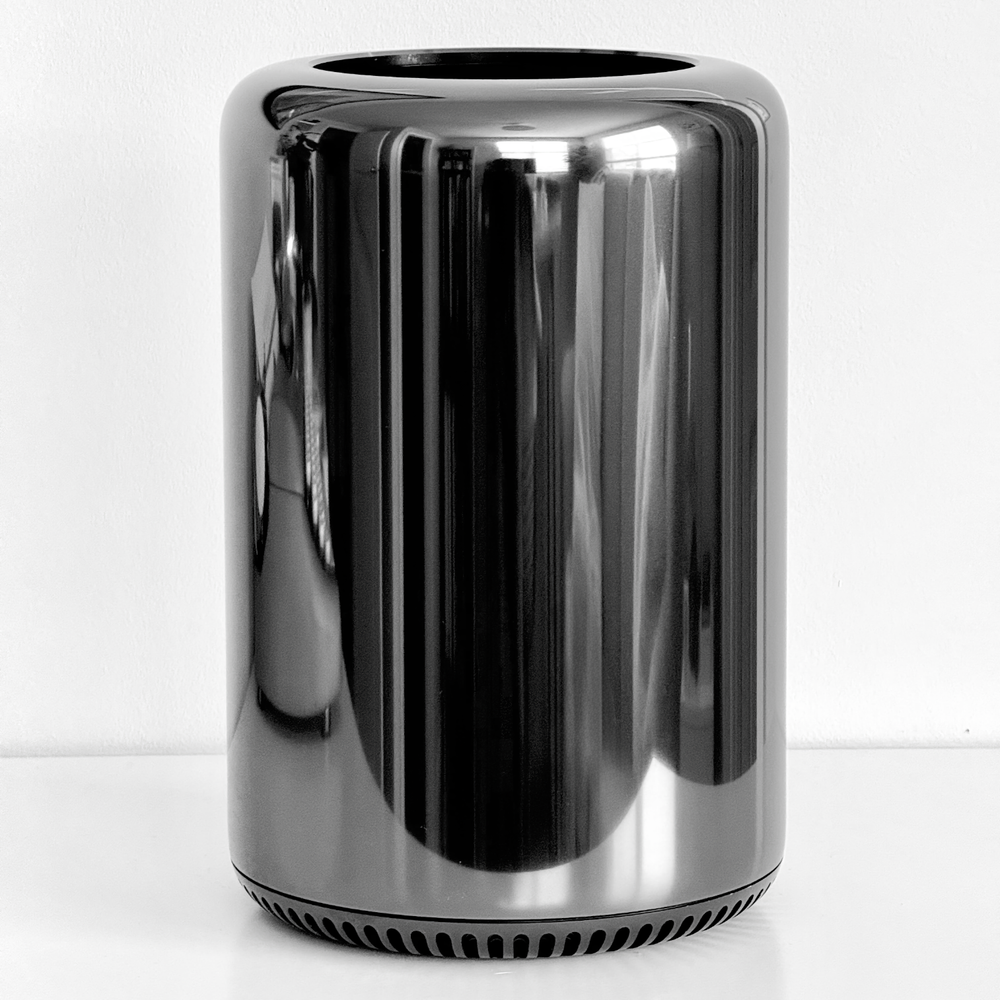
In late 2024, I bought a 2013 Mac Pro. It was a computer I could never have afforded or justified when it was first released, but it made for a lovely addition to my modest Mac collection.


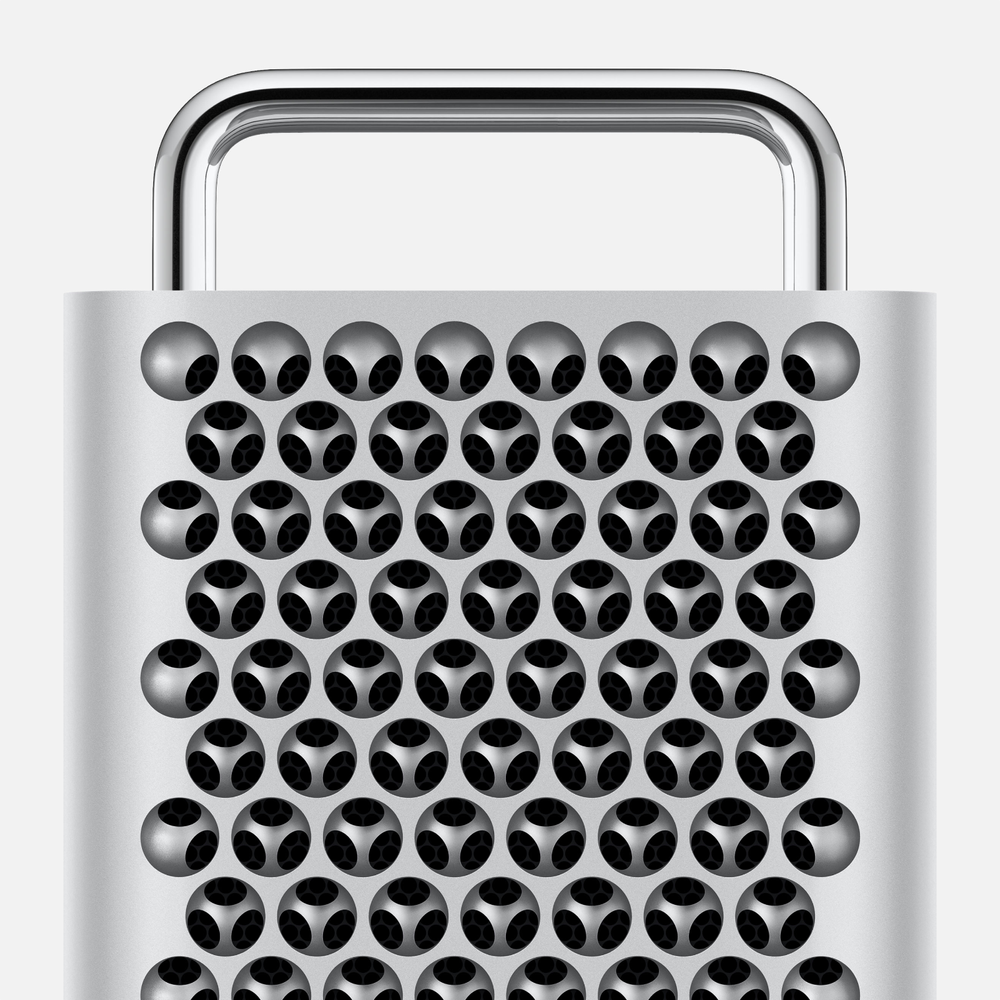
But the writing had been on the wall for a very, very long time. At first I was optimistic when Apple announced the redesigned Mac Pro in 2019. It replaced the infamous 2013 “trash can” Mac Pro and, at the time, felt like an attempt to atone for the sins of the previous generation. This new Mac delivered massive expandability, powerful server-grade processors, and a thermal architecture built to handle the most demanding workloads. But less than a year later, Apple introduced Apple silicon, which overnight delivered the kind of performance and architectural structure that rendered that level of cooling unnecessary and expandability largely irrelevant.

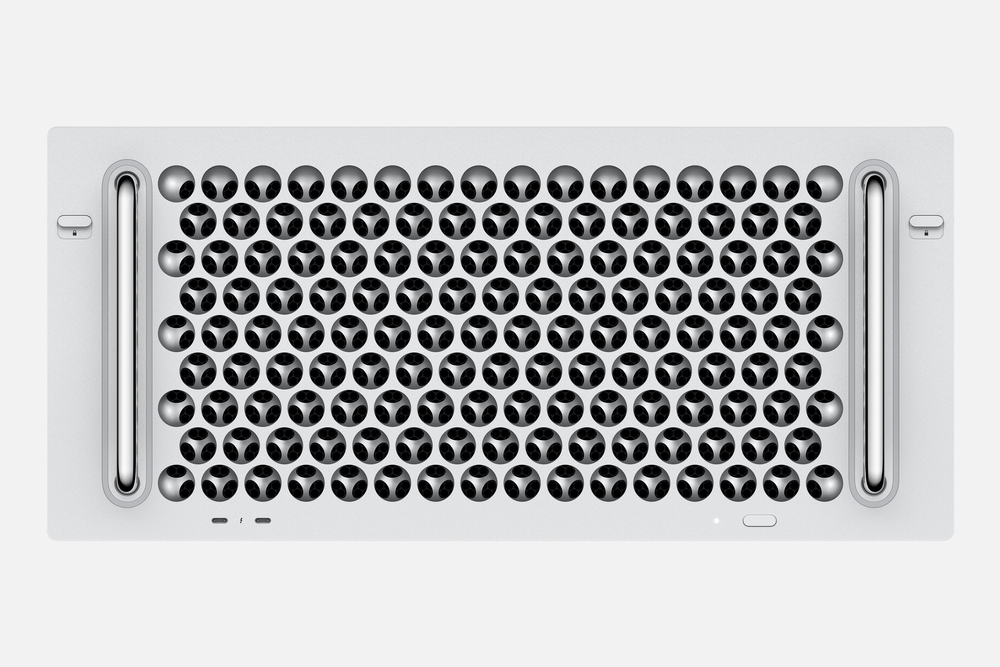
Apple also released the 2019/2023 Mac Pro in a server rack mounted config.


Since then, the Mac Pro has struggled to justify its existence. It remained Apple’s most expensive Mac, yet as Apple silicon advanced, other Macs in the lineup began outcompeting the Mac Pro’s x86 Intel architecture. With the introduction of the Mac Studio in 2022, Apple demonstrated it could exceed that level of performance in a package a fraction of the size (1/14th) and weight (1/6th) of the Mac Pro.

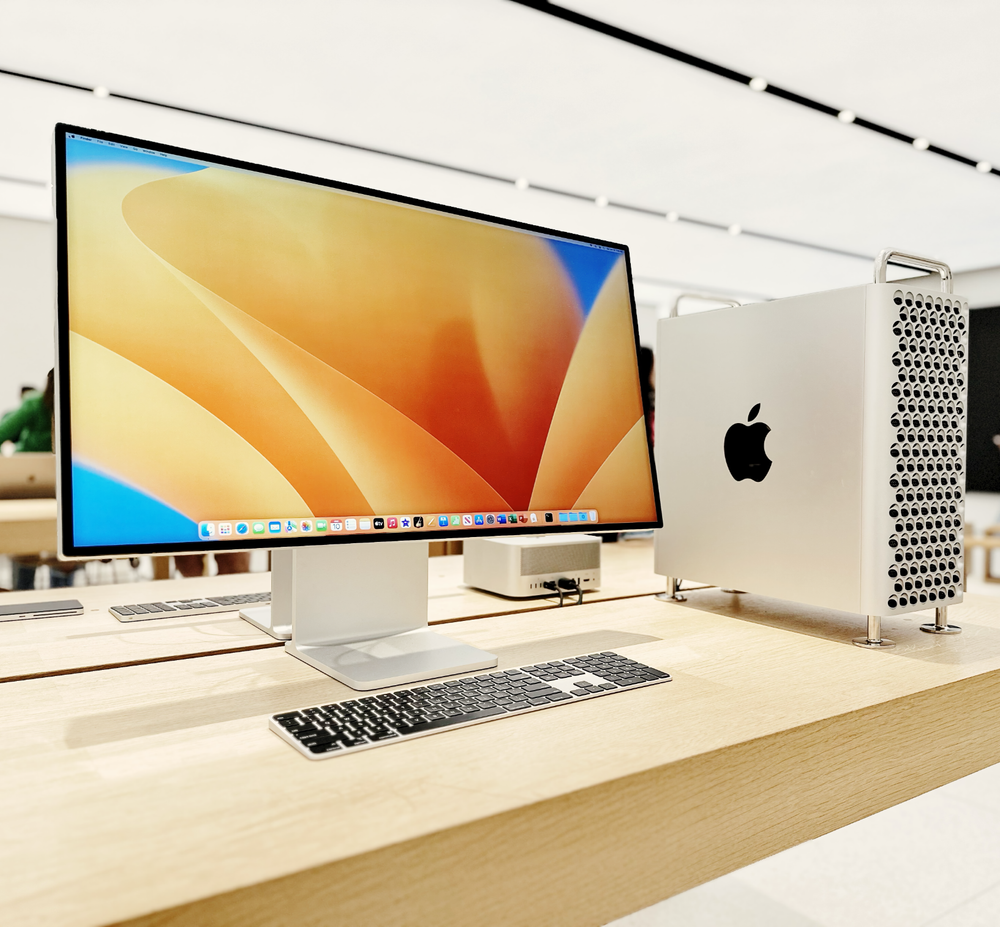
Mac Pro in Toronto, Canada in June, 2023


There may have been a brief glimmer of hope for the Mac Pro in 2023, when Apple transitioned it to Apple silicon with the M2 Max and M2 Ultra. But the move ultimately stripped away one of its defining advantages: upgradable graphics. At the same time, its expansive cooling system became vastly over engineered for what the machine actually demanded. And when the M4 Pro Mac mini launched in late 2024, outperforming the Mac Pro by 39 percent in single-core and 6 percent in multi-core performance while costing one-fifth as much and being 1/60th the size, its fate was sealed.

By 2023, when the Mac Pro was updated to Apple silicon, its interior had become a vast, empty expanse.


So, on an otherwise unremarkable Thursday afternoon, Apple quietly scrubbed all mention of the Mac Pro from its website, bringing a confusing and somewhat melancholy chapter for the product to a close.

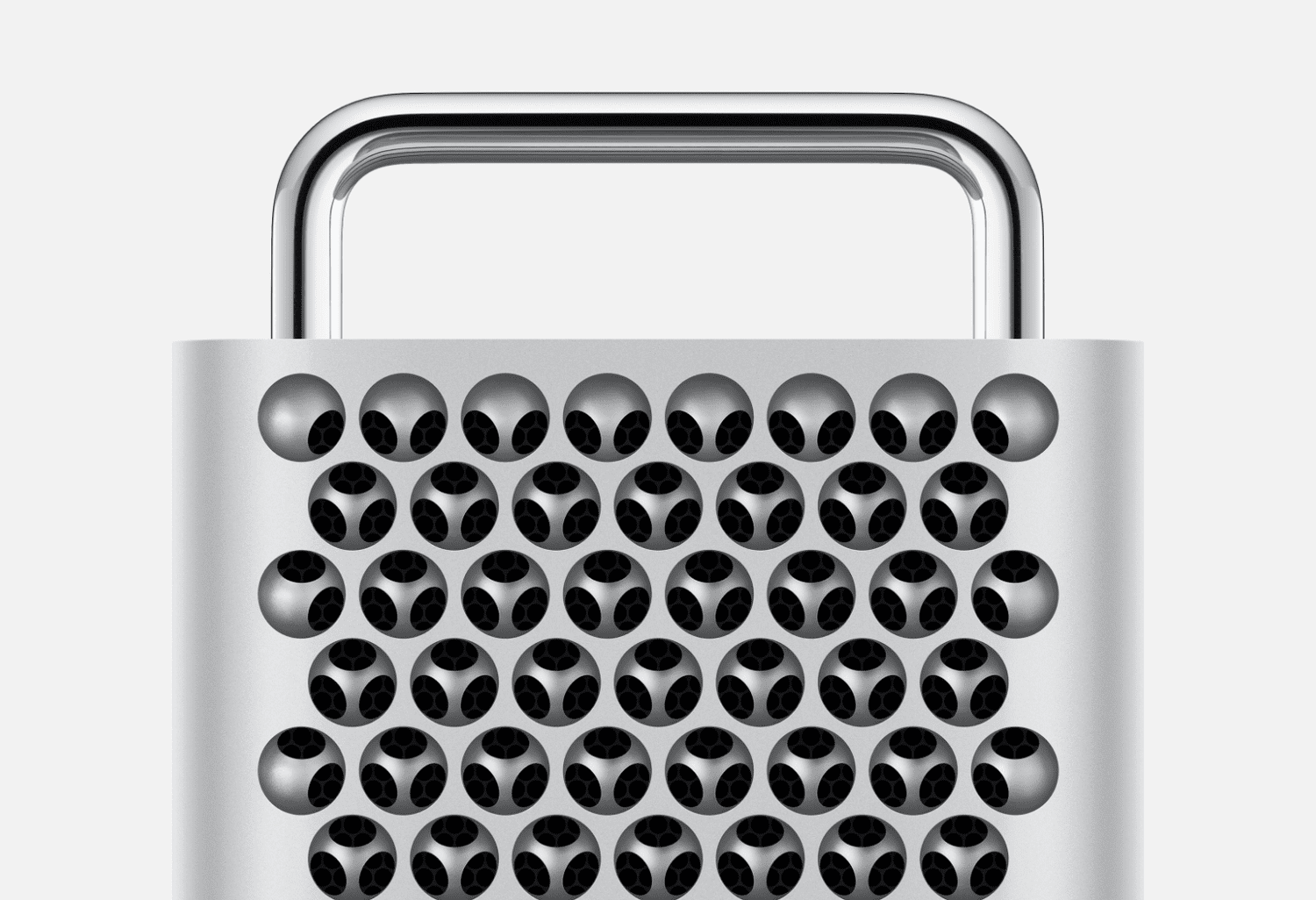
Although I’m not surprised at all, the loss of the Mac Pro is still bittersweet. In my view, the Mac Pro has always been home to some of Apple’s most beautiful industrial design. It was the place where Apple could flex both its design ambition and raw power without restraint. But the form-over-function misstep of the 2013 trash can Mac Pro, followed by a poorly timed transition to Apple Silicon, ultimately crippled the Mac Pro’s appeal in what was already an exceptionally niche market. Like I wrote back in 2022:

“In the past decade, Apple has been guilty of both not doing enough to replace an aging computer and, second, of outclassing its top-of-the-line hardware at a fraction of the cost only a few years after the 3rd generation Mac Pro was announced. From one extreme to the other, it's been hard to trust what was going on with the Mac Pro.”

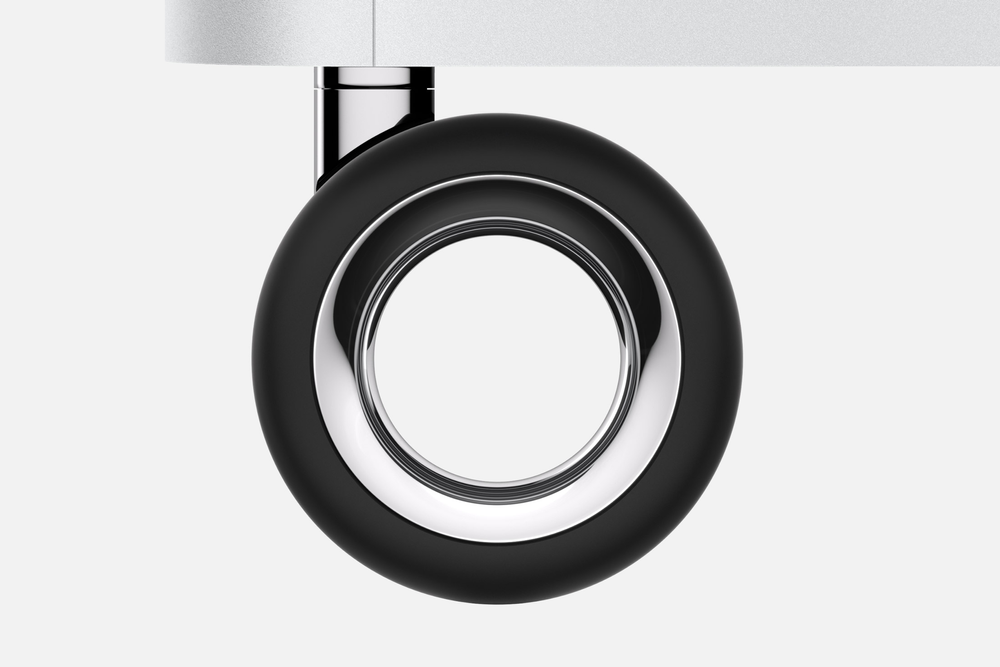
Apple selling a set of optional Mac Pro wheels for $699 will never stop being funny.


It’s history is flawed, but I look back fondly at the machine and sometimes I like to kid myself into thinking I was ever someone who truly needed something like a Mac Pro. And I never missed a chance, when visiting a larger city (my tiny mall Apple Store never carrier the Mac Pro), to admire and tinker with the one on display. Even at its most impractical, there was always something undeniably special about it.


Read the whole story
Belfong
17 minutes ago
reply
Mac Pro is such a peak in design. I love all its iterations but I could not afford any. All I could do is admire them in person in Apple Store. I wish they had not discontinued it.
malaysia
Share this story
Delete

Good Reads and a redesigned Global Shared Stories

2 Comments and 3 Shares

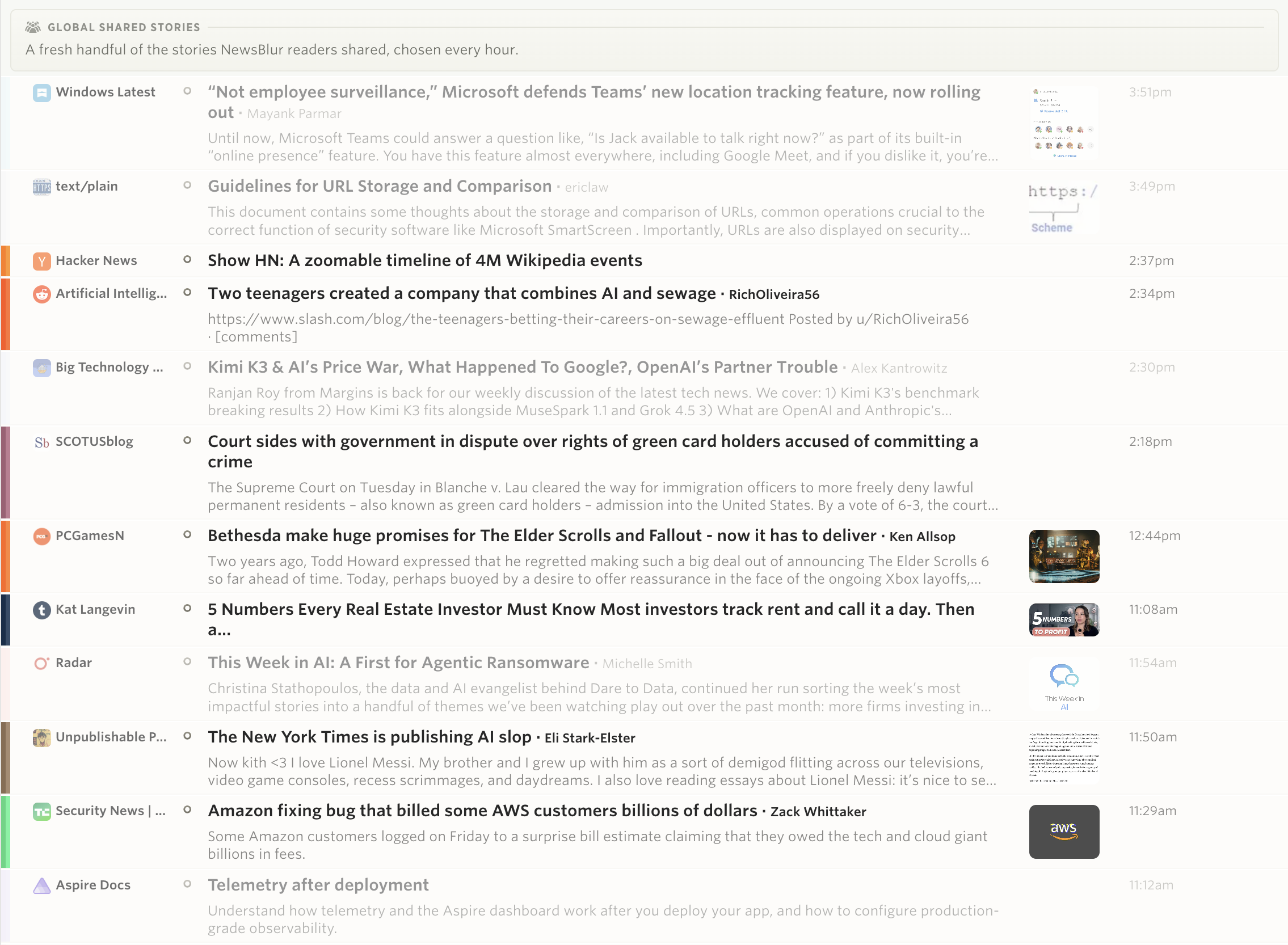
I’m announcing two new global feeds: a redesigned Global Shared Stories and a new feed called Good Reads.

Redesigned Global Shared Stories

Global Shared Stories has been in the sidebar for years, and for years it worked in a way I never liked. It was not the shares of everybody on NewsBlur. It was the shares of the accounts that the @popular account happened to follow, a list I put together by hand a long time ago and rarely touched. If you were on that list and you shared a lot, you decided what everybody else saw. If you shared one story a month and wrote a paragraph about why it mattered, you were drowned out by someone who shared thirty without a word.

So I rebuilt it. Every hour, NewsBlur now gathers every story shared across the whole site in the last few hours, caps each person at three so nobody can flood the pool, drops private blurblogs, and then picks a few worth reading. The picks accumulate, so the river stays deep enough to scroll back through.

The picking is done by Claude Haiku, once an hour, and it is worth being precise about what it does and does not do. It does not go looking for stories. It does not write anything. It only ranks stories that NewsBlur readers already chose to share, and the thing it weighs most heavily is the comment the sharer wrote, because a share with a few sentences attached is a share somebody thought about. It is allowed to pick nothing at all in a quiet hour, and in testing it regularly passes on half of what it is offered. If the API is ever unreachable, a plain heuristic takes over and the river keeps flowing.

Good Reads

The new feed in the sidebar is Good Reads, and it asks a question the other feeds do not: which stories did somebody finish and then do something about?

A story lands in Good Reads when at least two people read it closely, thirty seconds or more, and at least one of them then saved it, shared it, or trained it up. Finishing is not enough. Somebody has to have bothered to act. On top of that, the score is tilted toward feeds with few subscribers, so a story from a site with forty readers can beat a story from a site with forty thousand. That tilt is the whole point. The big sites do not need help getting seen.

Four feeds, four questions

There are now four curated rivers sitting together in the sidebar, and the reason there are four and not one is that they each answer a different question.

Global Shared Stories asks what people chose to hand to someone else. It runs on sharing, a deliberate human act.

Widely Read Stories asks what held the most attention across NewsBlur. It runs on reading time, not clicks, so a headline nobody read cannot buy its way in.

Long Reads asks what was worth an afternoon. Features and essays that readers gave real time to, rather than skimmed.

Good Reads asks what somebody finished and then kept, and leans toward the small sites you have probably never heard of.
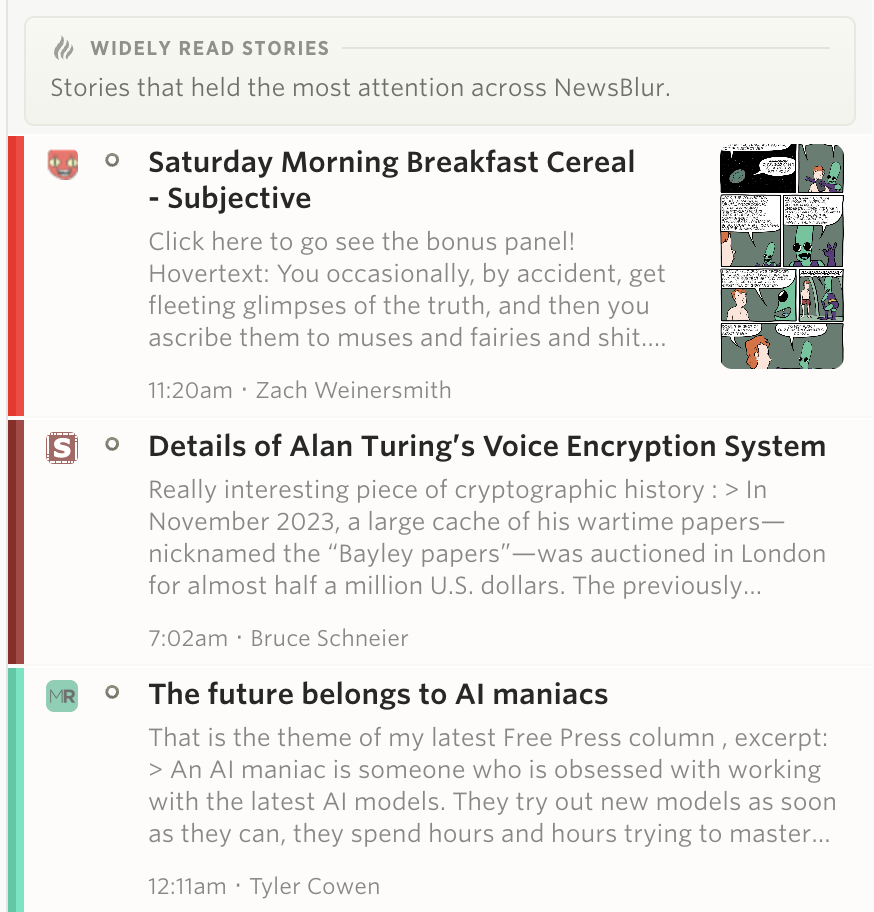
Widely Read Stories and Long Reads have been around since April, and I wrote about how they work when they launched. None of the four ranks by clicks, and none of them is trying to keep you scrolling. They are all built out of what NewsBlur readers actually did with their time.

Because it was never obvious from looking at them which was which, each of the four now explains itself in a line at the top of its story list. It scrolls away with the stories, so it is there when you arrive and gone once you are reading.

Your classifiers still apply to all four. If you have trained a tag, an author, or a site, those green and red scores carry through, including on stories from feeds you do not subscribe to. And all four work as dashboard rivers, so you can park any of them next to your regular feeds.

Good Reads and the rebuilt Global Shared Stories are available now on the web. If a story shows up in one of these feeds that clearly should not have, I want to hear about it on the NewsBlur forum.

Read the whole story
Belfong
2 hours ago
reply
Sometimes, I take NewsBlur for granted. It just works and very dependable that I forget that it took a lot of effort to be that way. And now I am reading there are more ways for me to discover stories that are worth my time.Too good! Thanks NewsBlur!
malaysia
Share this story
Delete
1 public comment
jgbishop
44 days ago
reply
NewsBlur keeps getting better!
Raleigh, NC

Ahhh, relax with the sights and sounds of the Windows 98...

1 Comment

Ahhh, relax with the sights and sounds of the Windows 98 Disk Defrag Simulator.

Read the whole story
Belfong
1 day ago
reply
Fun!
malaysia
Share this story
Delete

Hot Chips 2026: IBM's first dual-ISA core natively executes ARM and z/Architecture in the same core; all cores run at 5.7 GHz base frequency — next-gen mainframe AI processor is built on 2nm node with 11 cores

1 Comment

This Tom's Hardware Premium article is free to read with a Tom's Hardware account; no payment necessary. We're offering free access from August 23 to 26 so you can read all of our reporting from Hot Chips.

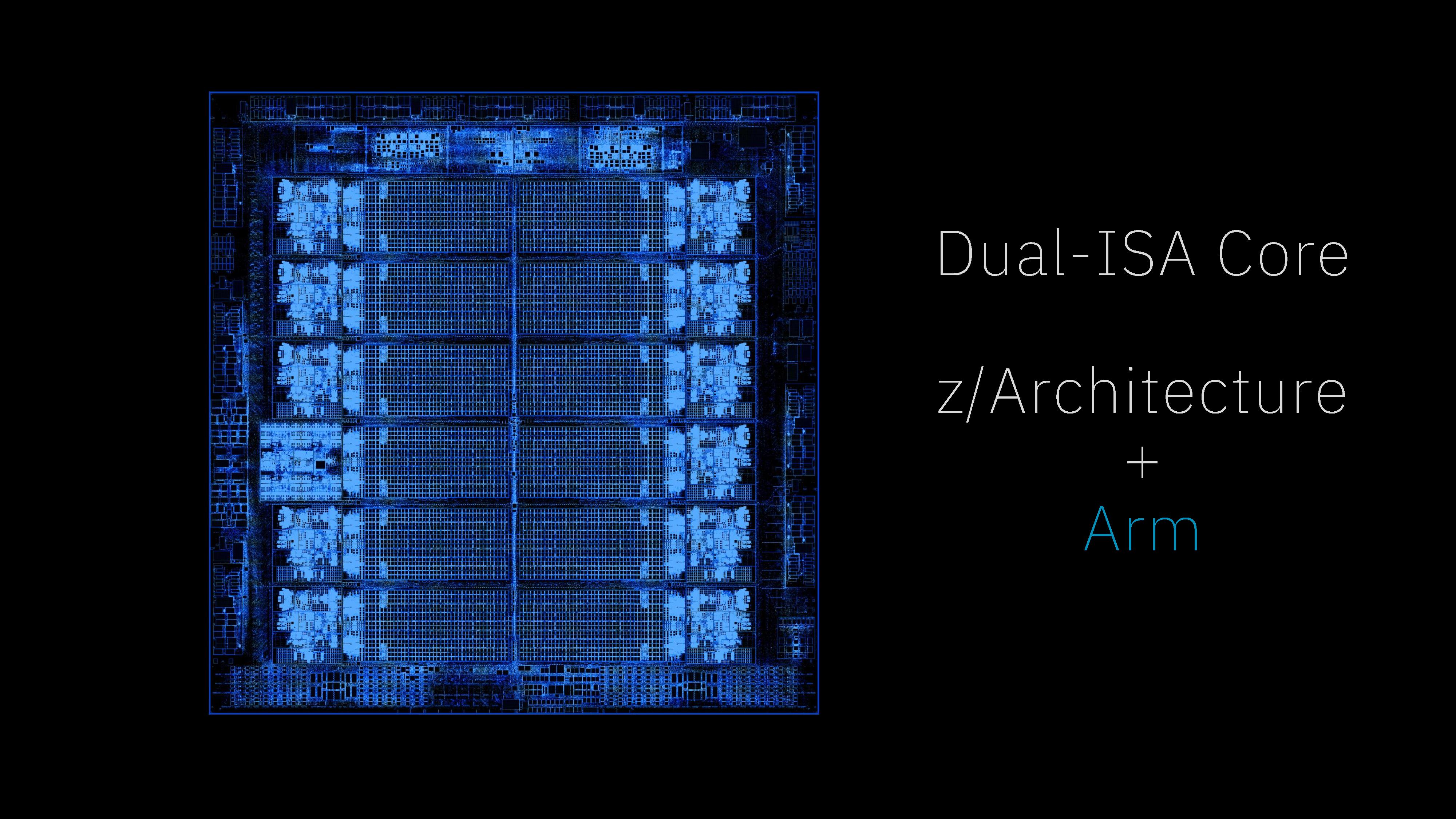
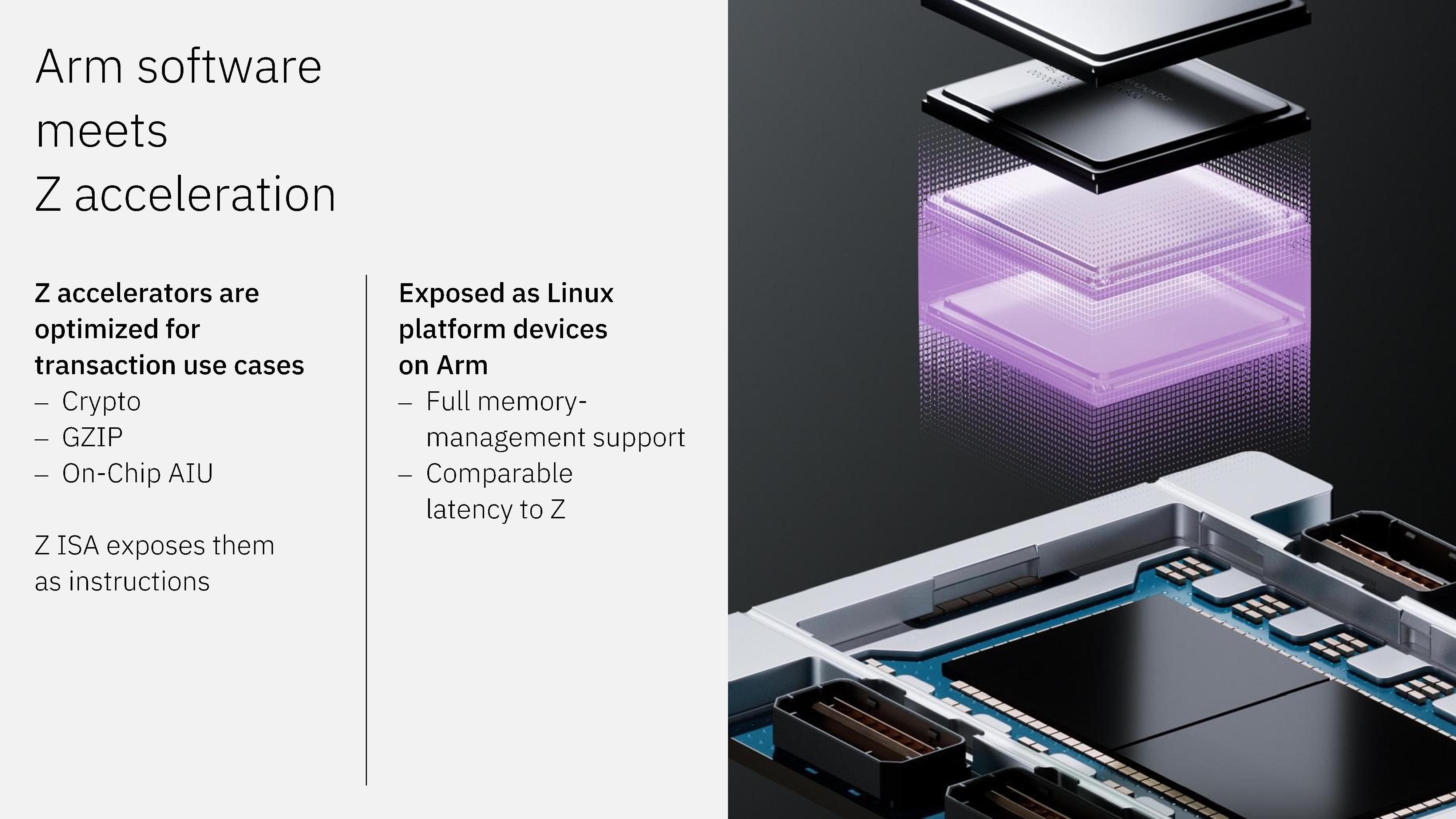
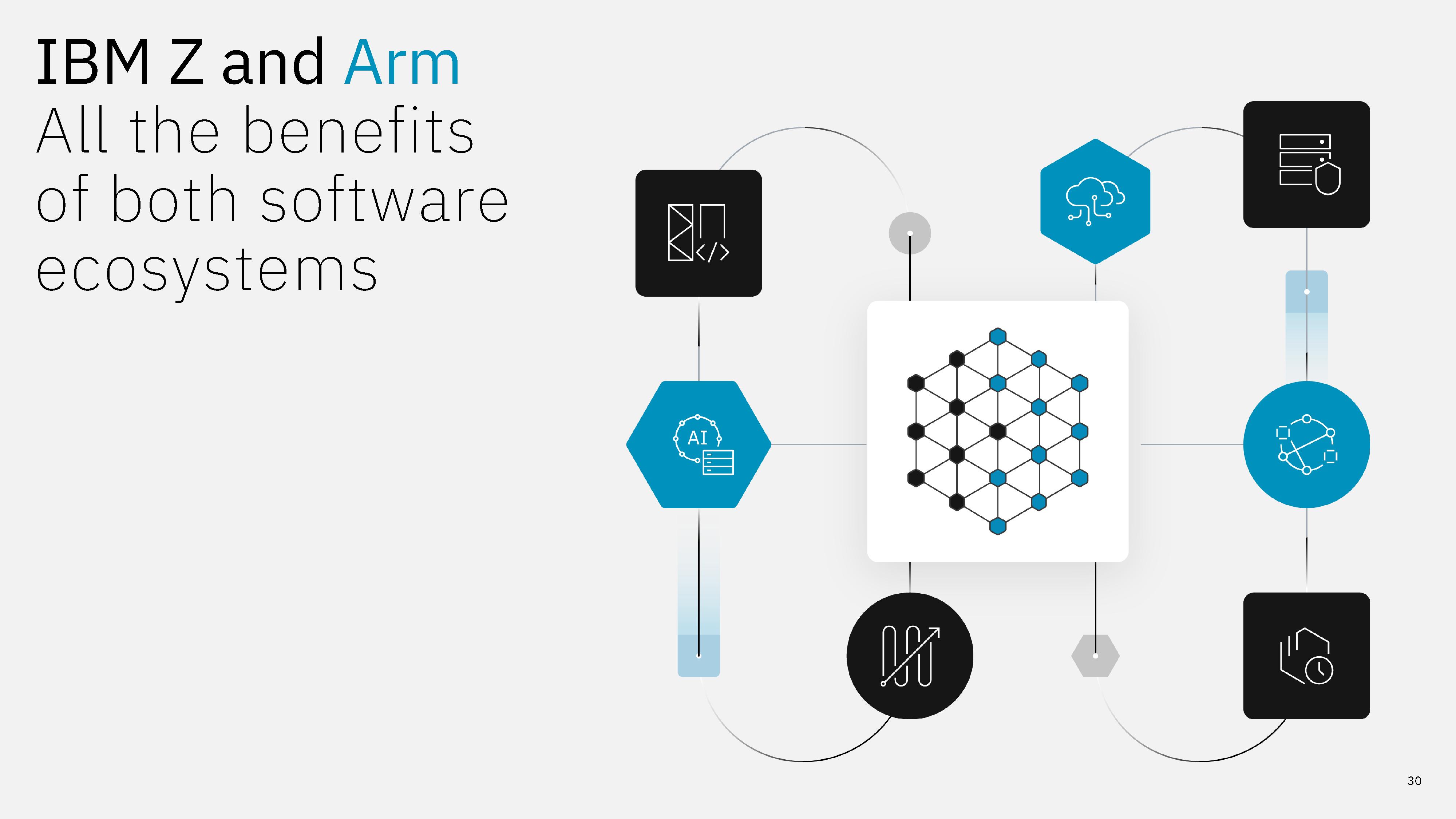
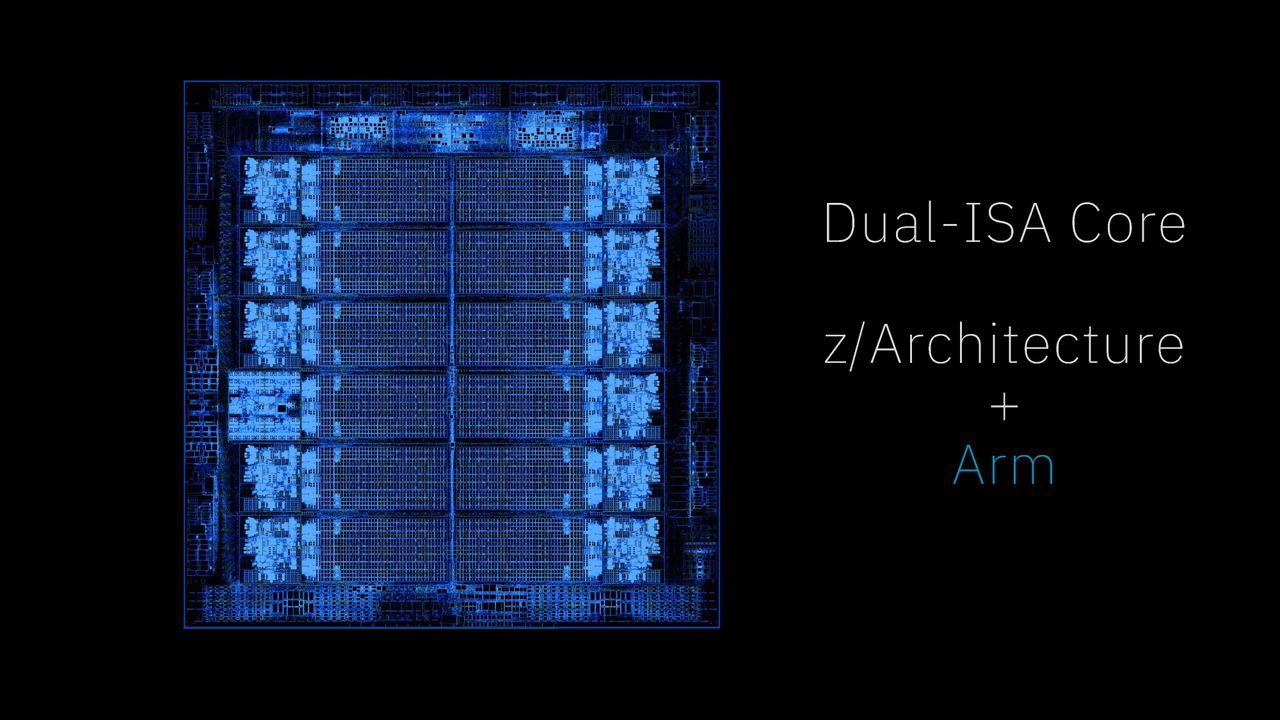
IBM's next-gen AI processor is the first time it has supported dual ISA execution natively within the same core. Born out of a collaboration between IBM and Arm that was announced in April, the chip is designed to bring the software support available across the Arm ecosystem to IBM's mainframes, allowing businesses to unify deployment rather than relying on separate Arm/x86 servers and z/Architecture mainframes for different purposes.

The approach here isn't a heterogeneous CPU with separate Arm cores packaged on the same chip; IBM has built a core that can execute either z/Architecture or AArch64 instructions, and can switch between them dynamically "within nanoseconds," according to the company. During the Hot Chips 2026 reveal, IBM says it believes this is the first processor to treat both ISAs as "first-class citizens."

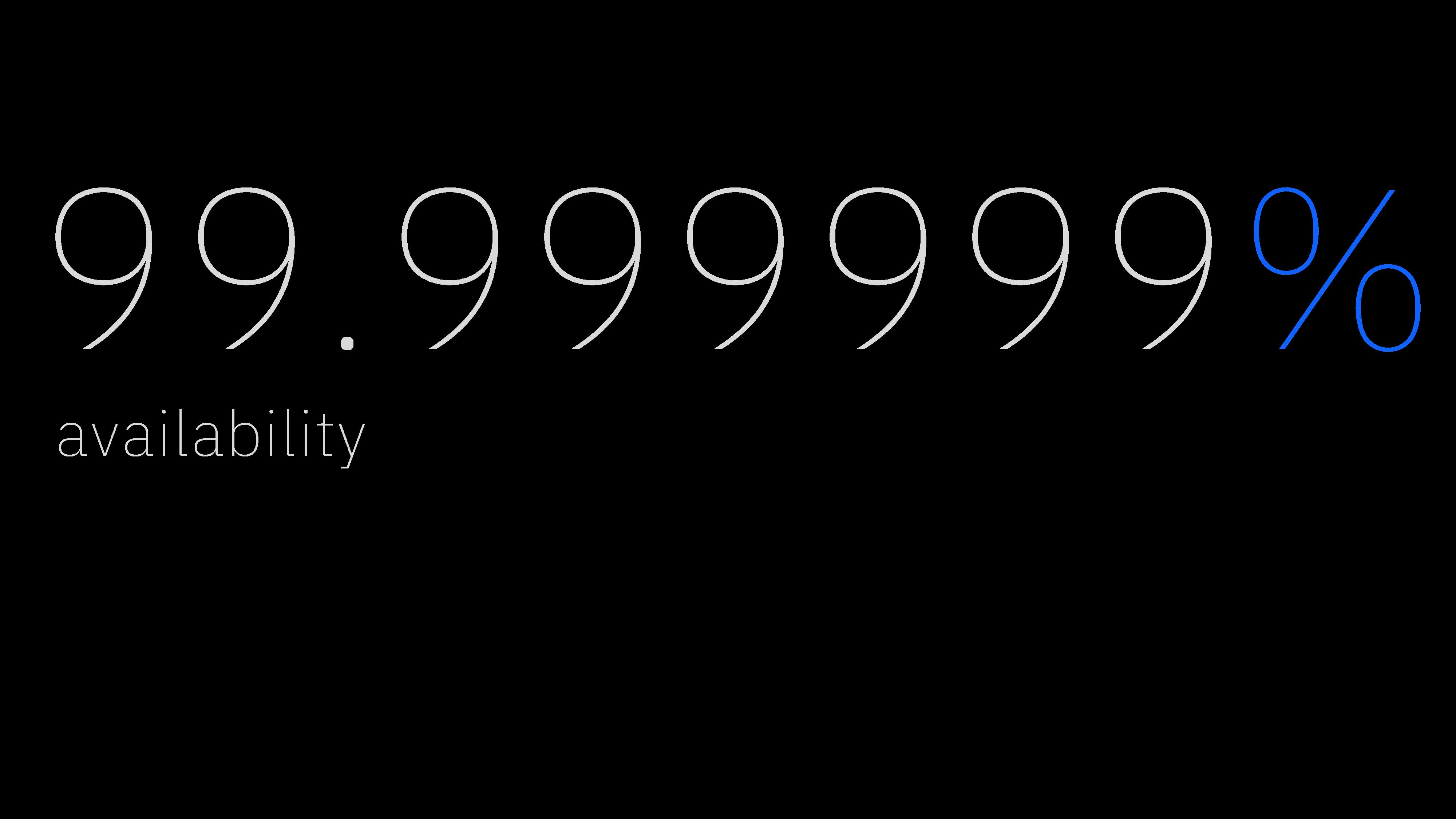
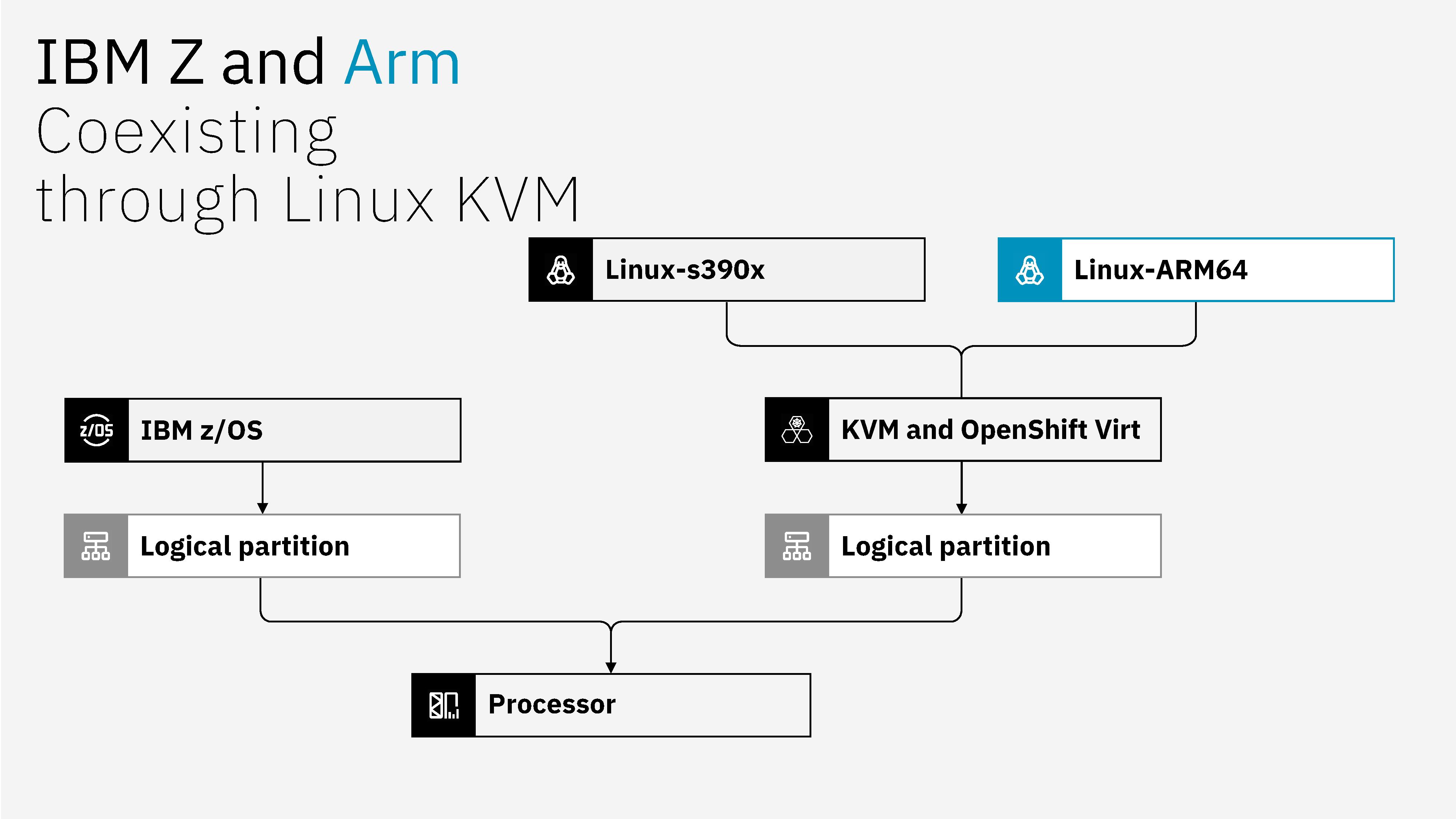
IBM relies on Linux Kernel-level Virtual Machine (KVM) to support AArch64 instructions, the same mechanism that allows IBM to support Linux on Z mainframes. Standard z/Architecture instructions bypass KVM. The idea is to ensure that mainframe reliability isn't sacrificed for broader software support, with IBM claiming 99.999999% uptime, even further than traditional high-availability claims. IBM says that equates to just 0.032 seconds of downtime per year.

Much of the development in the software world, particularly around AI, happens with x86 and/or Arm targets in mind, leaving the mainframe behind to figure out its own solution. IBM could, and has, worked to port this software to s390x, but that's not a long-term solution. "We would never be able to work with all of them," Tina Tarquinio, chief product officer at IBM for IBM Z and LinuxONE, told VentureBeat. IBM's dual-ISA core can execute Arm software without modifications, according to the company, allowing Arm-based virtual machines to run as if they were operating on native-Arm silicon. And that's because, well, they are operating on native-Arm silicon, just in a different way.

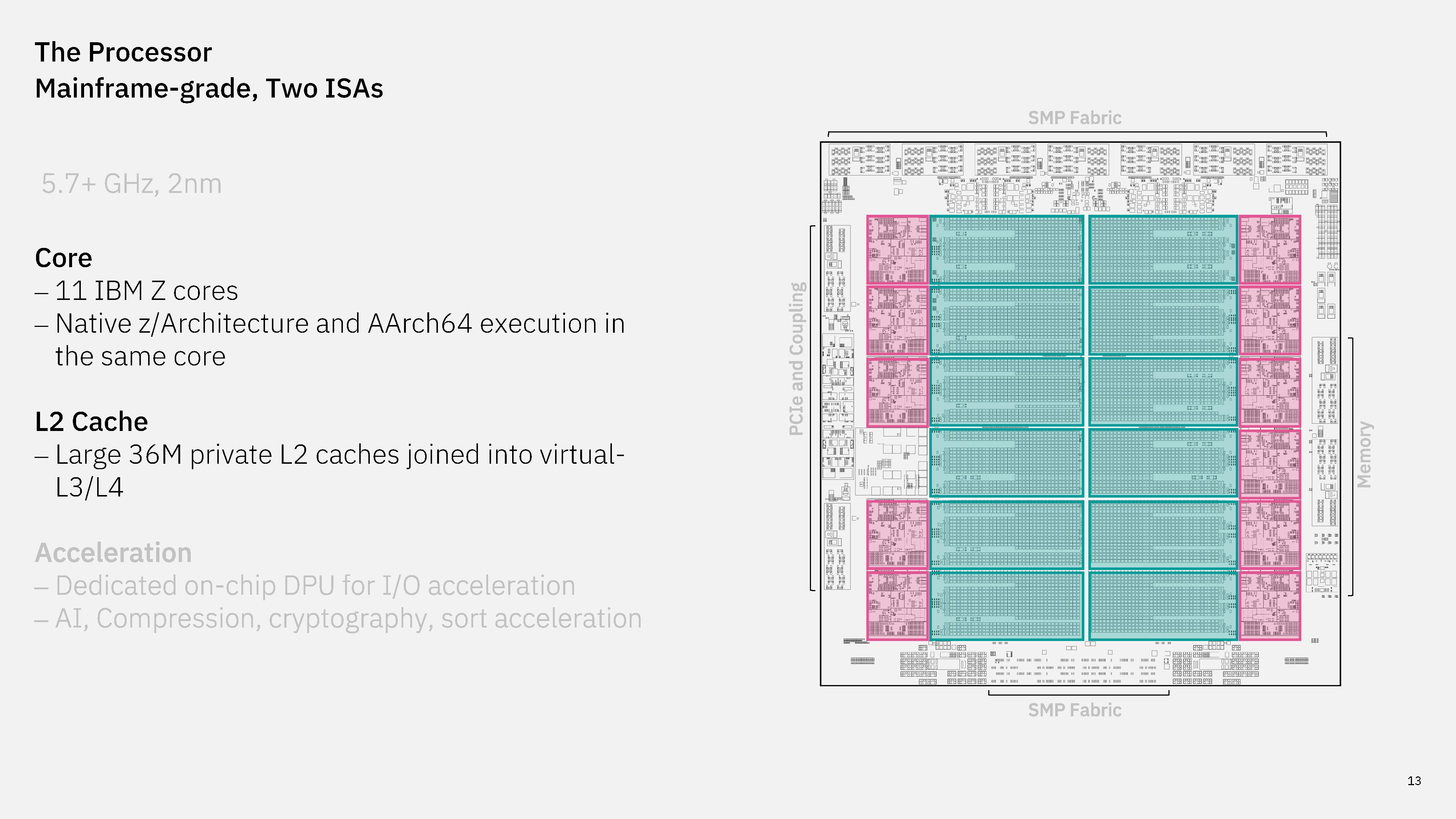
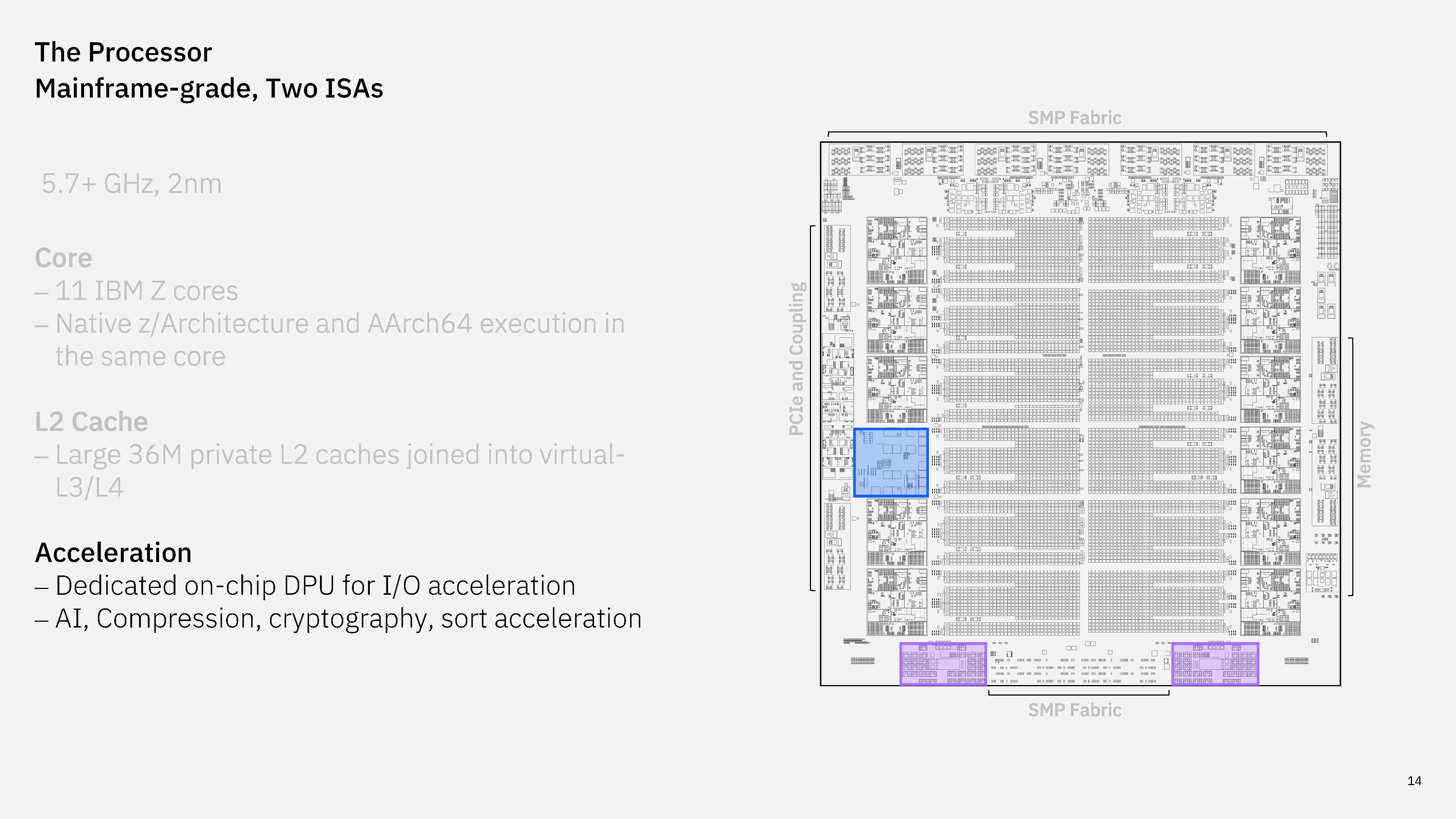
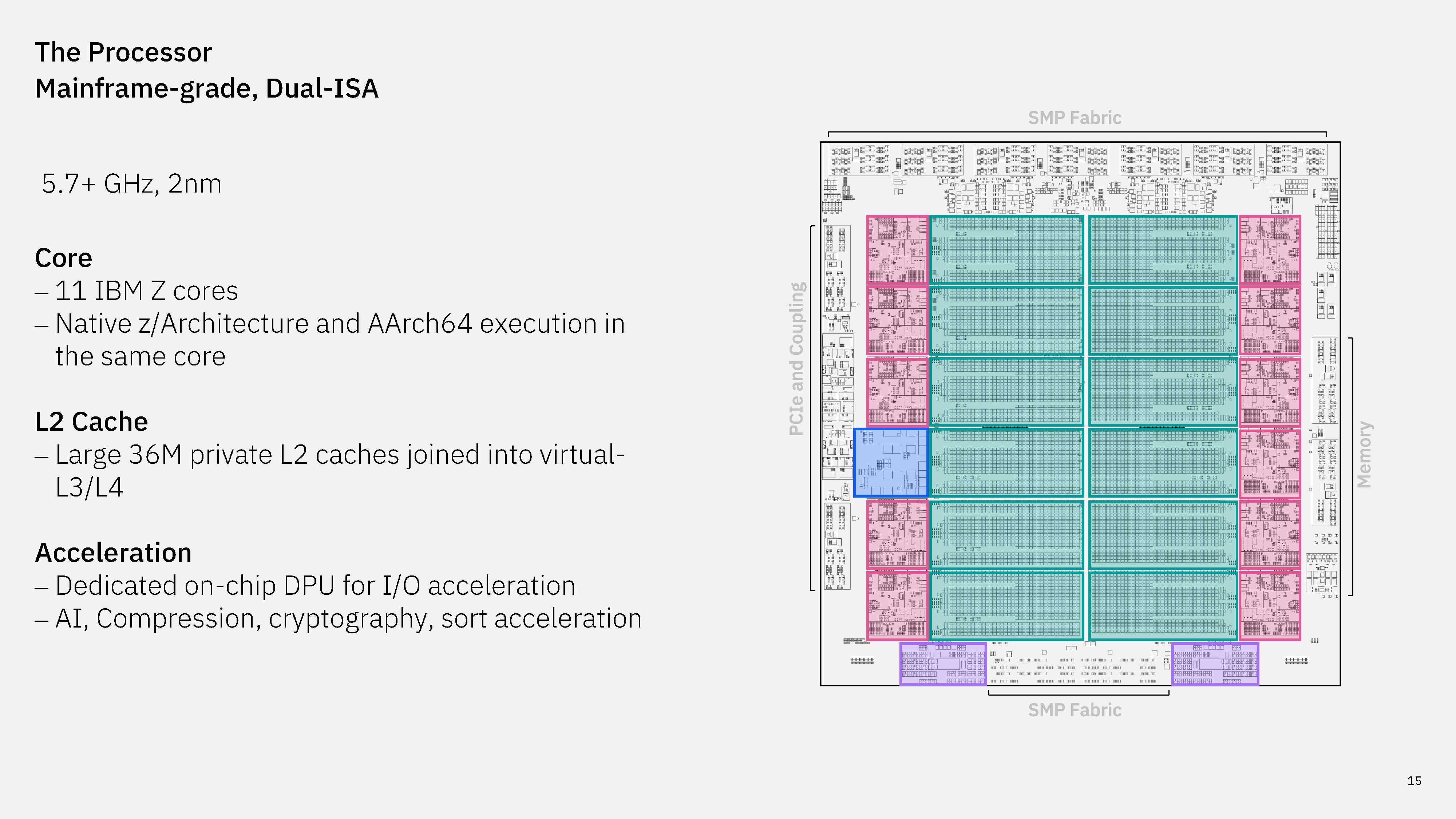
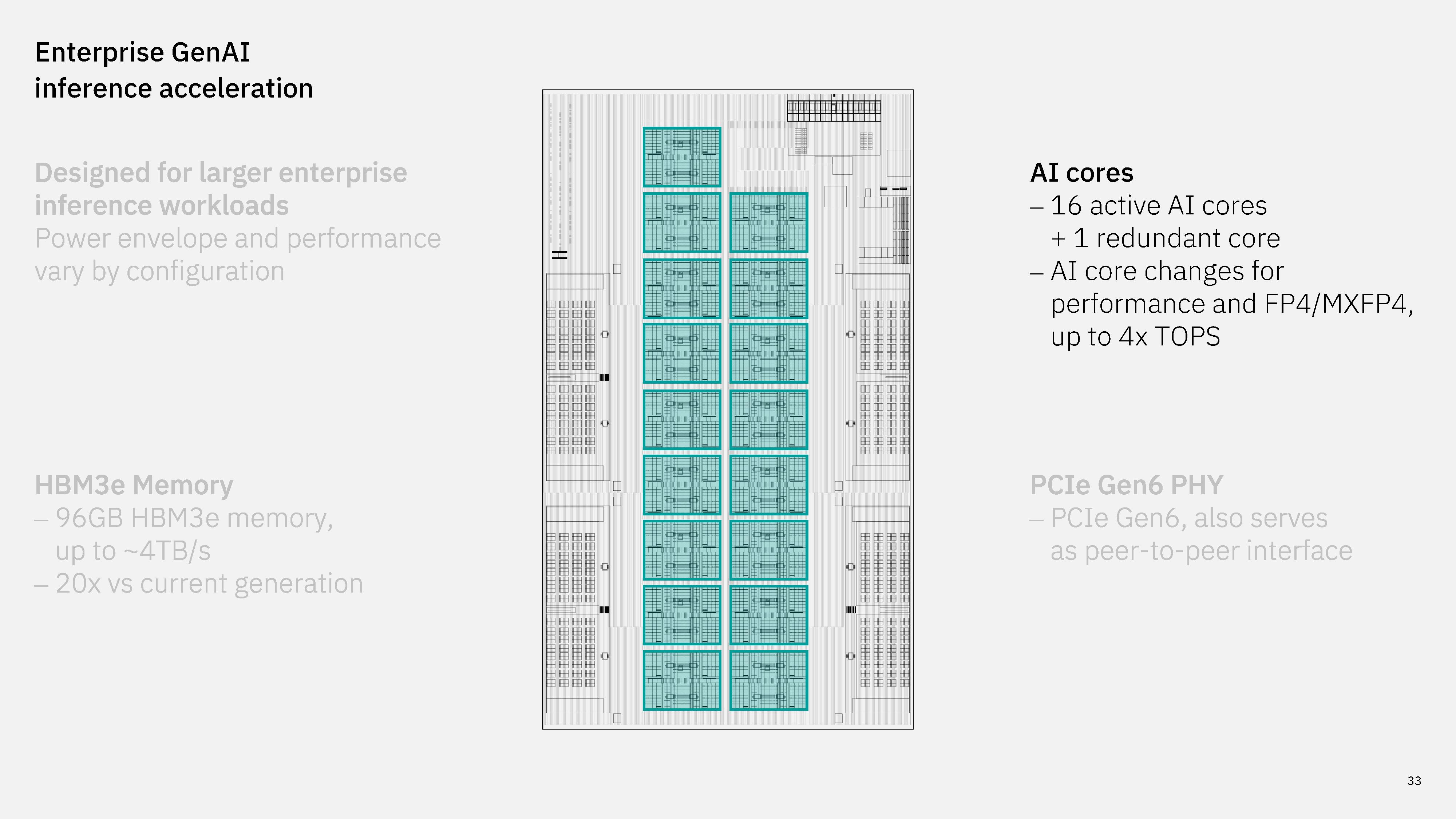
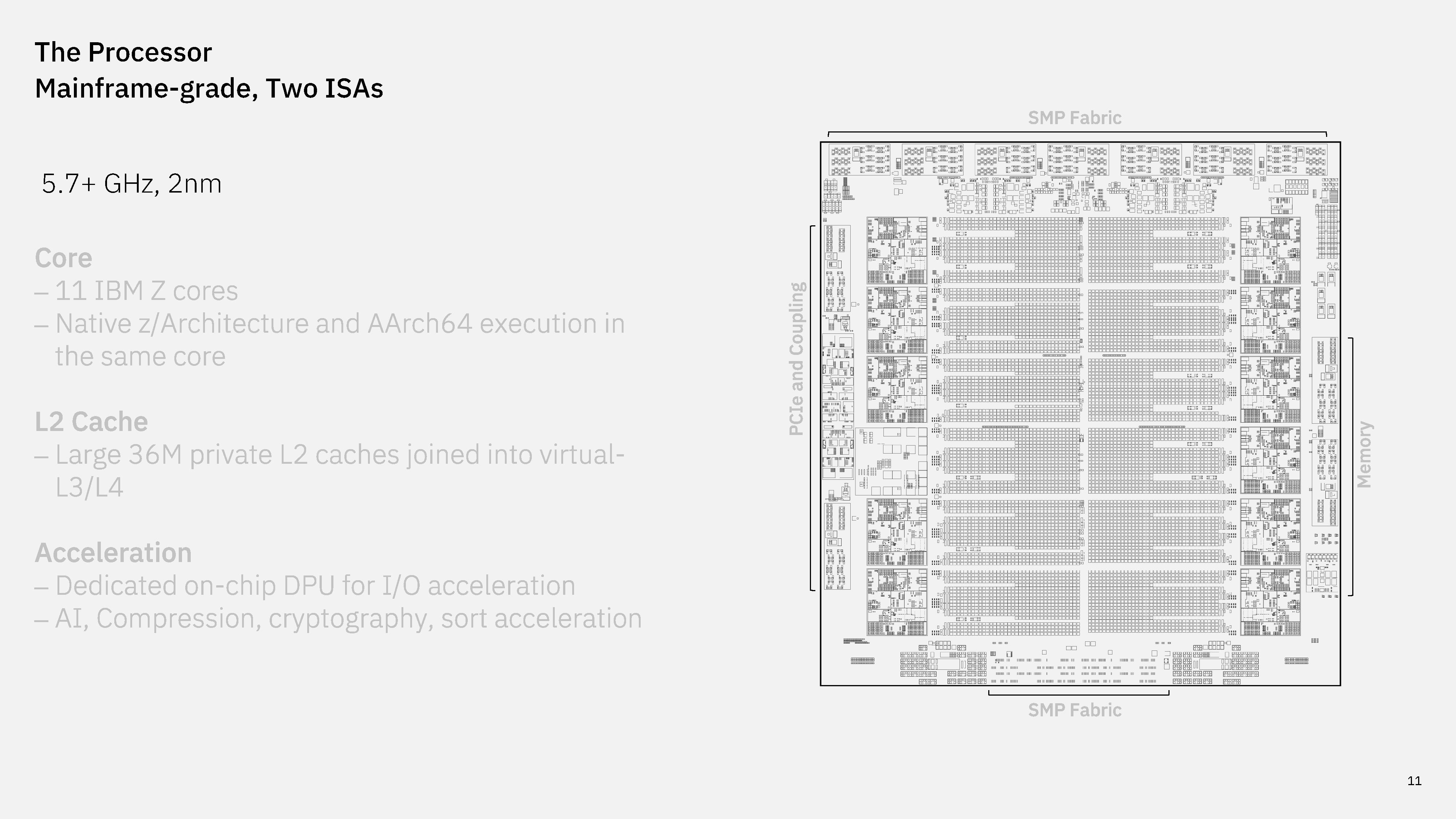
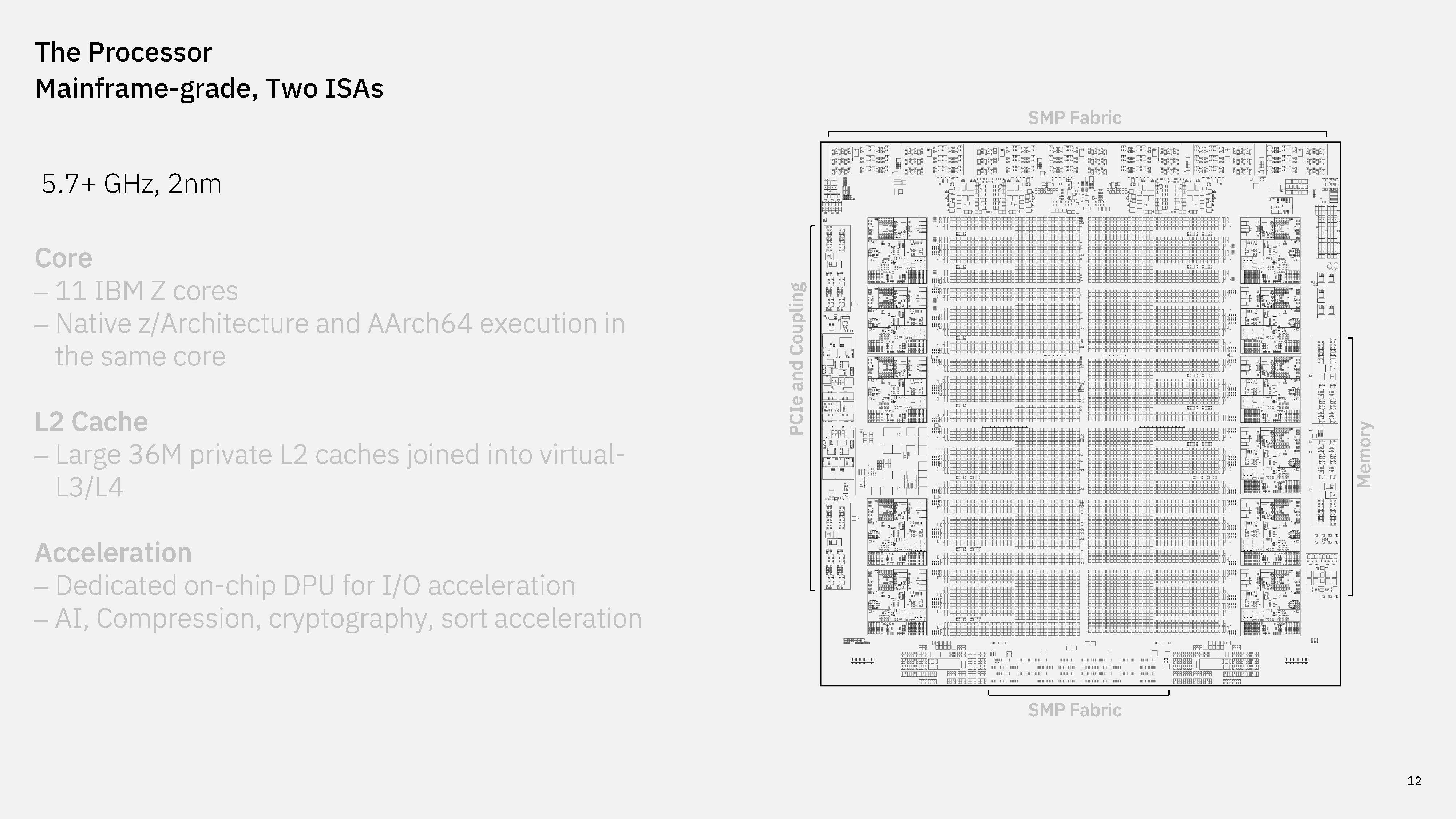
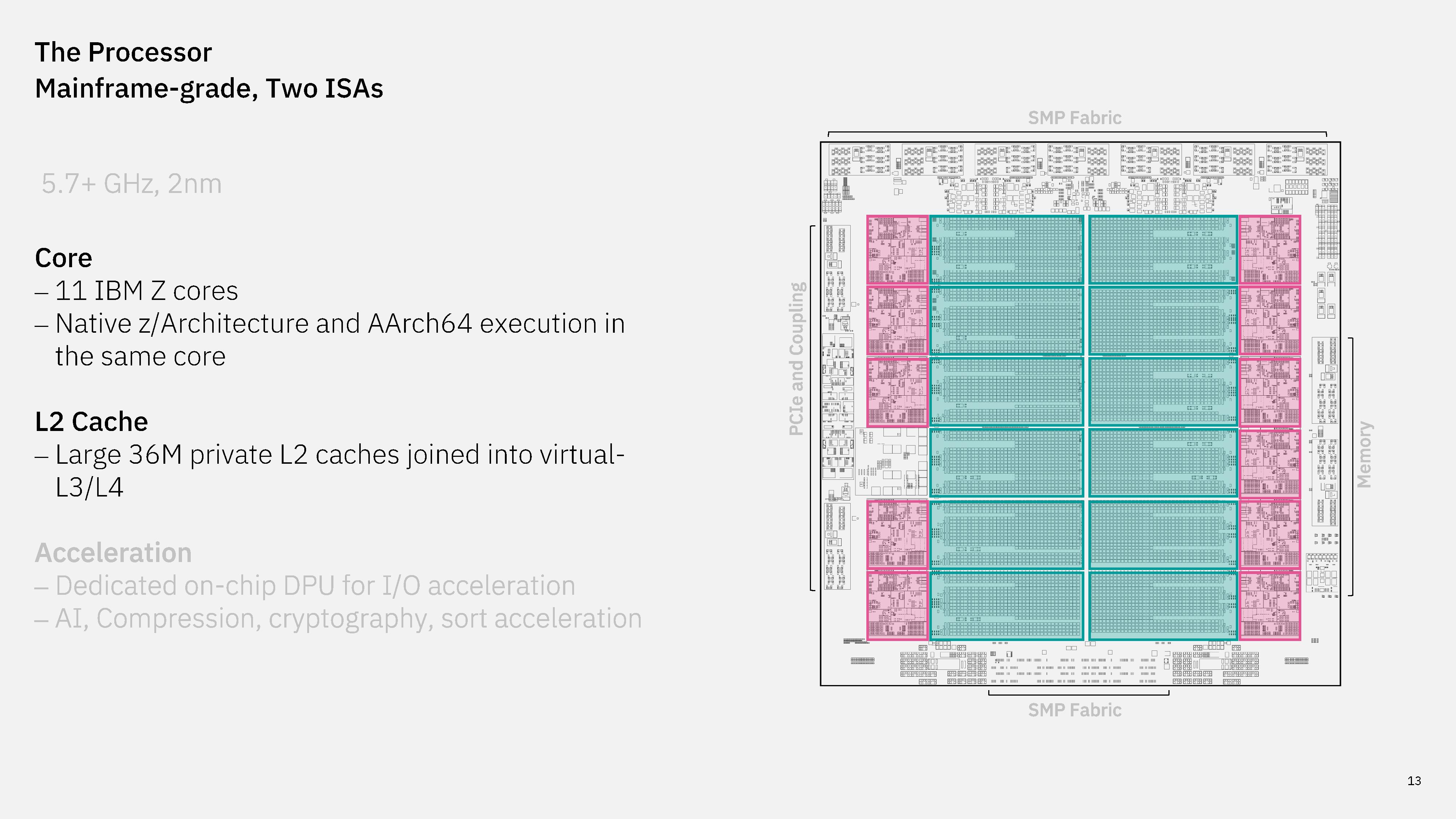
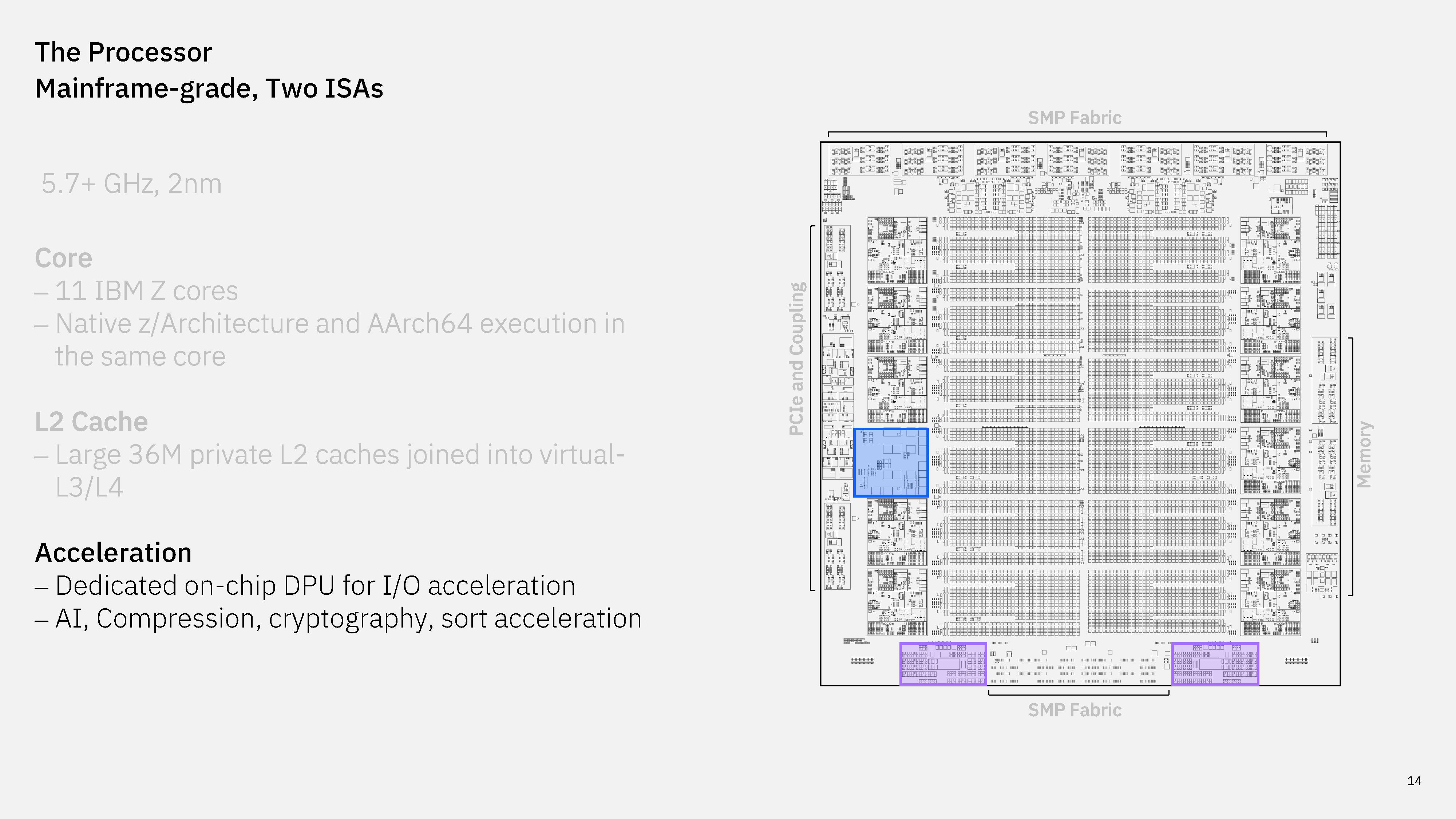
A high-level look at IBM's dual-ISA processor and next-gen Spyre accelerator
IBM dual-ISA processor design
IBM
IBM dual-ISA processor design
IBM
IBM dual-ISA processor design
IBM
IBM dual-ISA processor design
IBM

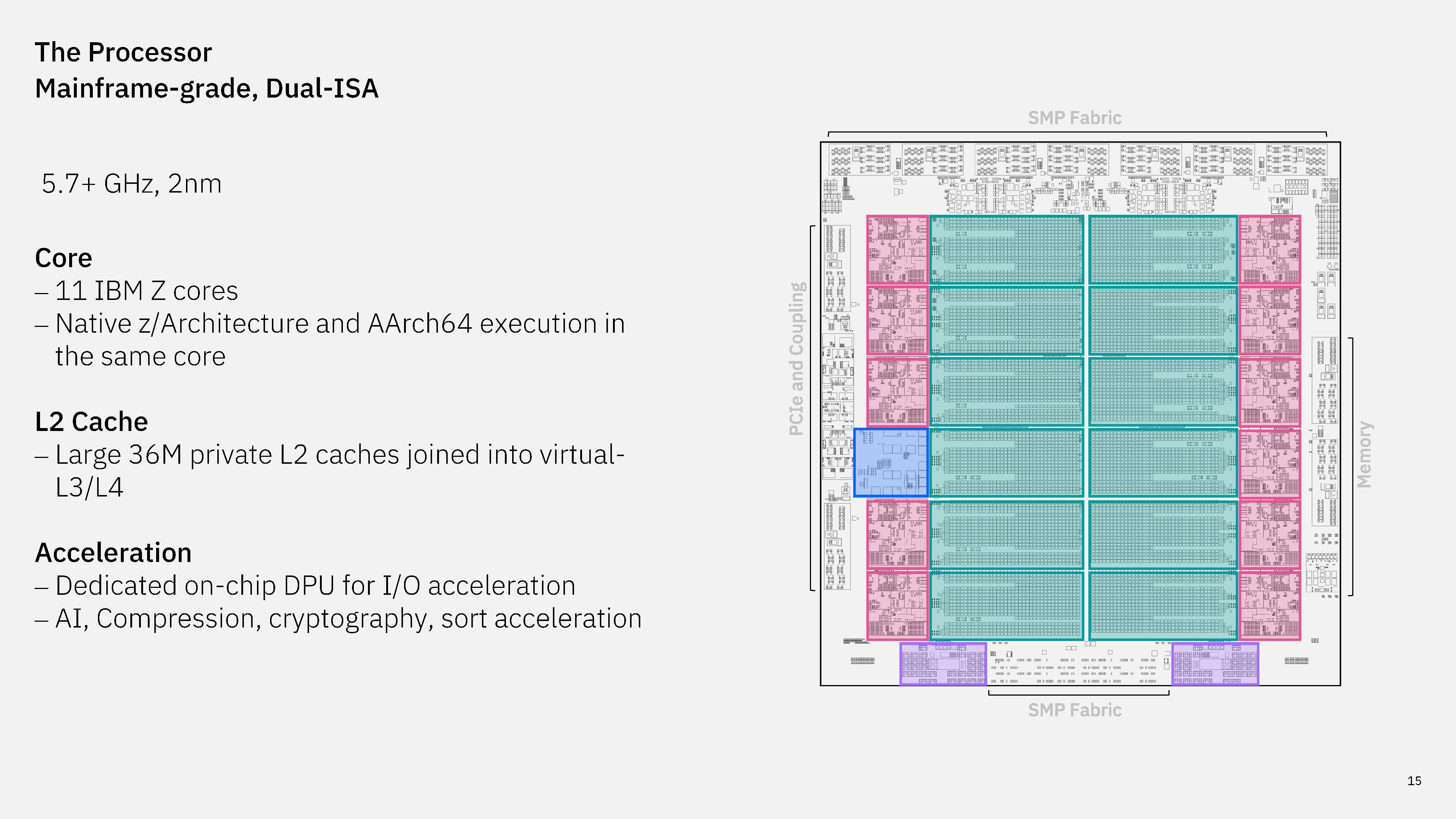
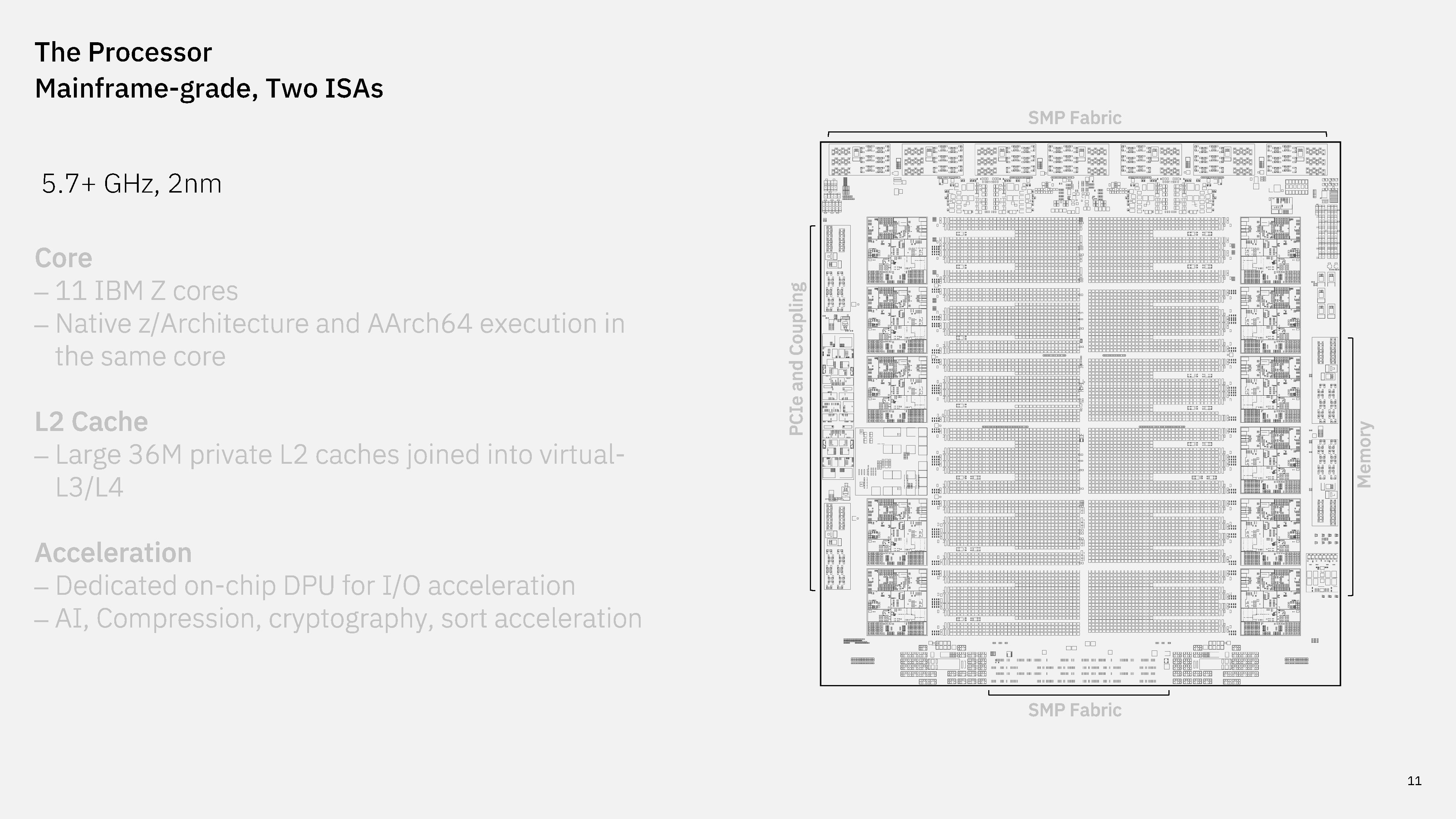
The processor that presumably will live in z18 mainframes comes with 11 high-performance cores, built on a 2nm process, that can operate at a base frequency of 5.7 GHz. Even on those specs, and ignoring dual-ISA execution, it's a considerable step up over the current Telum II processor that IBM introduced in 2024. That chip features eight cores operating at up to 5.5 GHz. Otherwise, IBM's dual-ISA processor comes with the same 36 MB of private L2, as well as virtual L3 and L4. These caches are larger than Telum II at 432 MB of virtual L3 and 3.5 GB of virtual L4.

Also carried forward is an on-chip DPU, as well as hardware accelerators for AI, compression, and cryptography workloads, same as Telum II. Outside of more cores and higher clocks, much of the work on IBM's dual-ISA processor happened, naturally, in the core itself, which we'll dig into in the next section.

The core supports simultaneous multithreading, which is available to both ISAs.
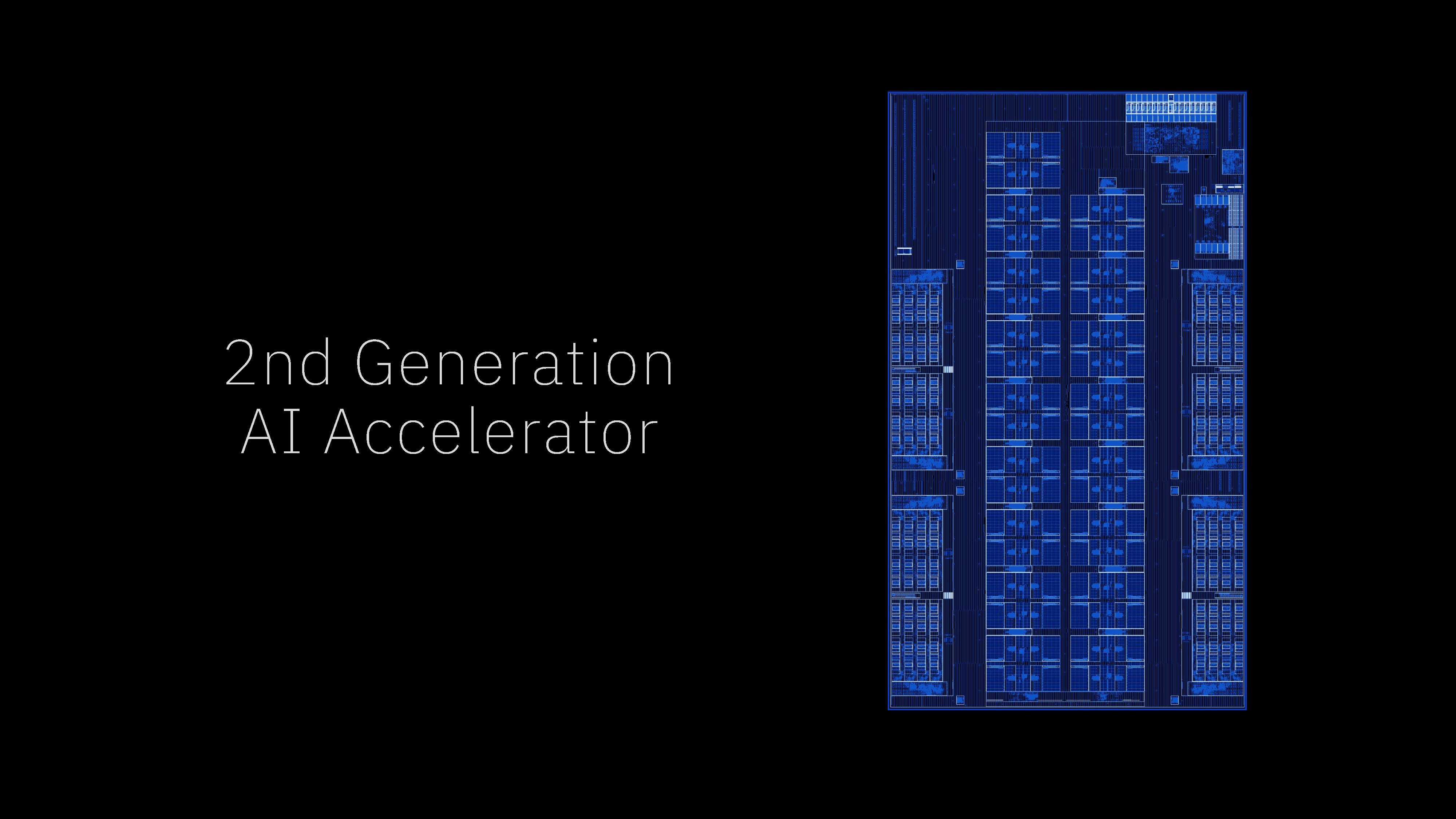
IBM next-gen AI accelerator
IBM
IBM next-gen AI accelerator
IBM
IBM next-gen AI accelerator
IBM
IBM next-gen AI accelerator
IBM
IBM next-gen AI accelerator
IBM

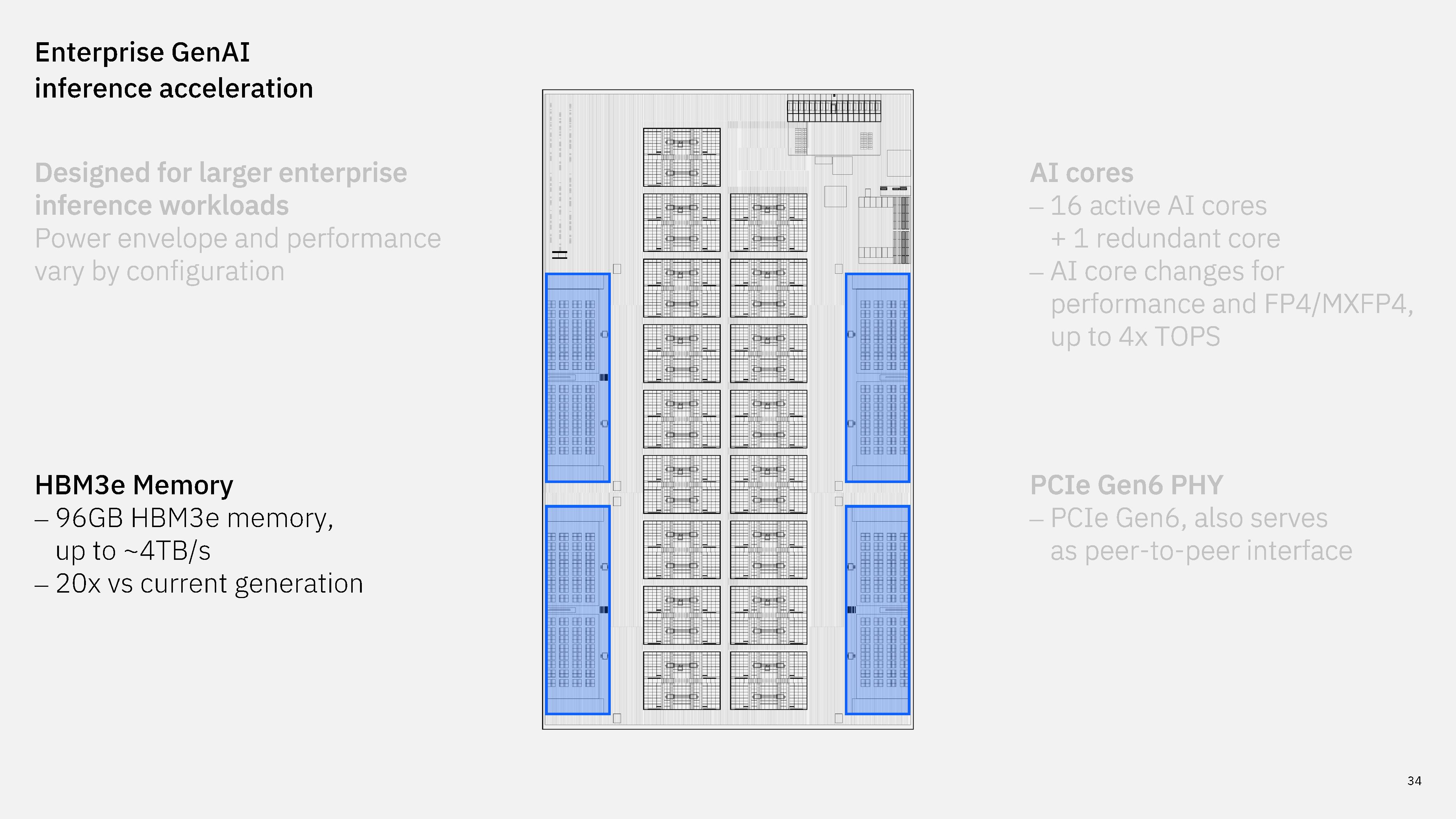
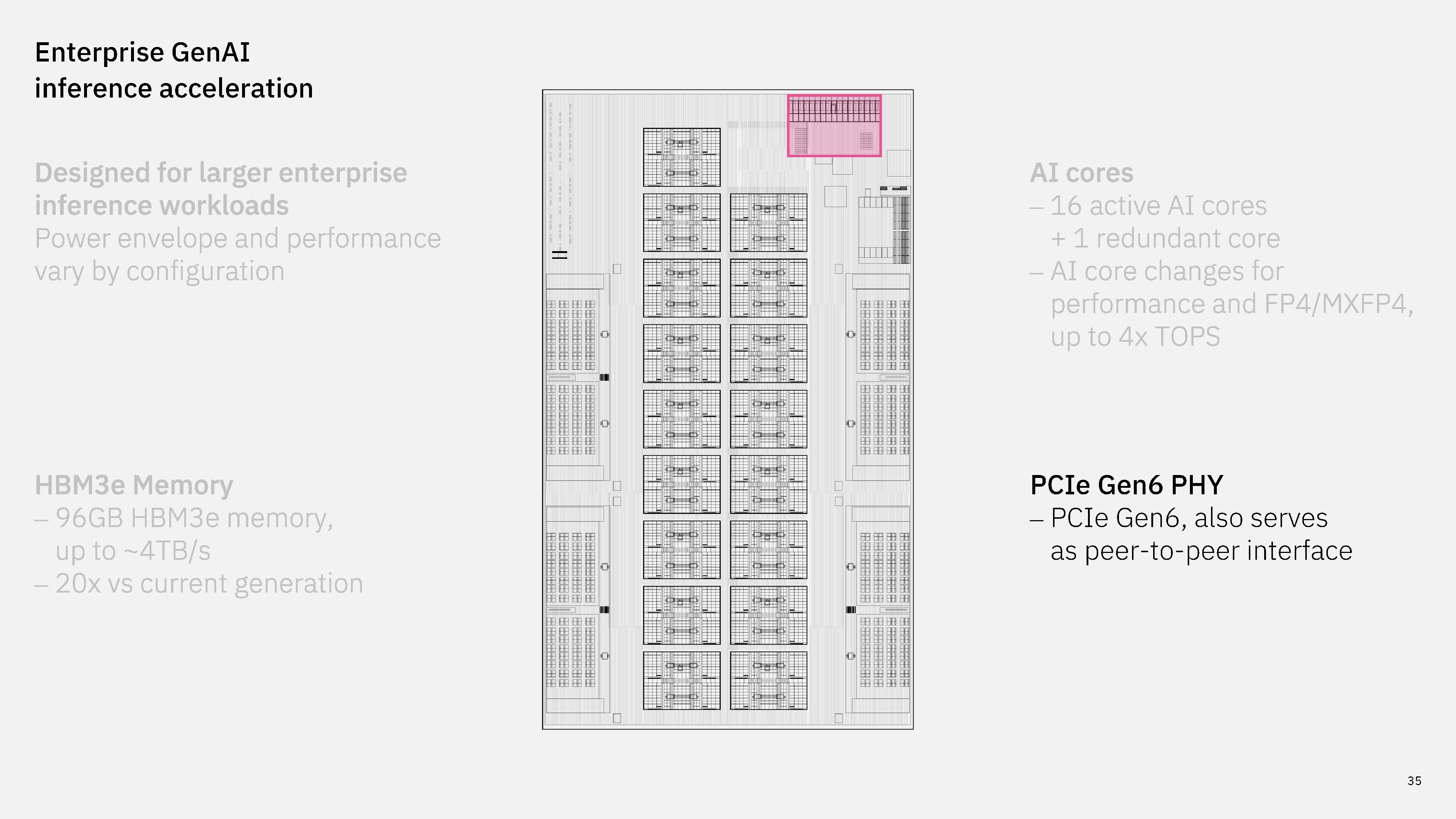
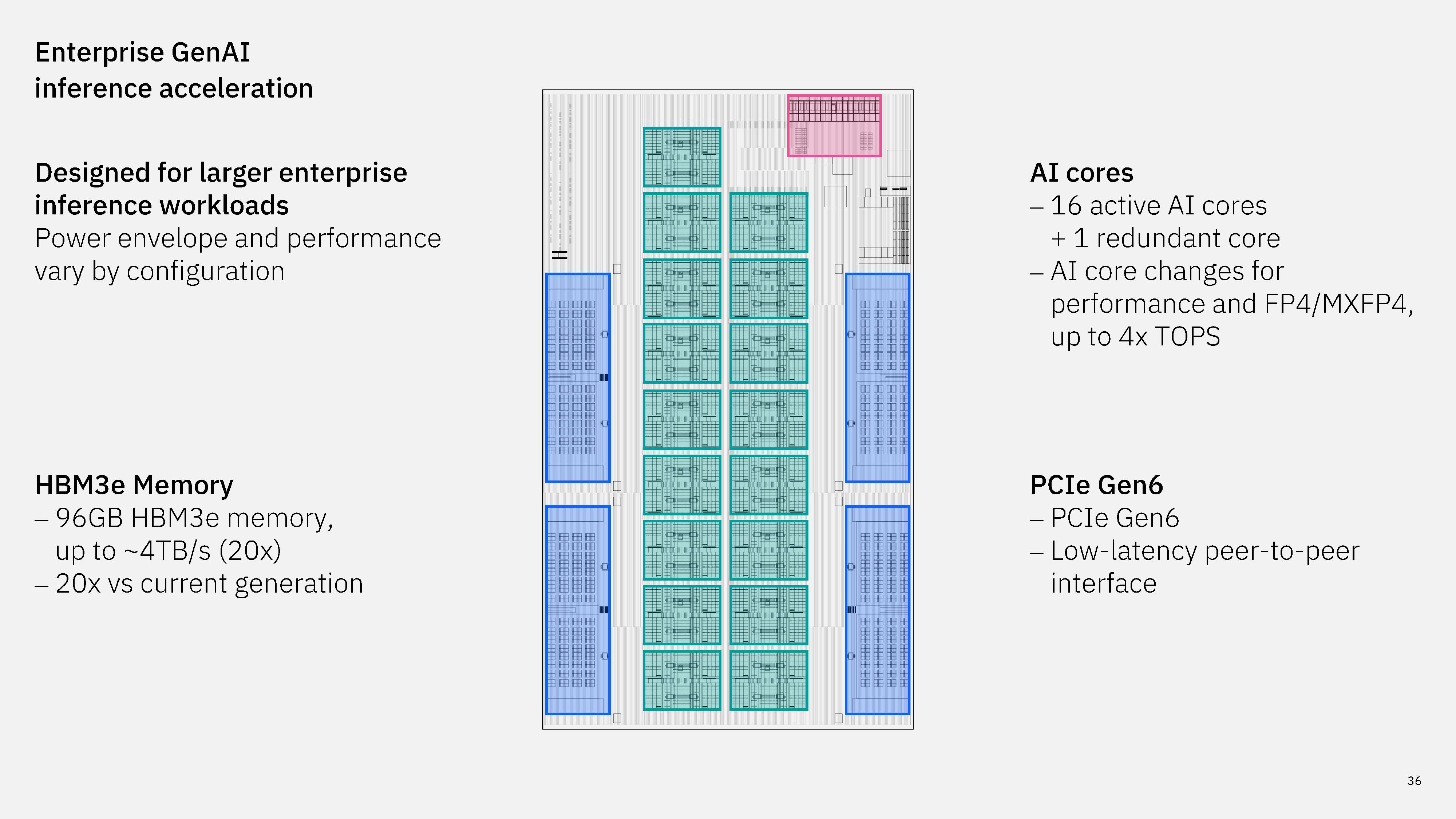
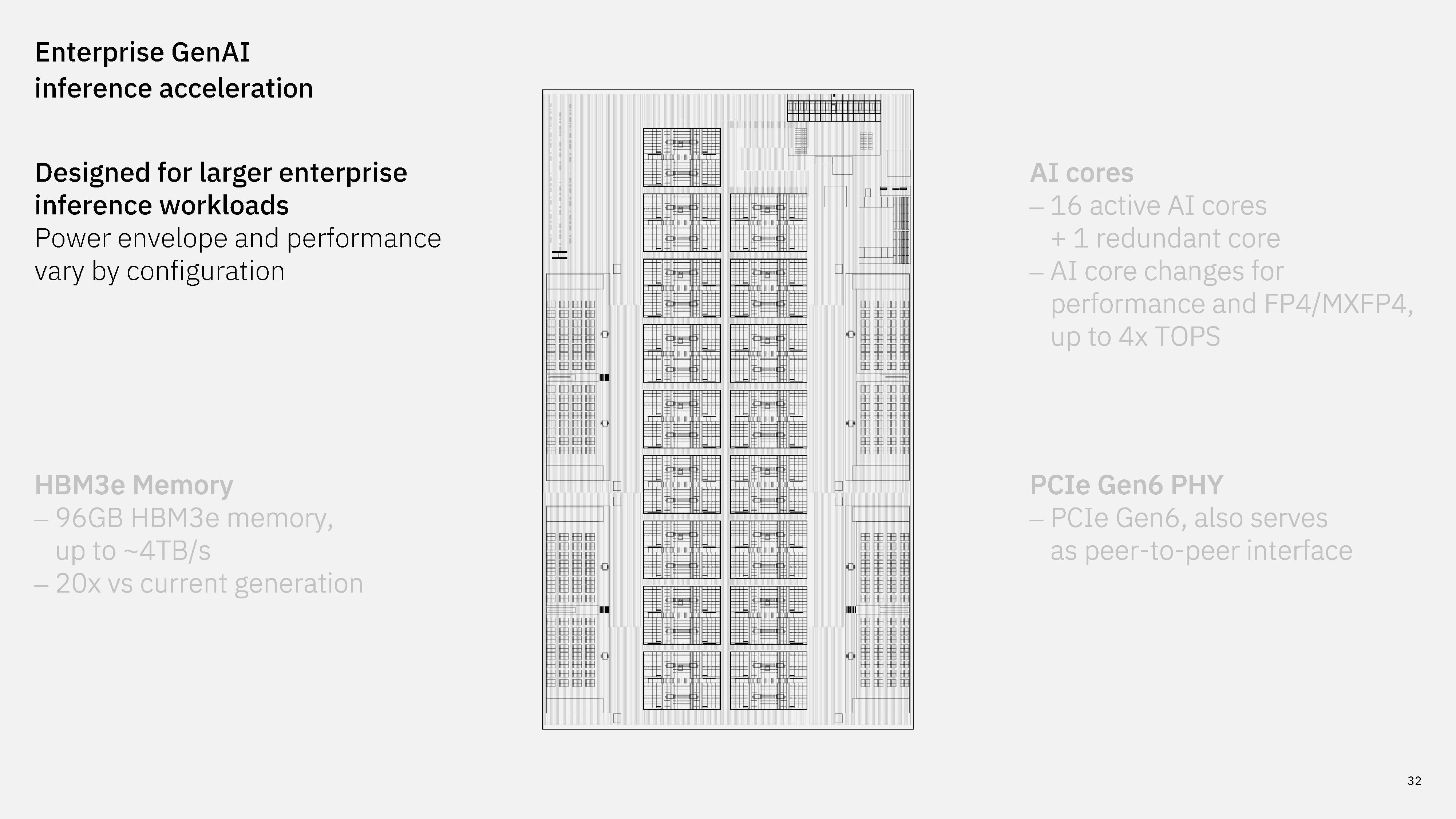
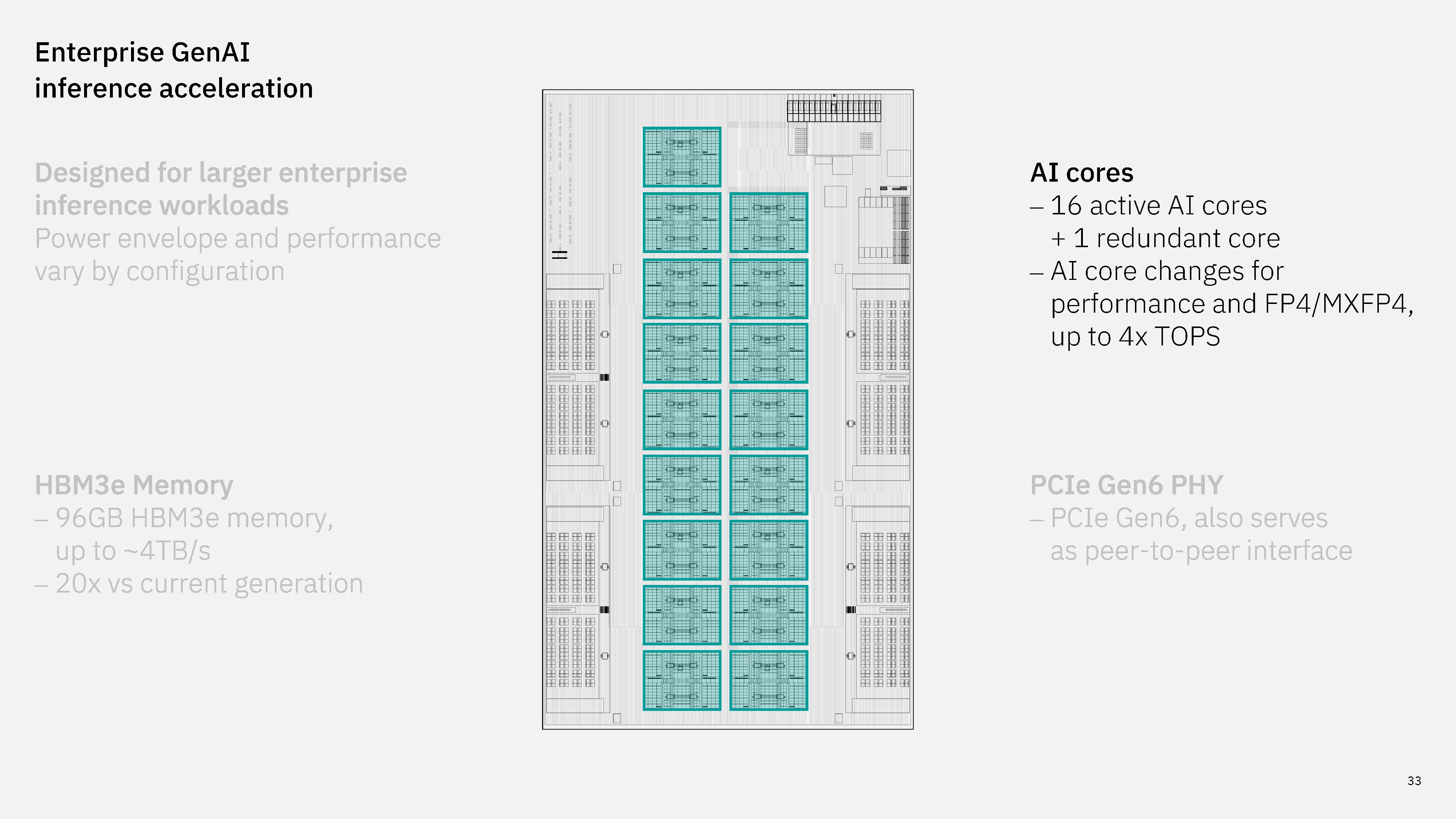
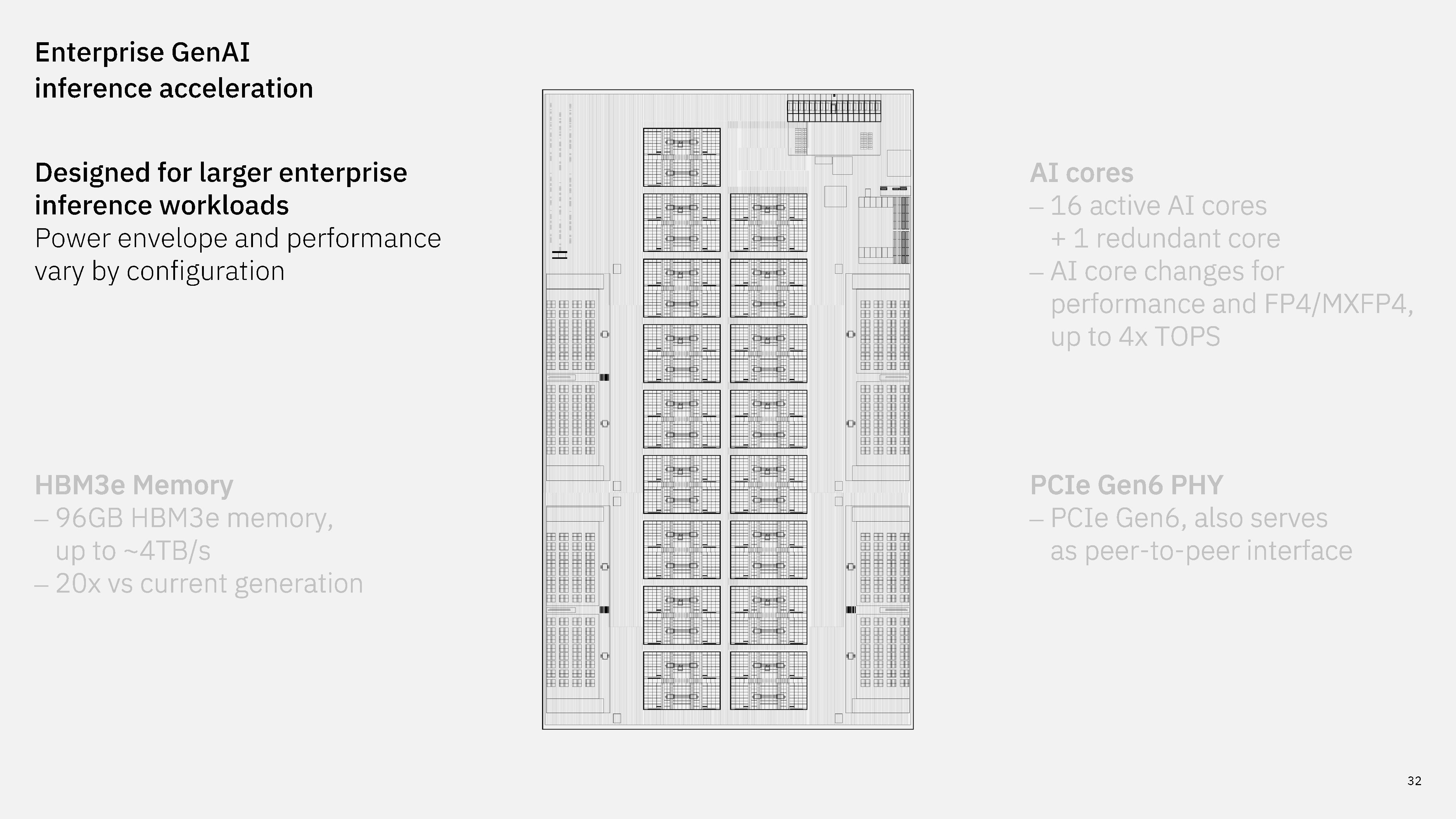
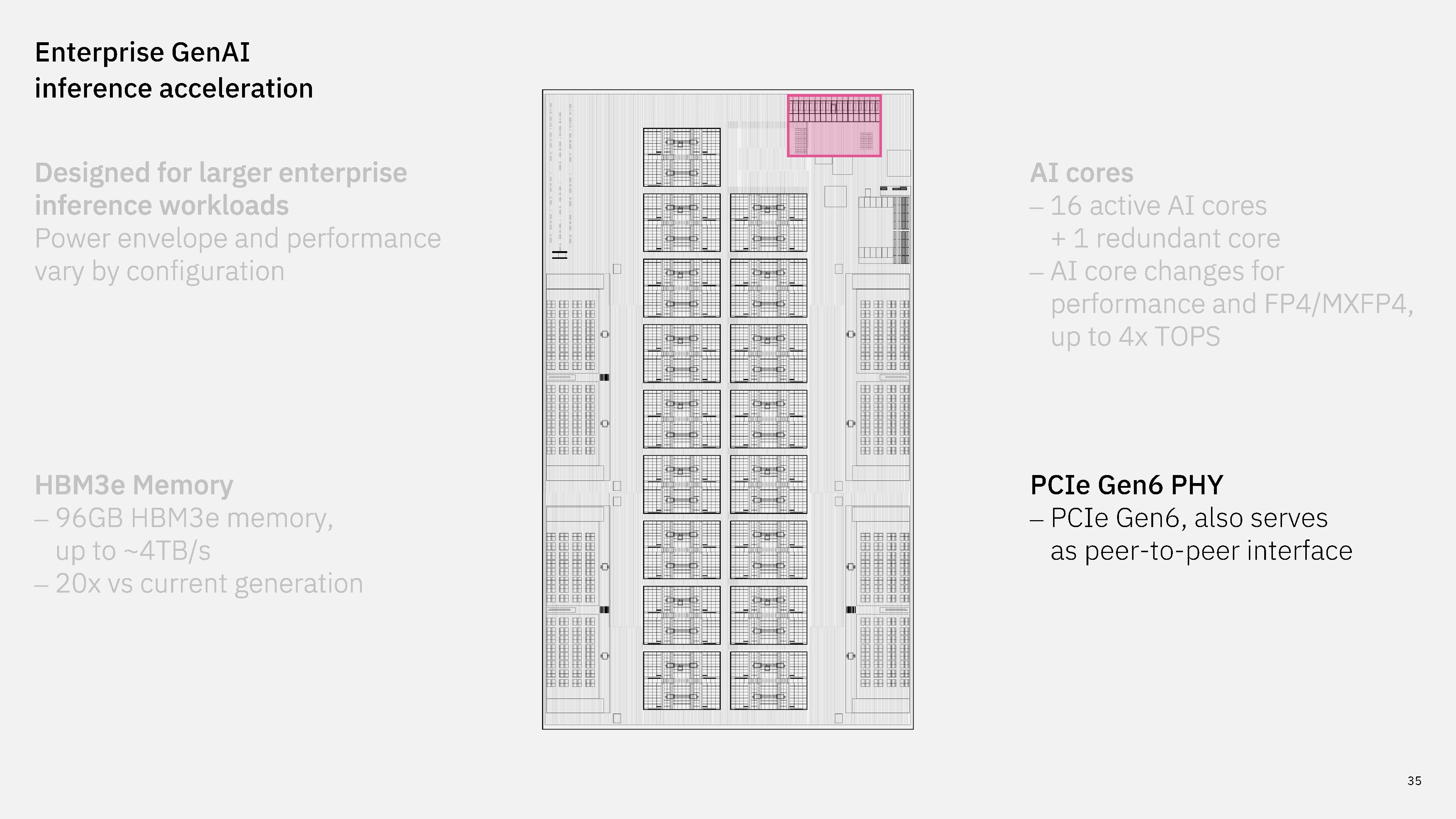
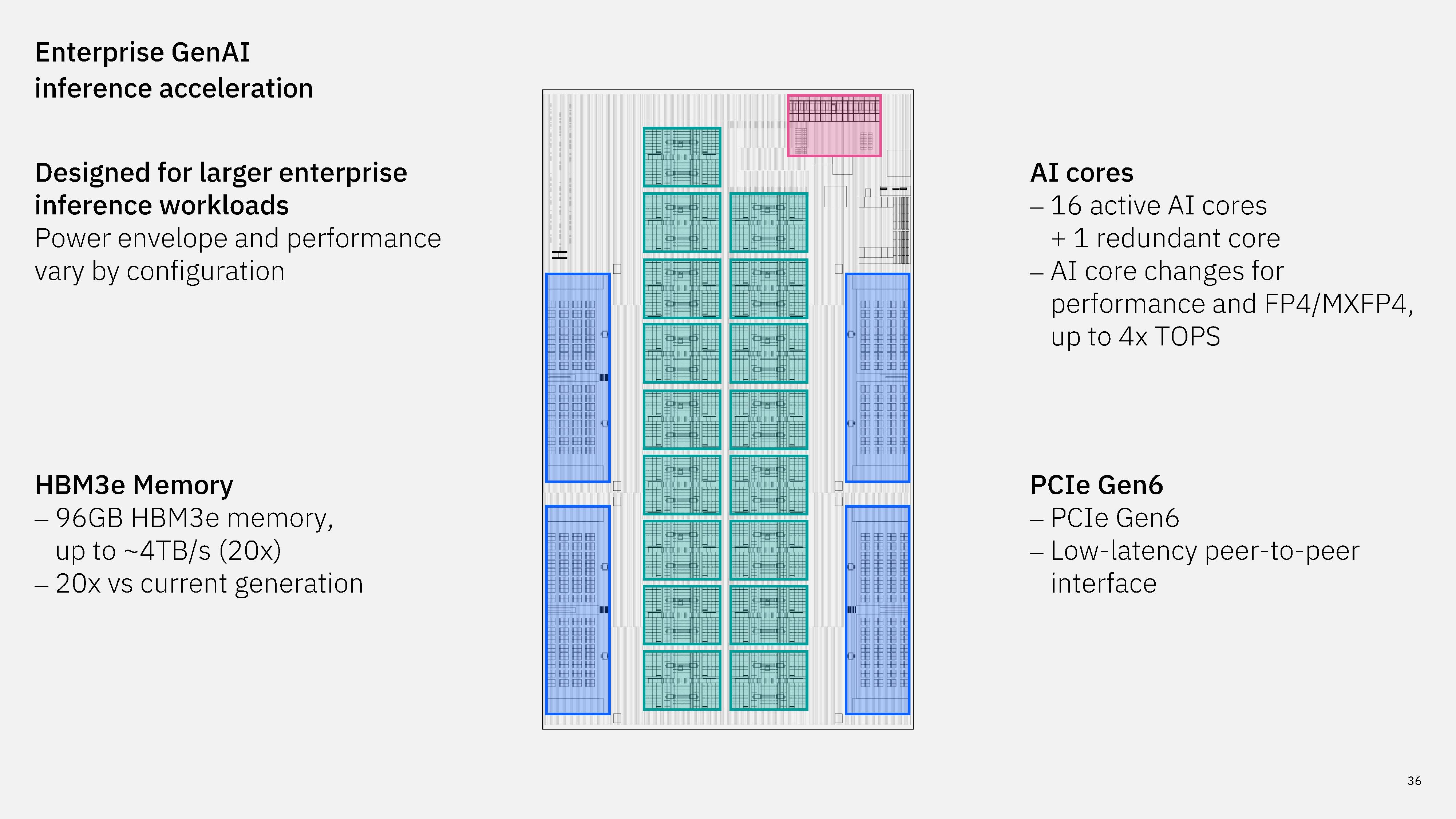
Alongside the processor, IBM teased its next-gen AI accelerator at Hot Chips 2026. It's considerably more capable than the current Spyre accelerator, which makes sense, given IBM's new capabilities with Arm. The new accelerator comes with 16 cores that include optimizations for newer AI data formats, including FP4/MXFP4.

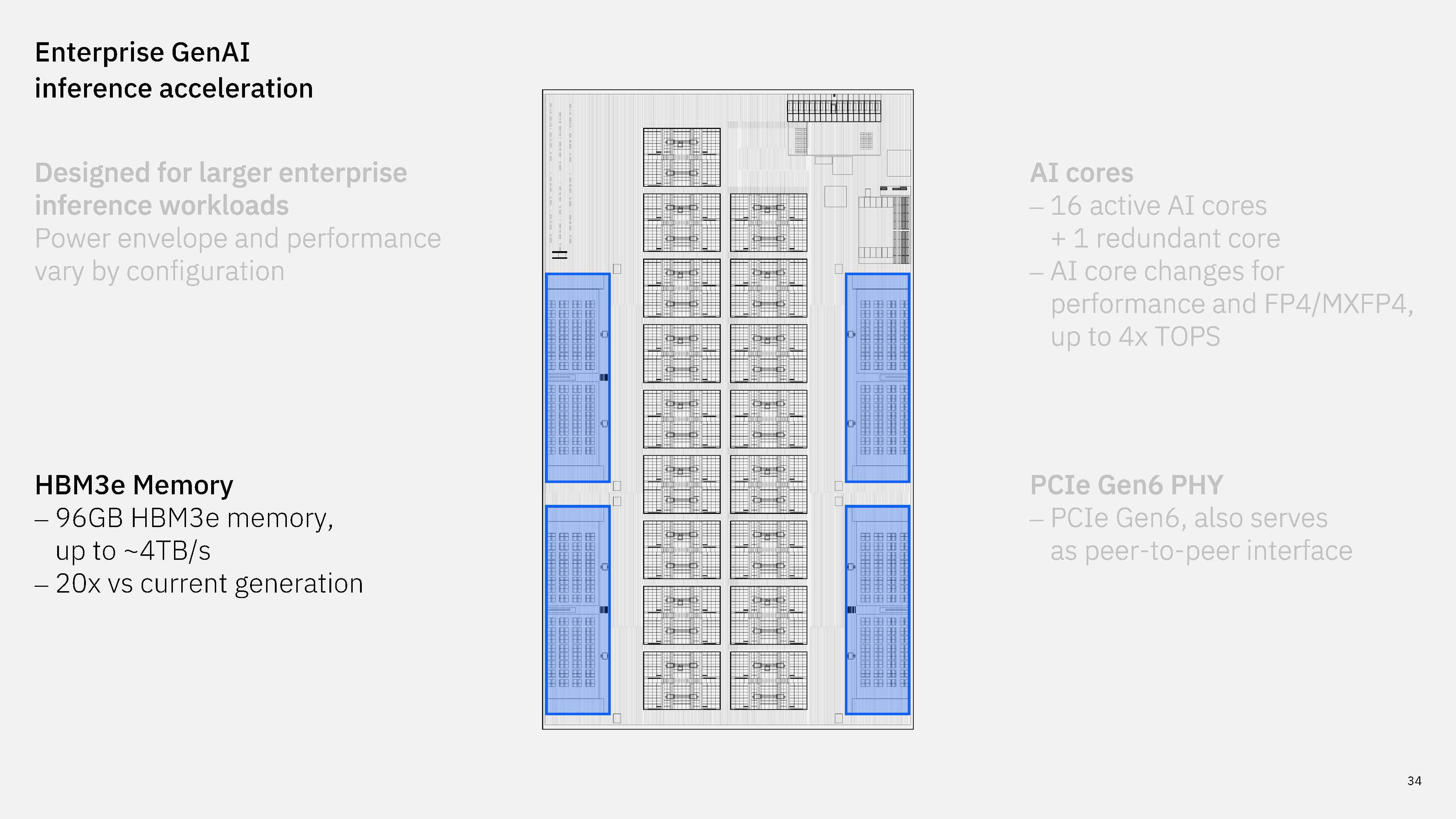
The big change comes in memory, however, with IBM moving off LPDDR5 to lower-capacity but significantly higher-bandwidth HBM3e. Each accelerator comes with 96 GB of HBM3e, offering up to 4TB/s, 20x that of what IBM is able to deliver with LPDDR5.

IBM core changes to support z/Architecture and ARM
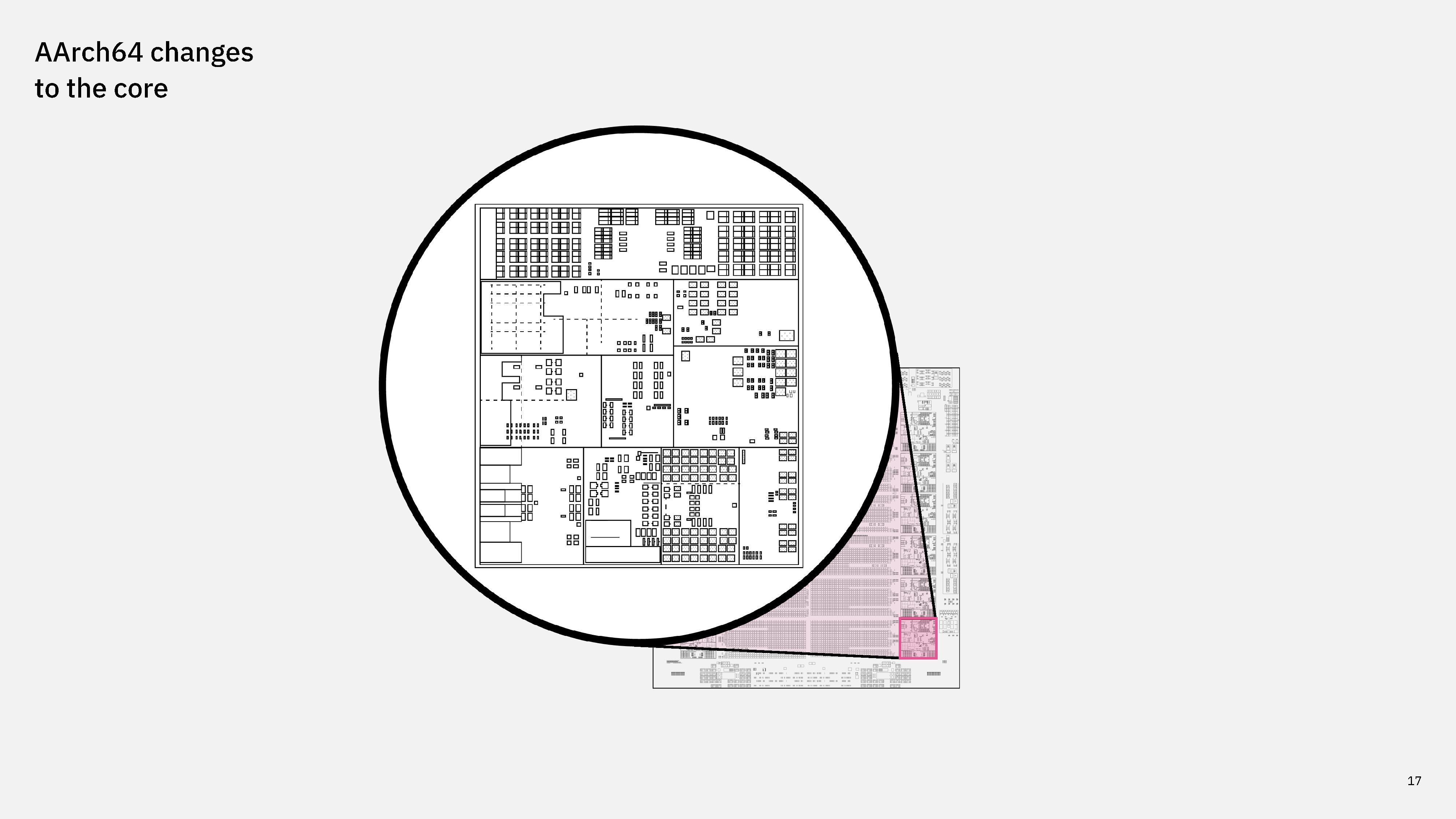
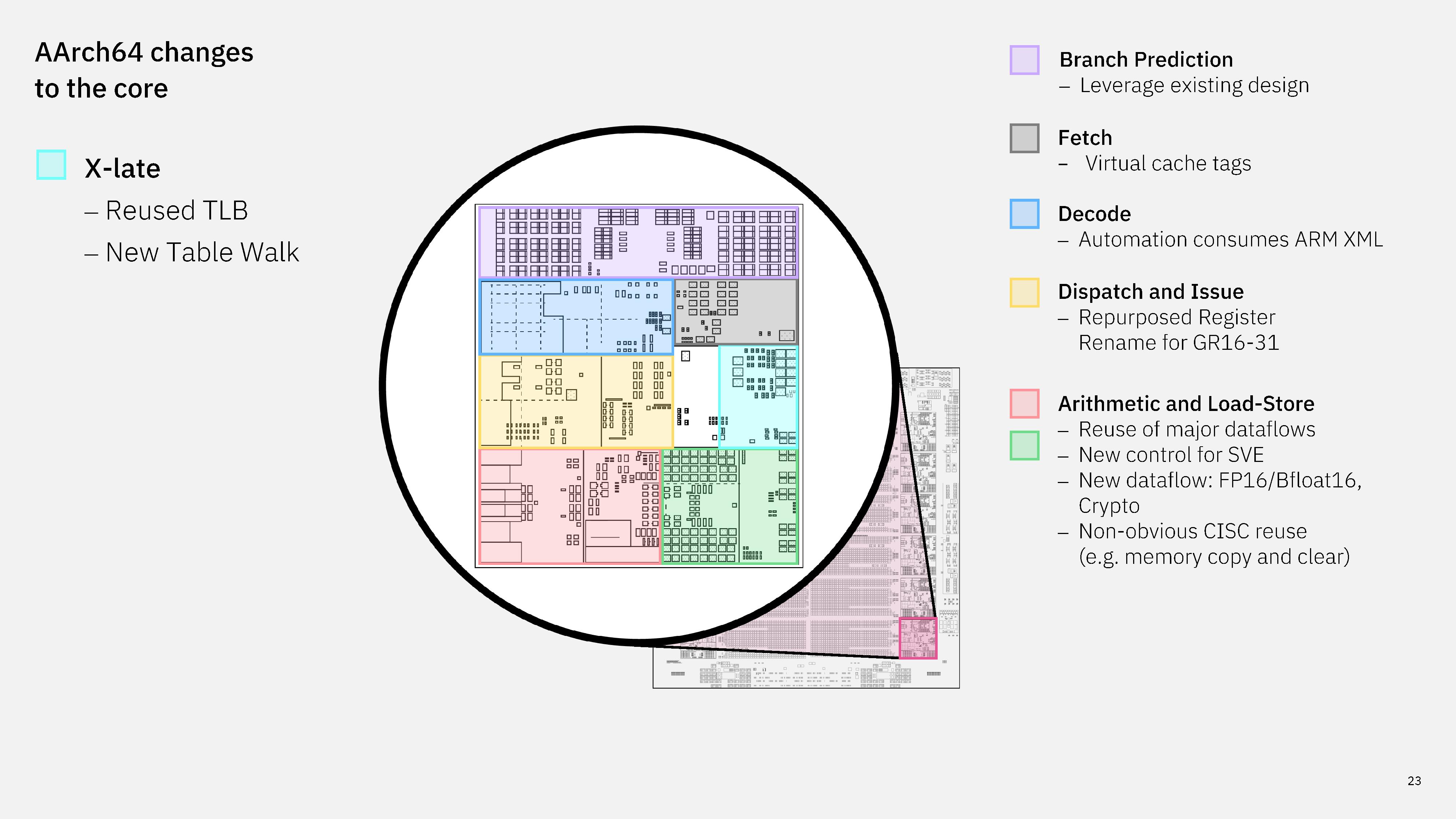
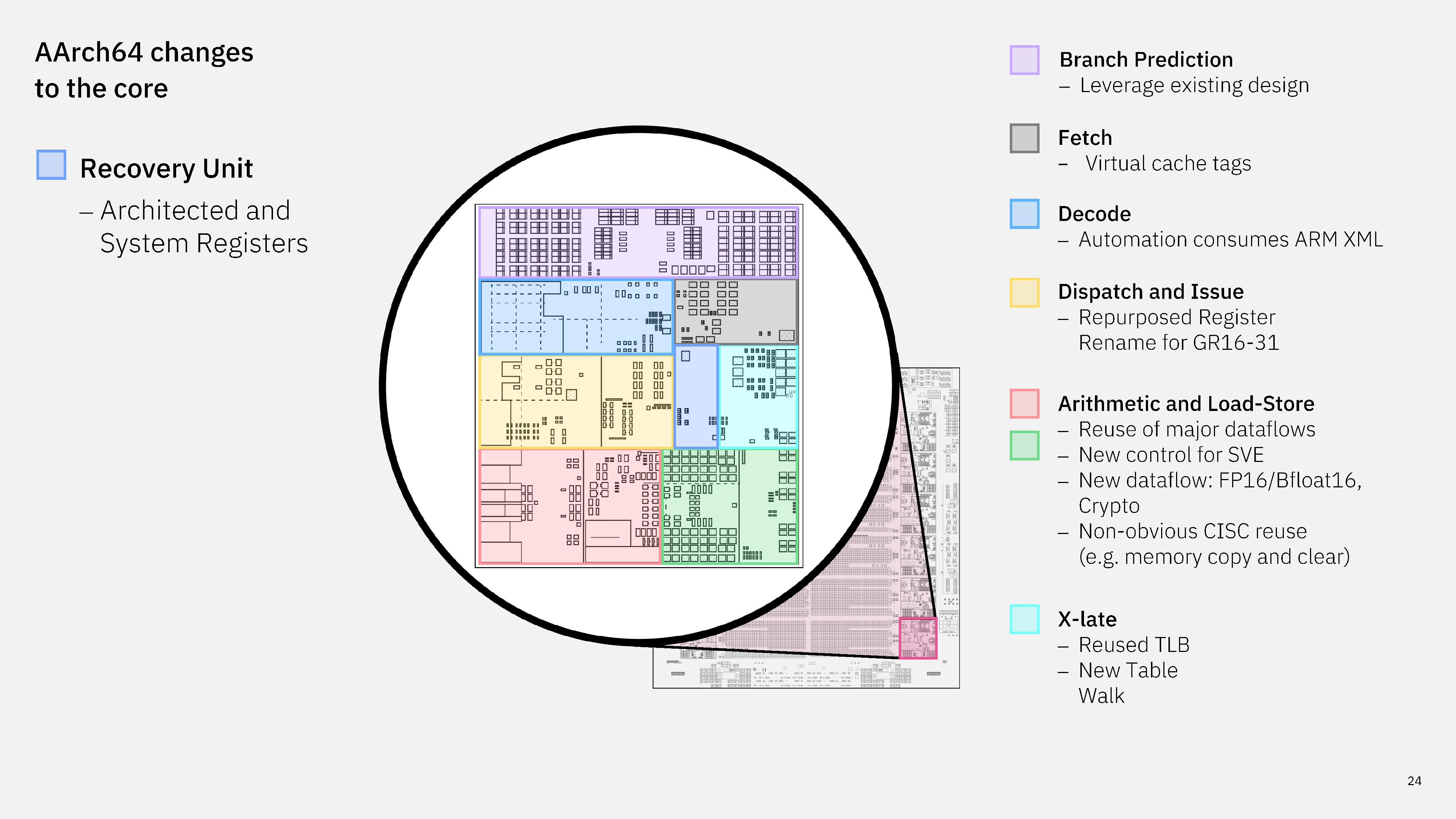
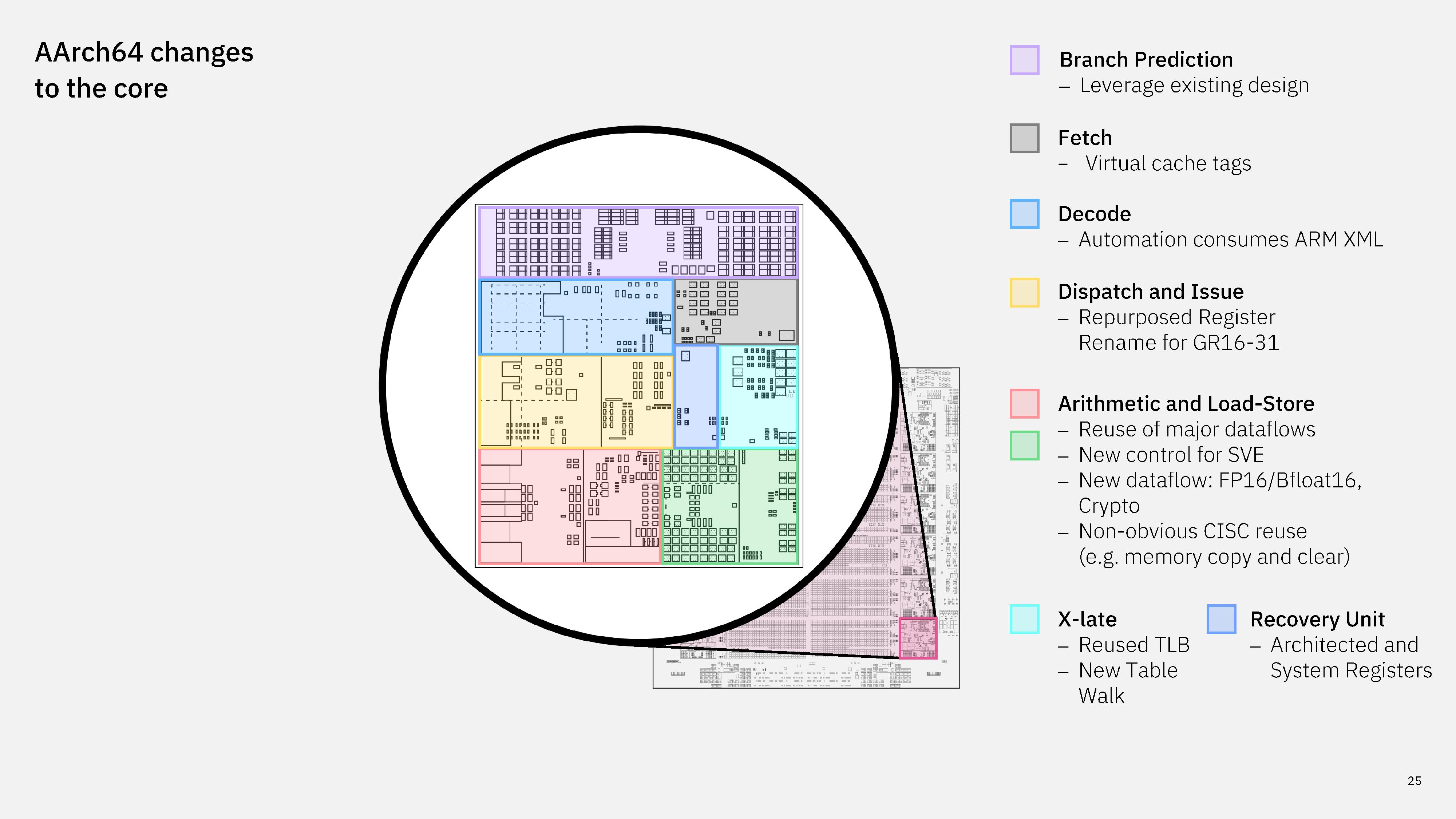
IBM next-gen processor CAD design

(Image credit: IBM)

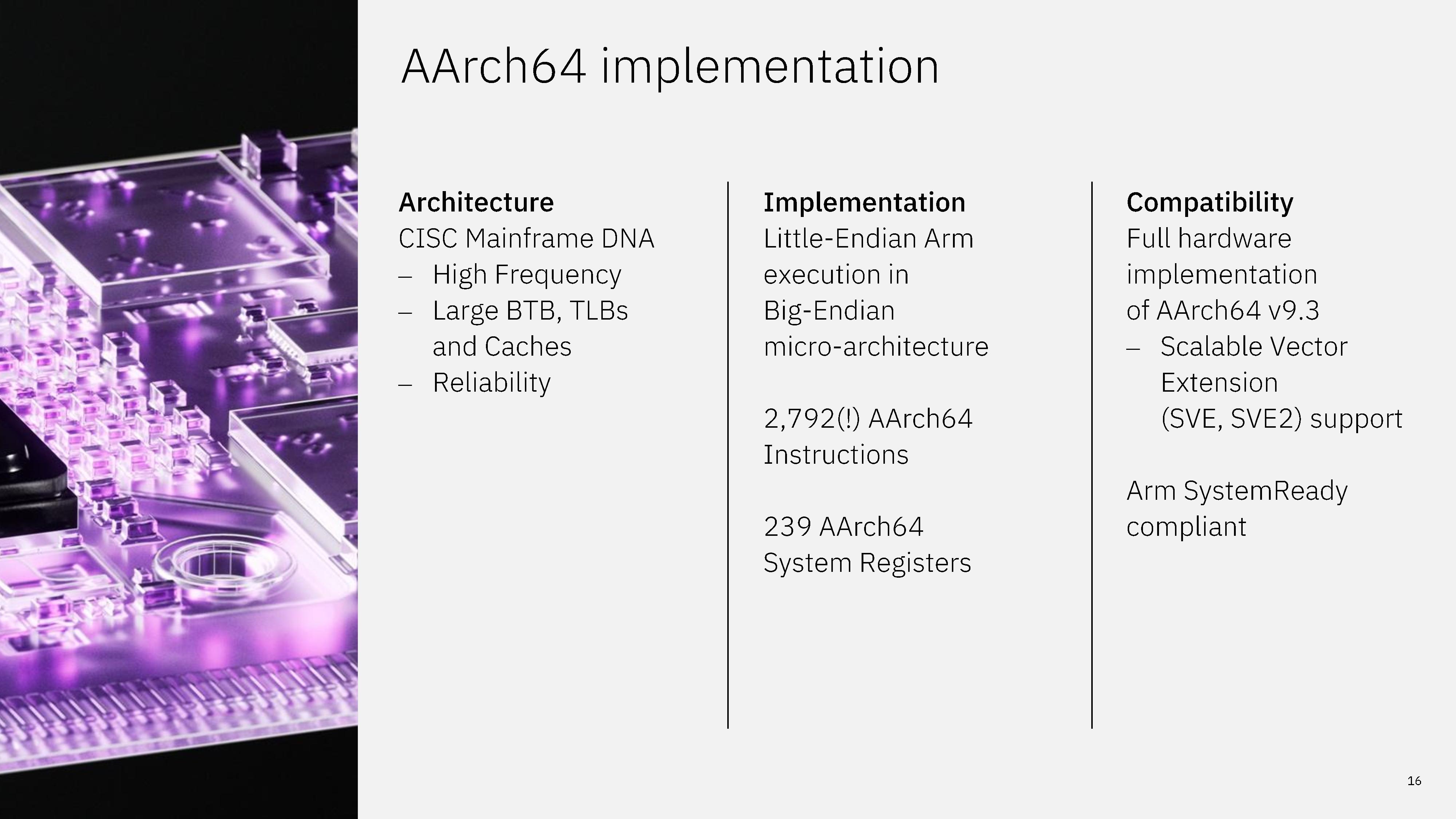
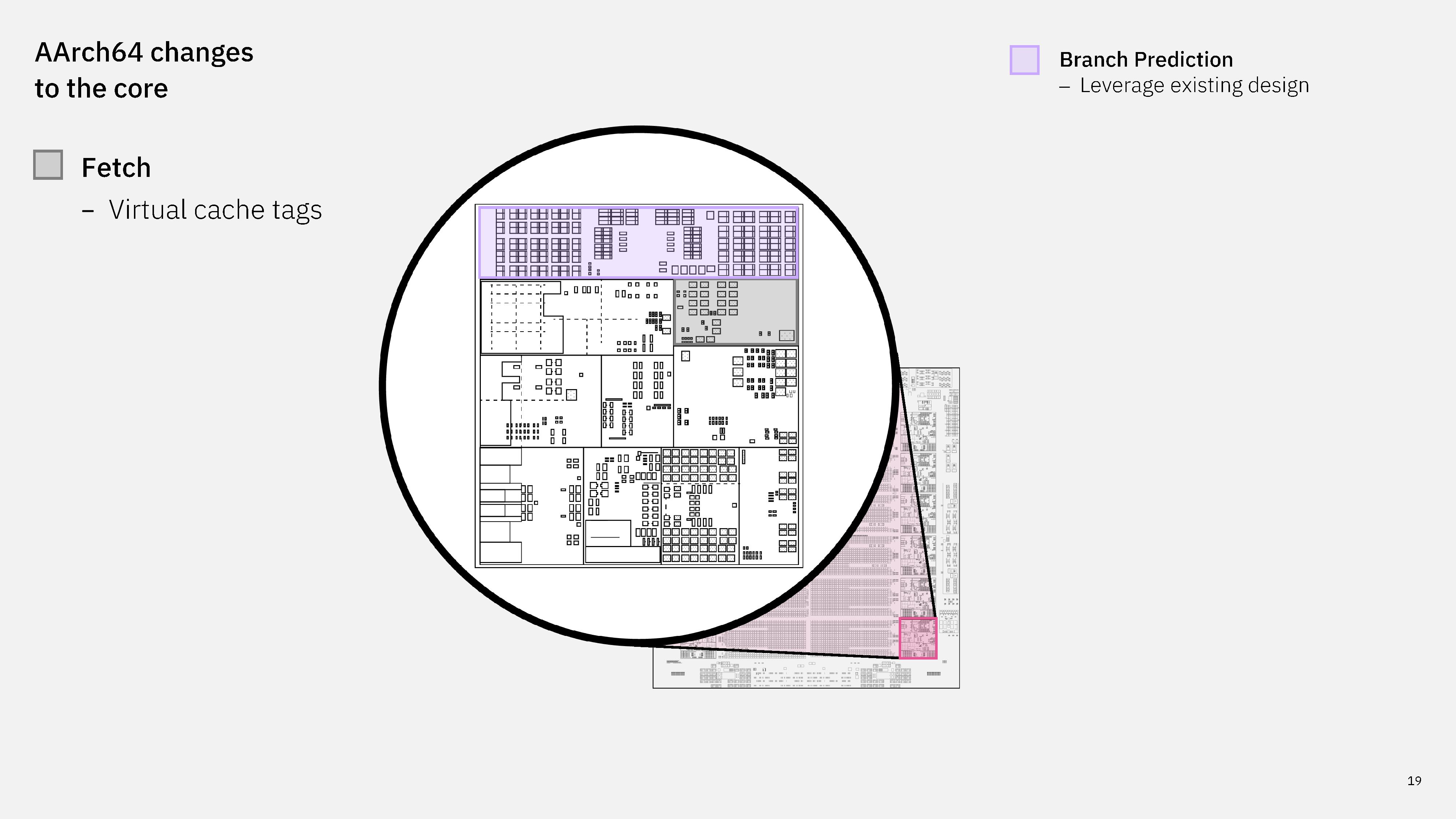
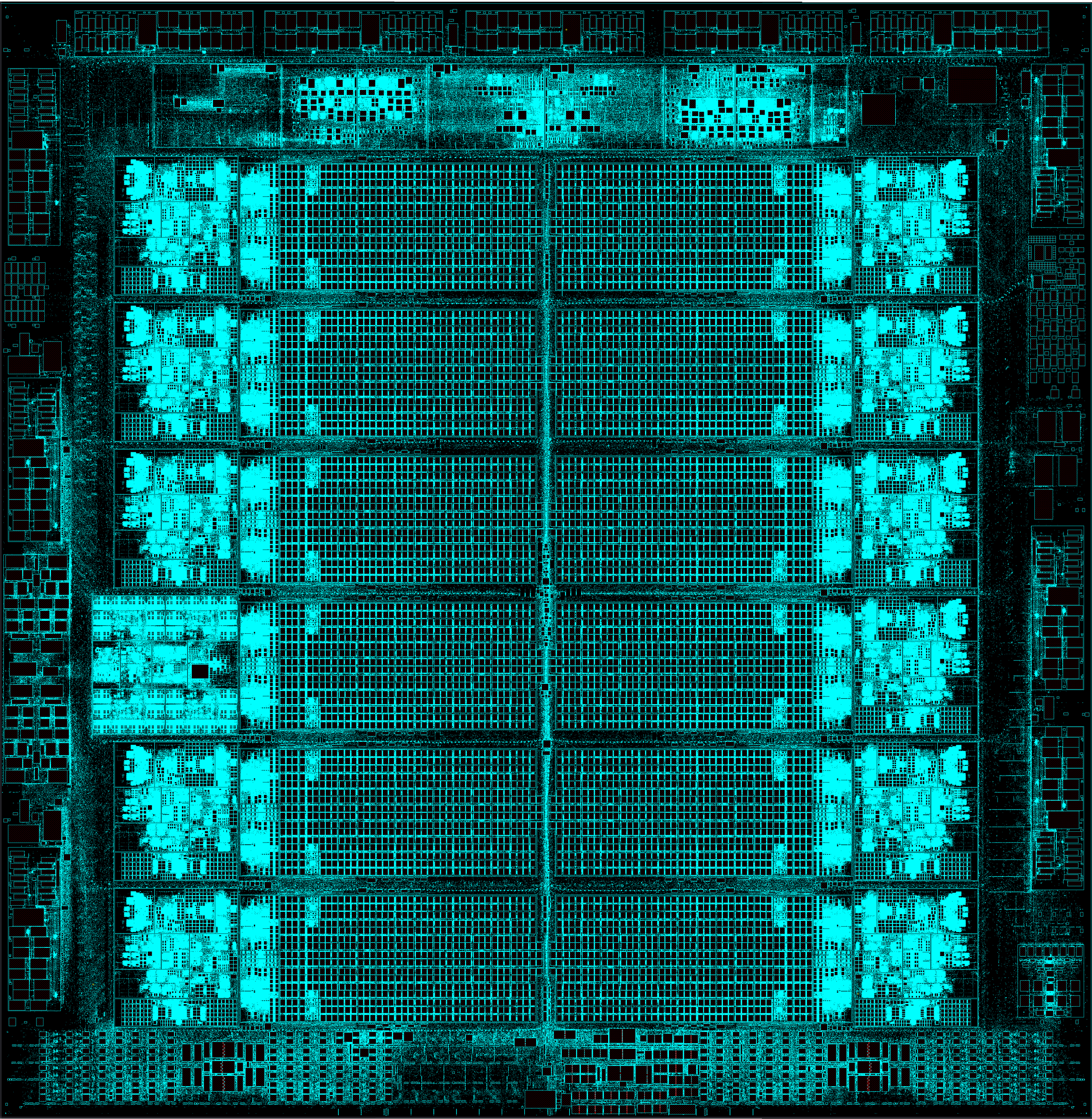
Much of the work on IBM's next-gen processor happened in the core itself in order to support native execution of AArch64 instructions. The chip has a full hardware implementation of AArch64 v9.3 with Scalable Vector Extension (SVE) support, supporting 2,792 AArch64 instructions.
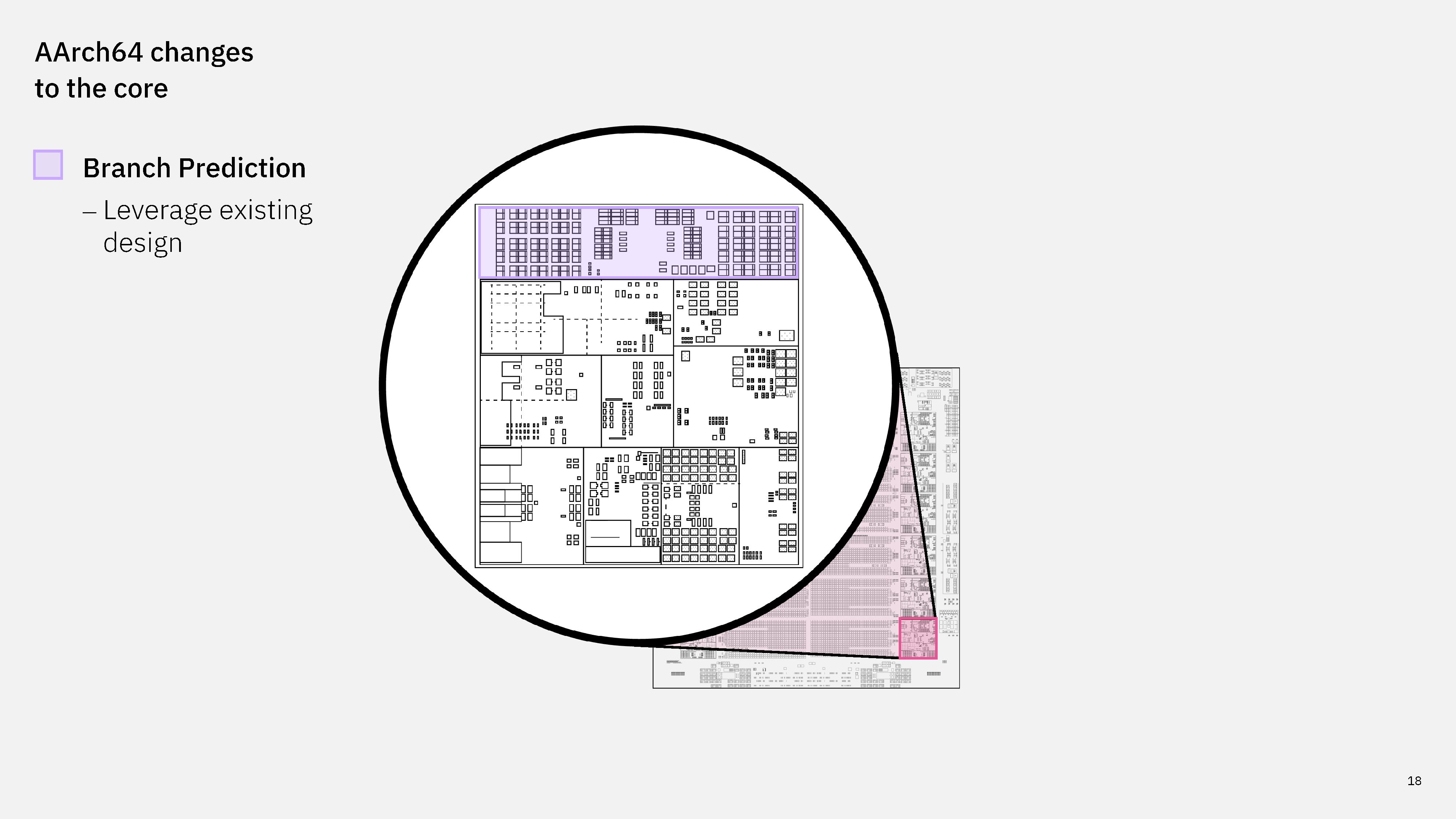
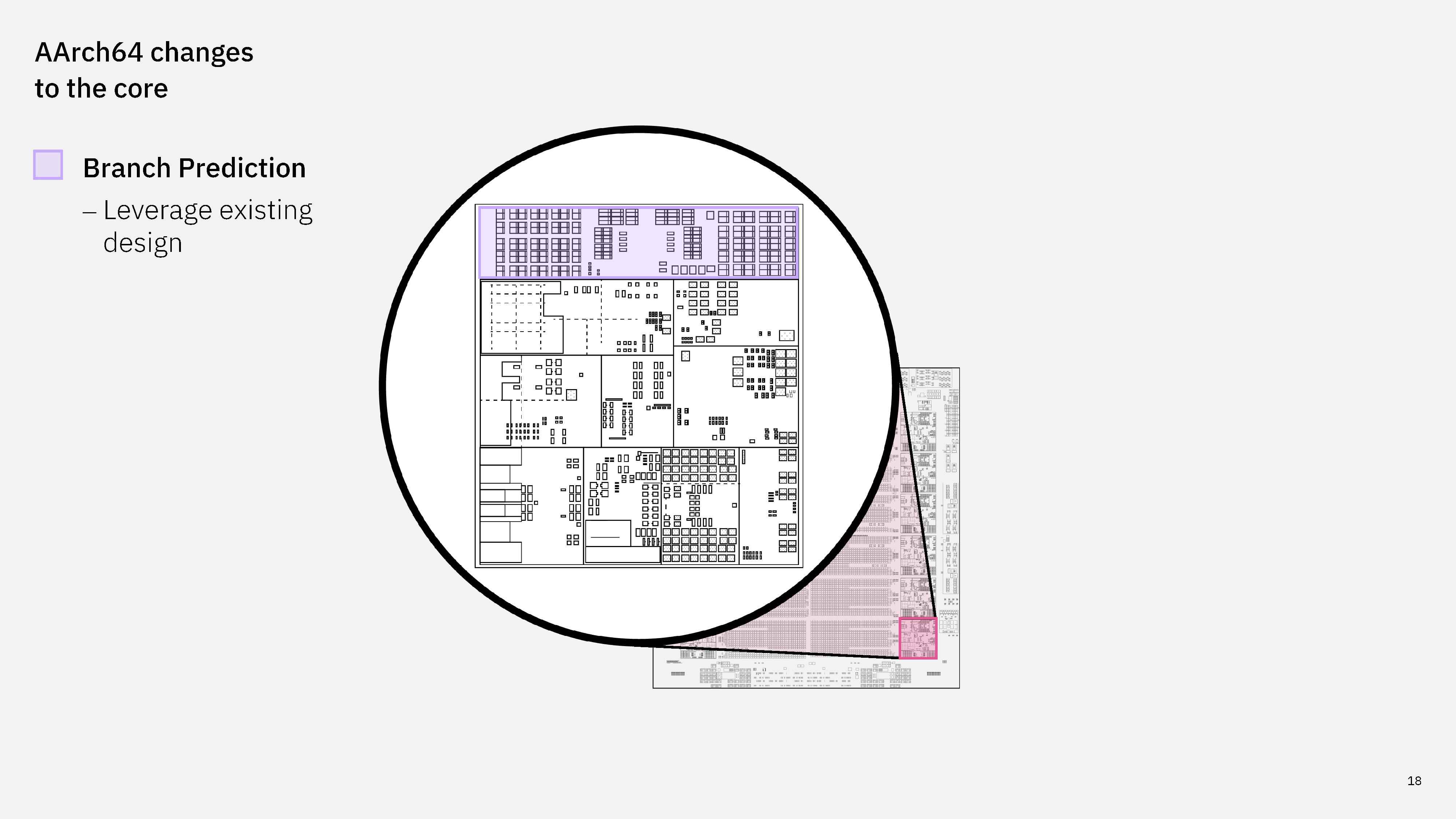
IBM branch prediction unit.

(Image credit: IBM)

Starting at the top of the core, the branch prediction area uses the existing Telum II design without any changes.
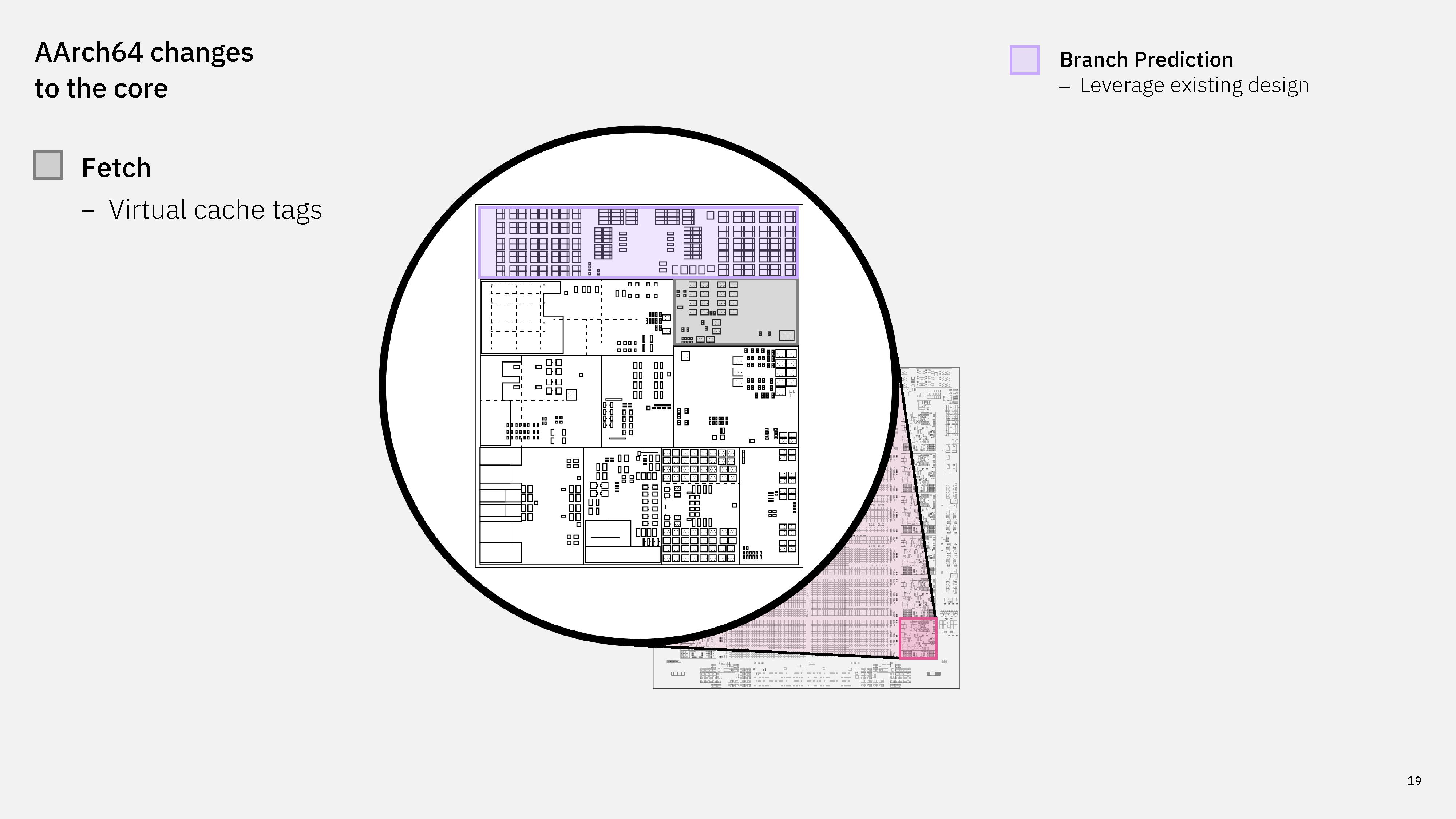
IBM dual ISA fetch engine.

(Image credit: IBM)

In the fetch engine, IBM leverages virtual cache tags to fetch data quickly with cache to avoid translation overhead.
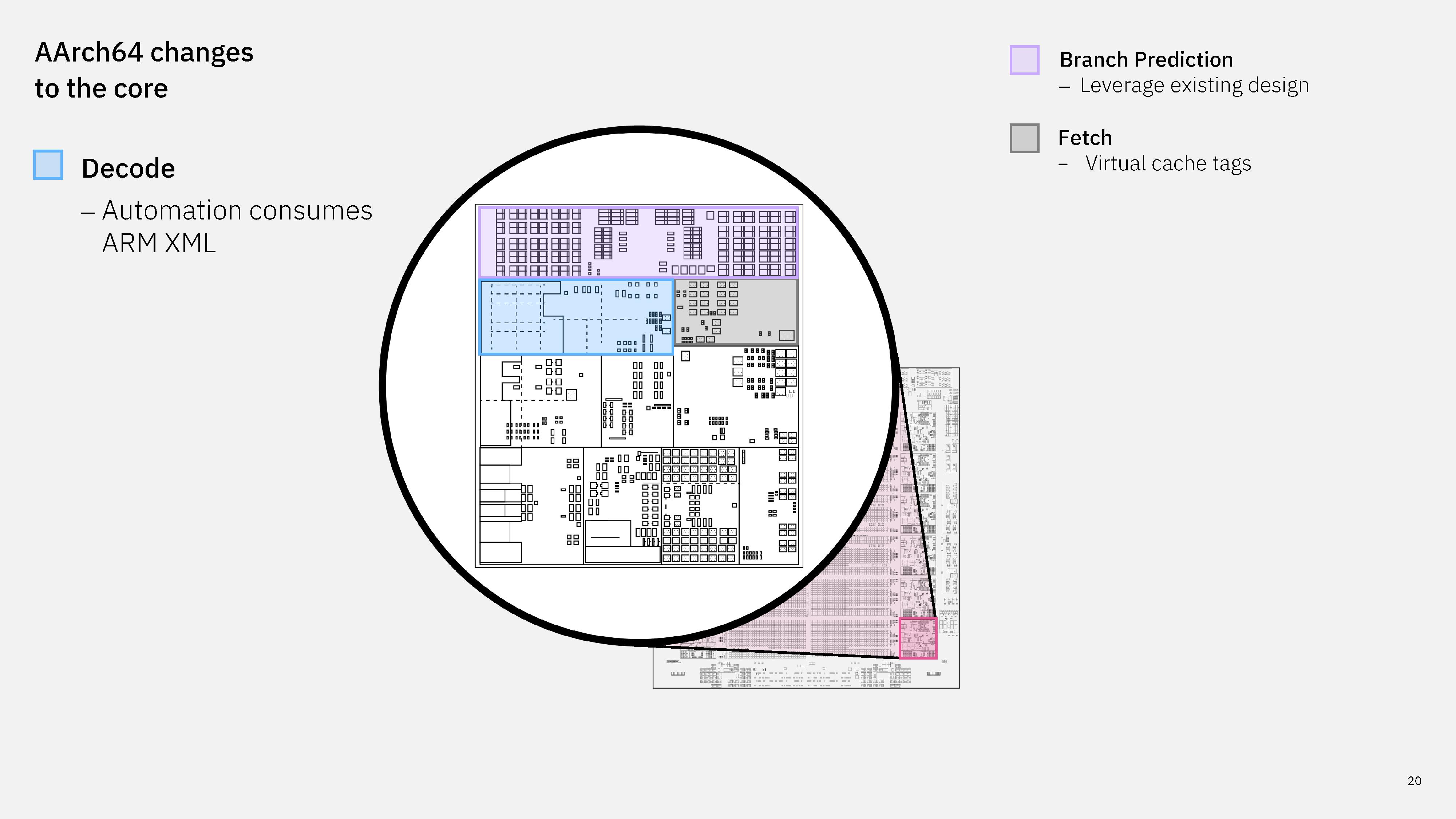
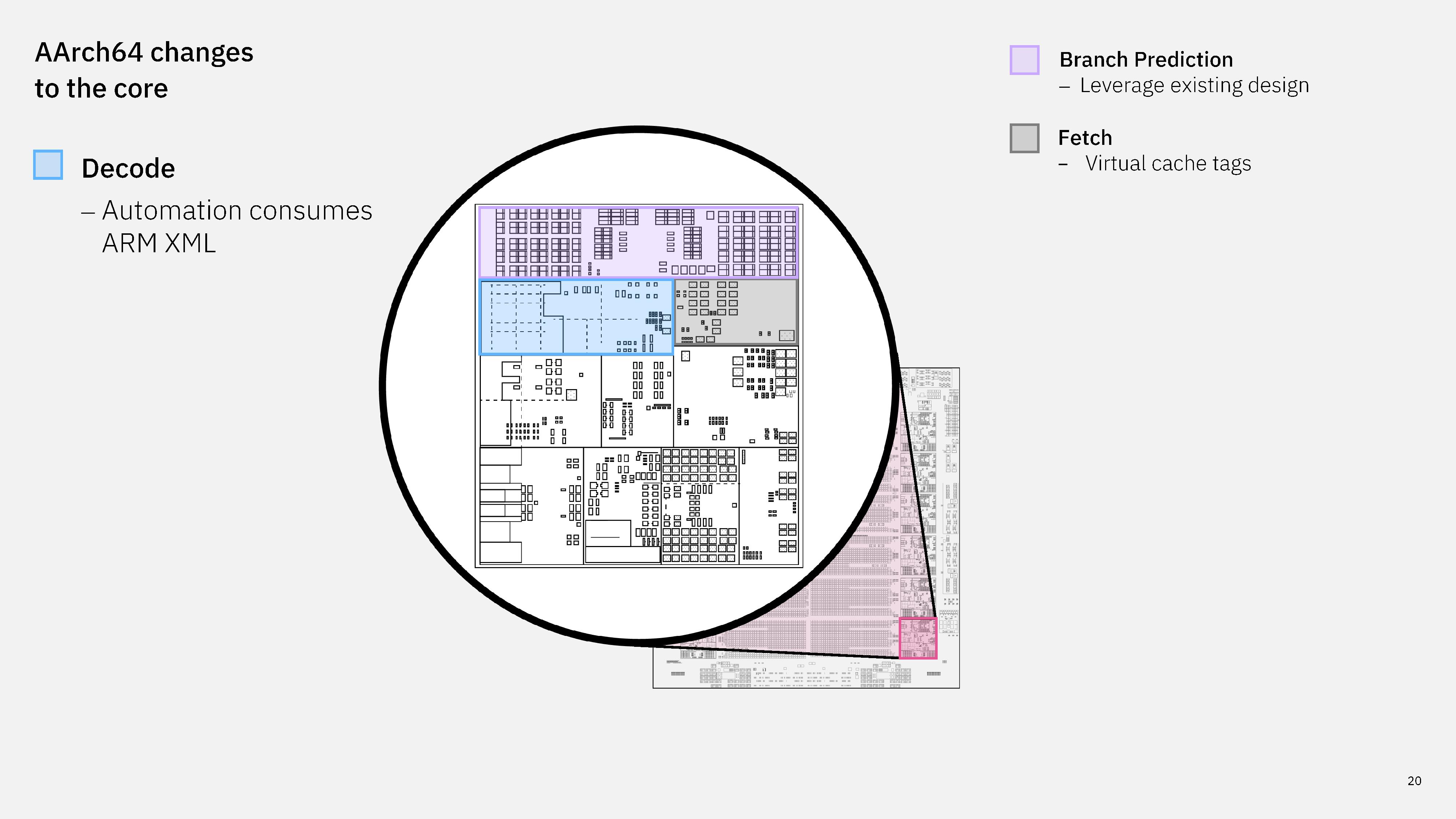
IBM decode engine.

(Image credit: IBM)

IBM built automation tools to consume the ARM XML and understand how to move instructions through the core. IBM says this is the biggest area of silicon expansion in the core in order to support decoding AArch64 instructions.
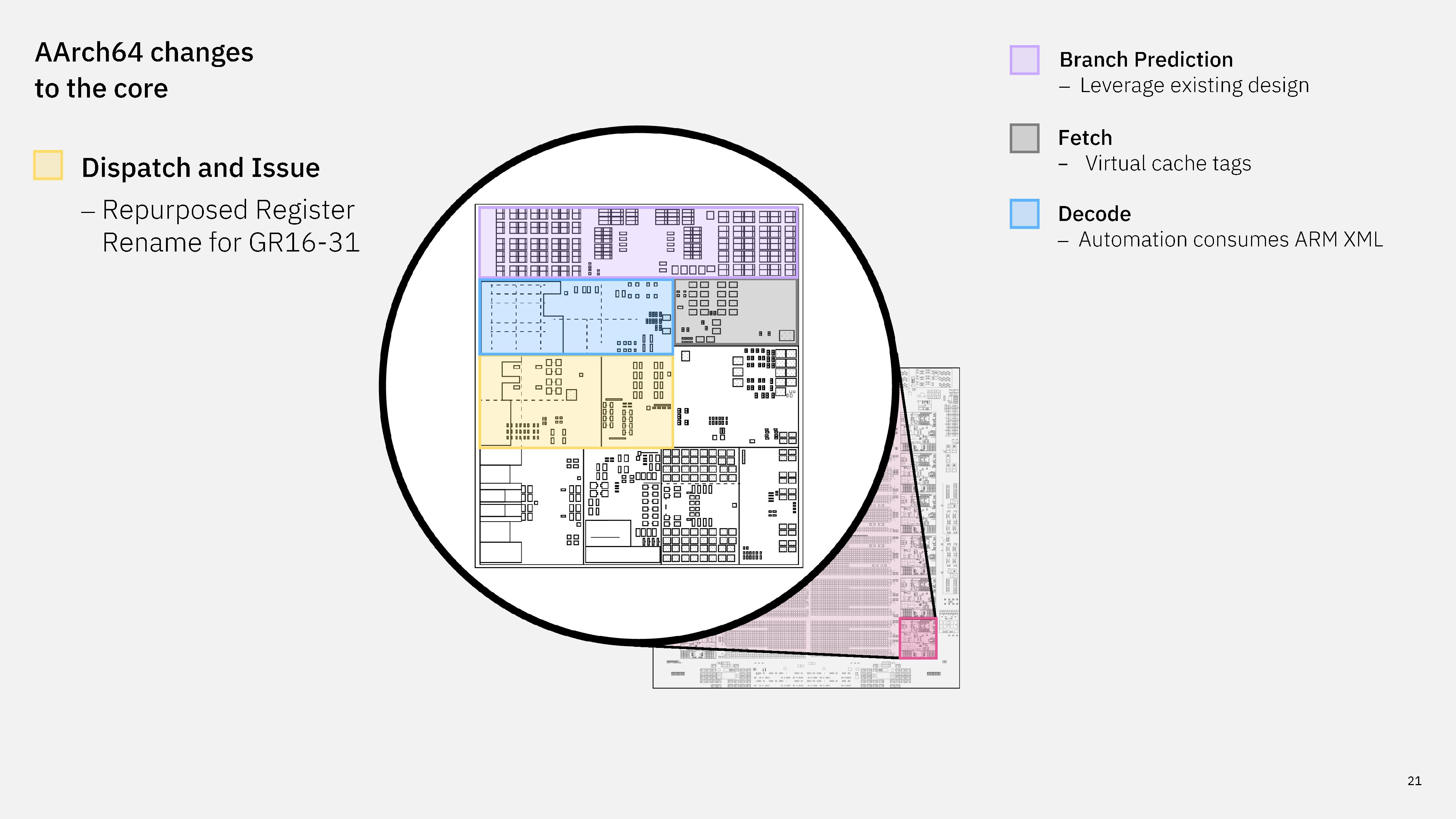
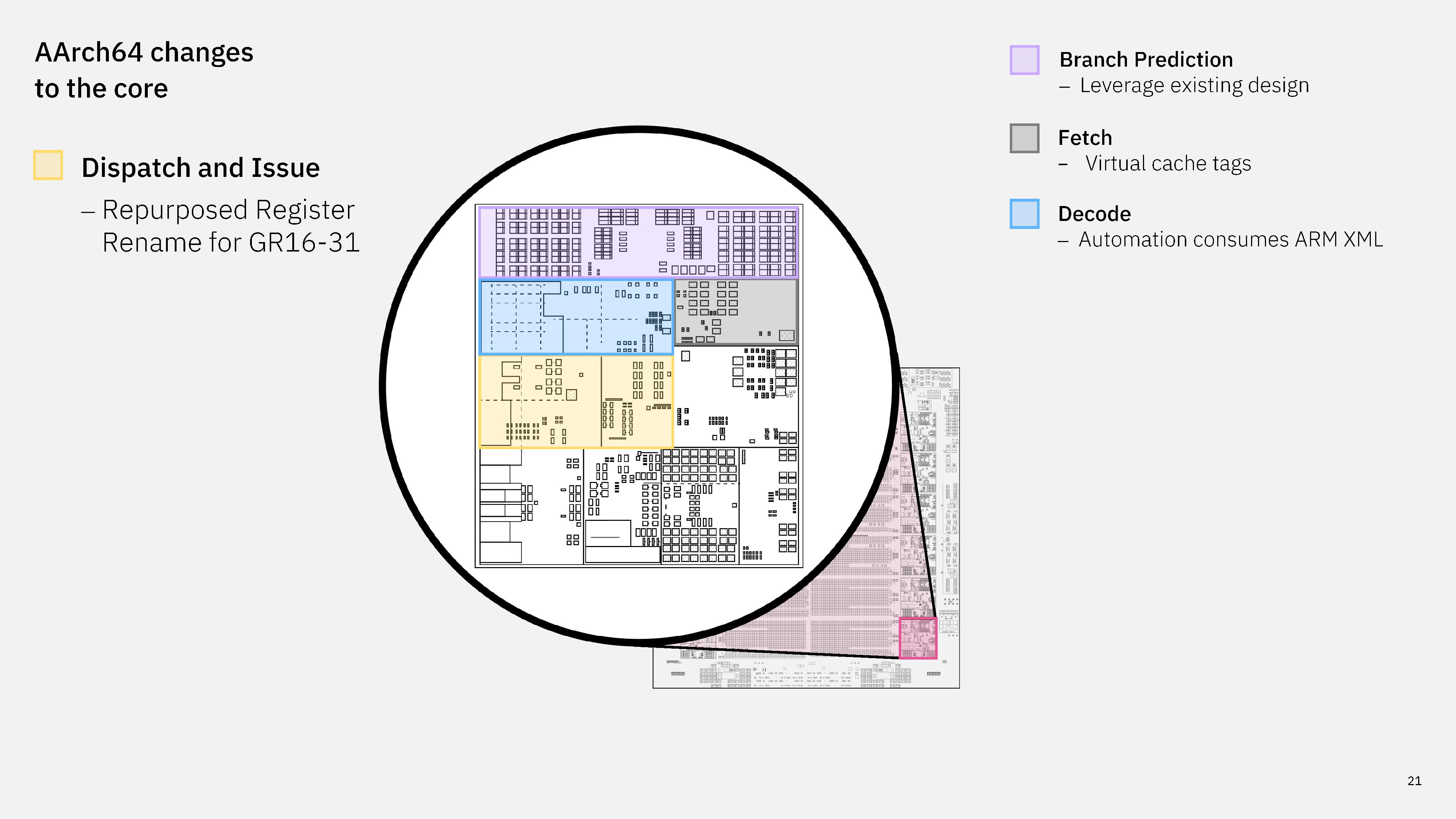
IBM next-gen dispatch.

(Image credit: IBM)

In dispatch, IBM repurposed general purpose register rename in banked general registers 16 through 31.
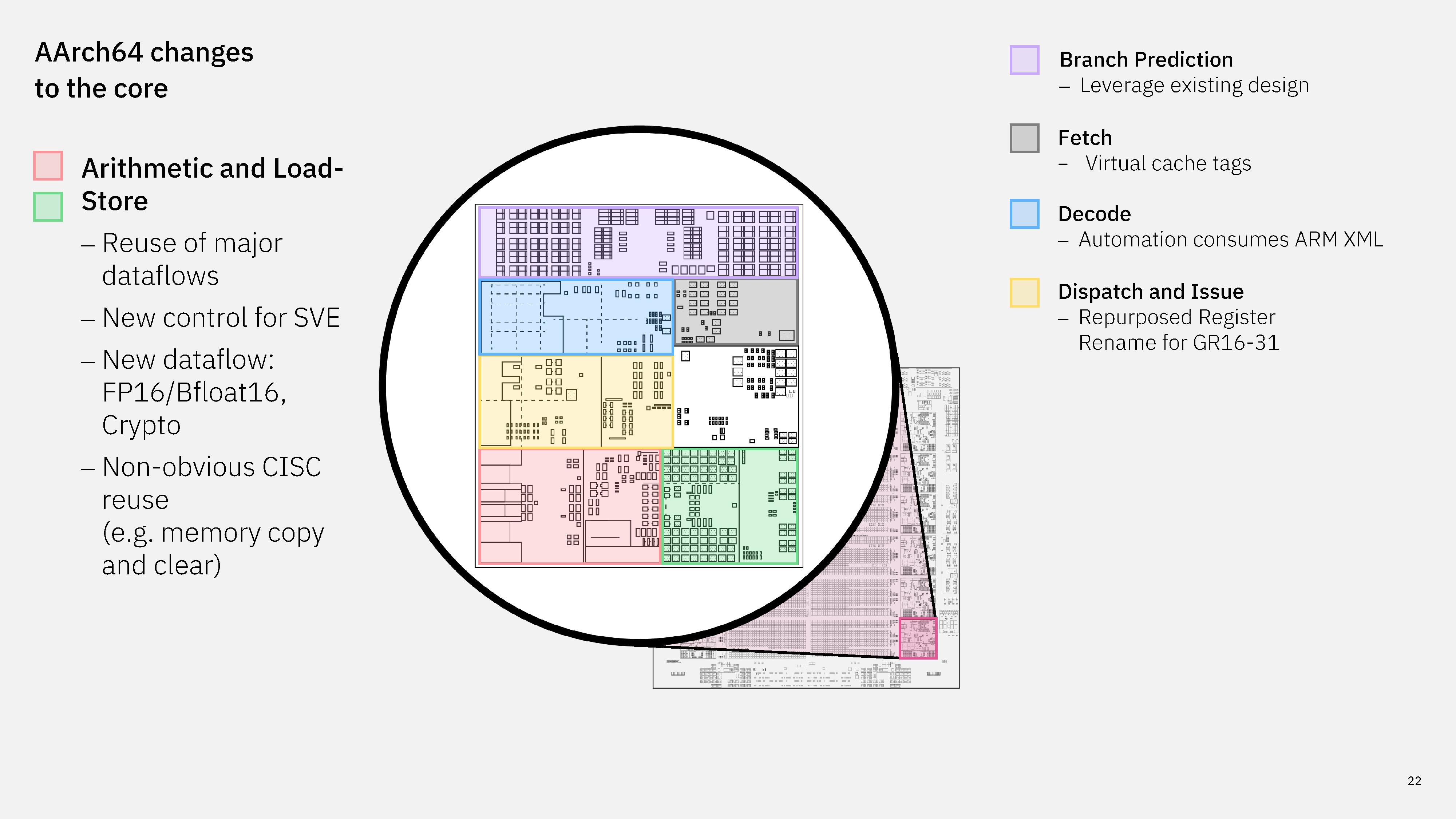
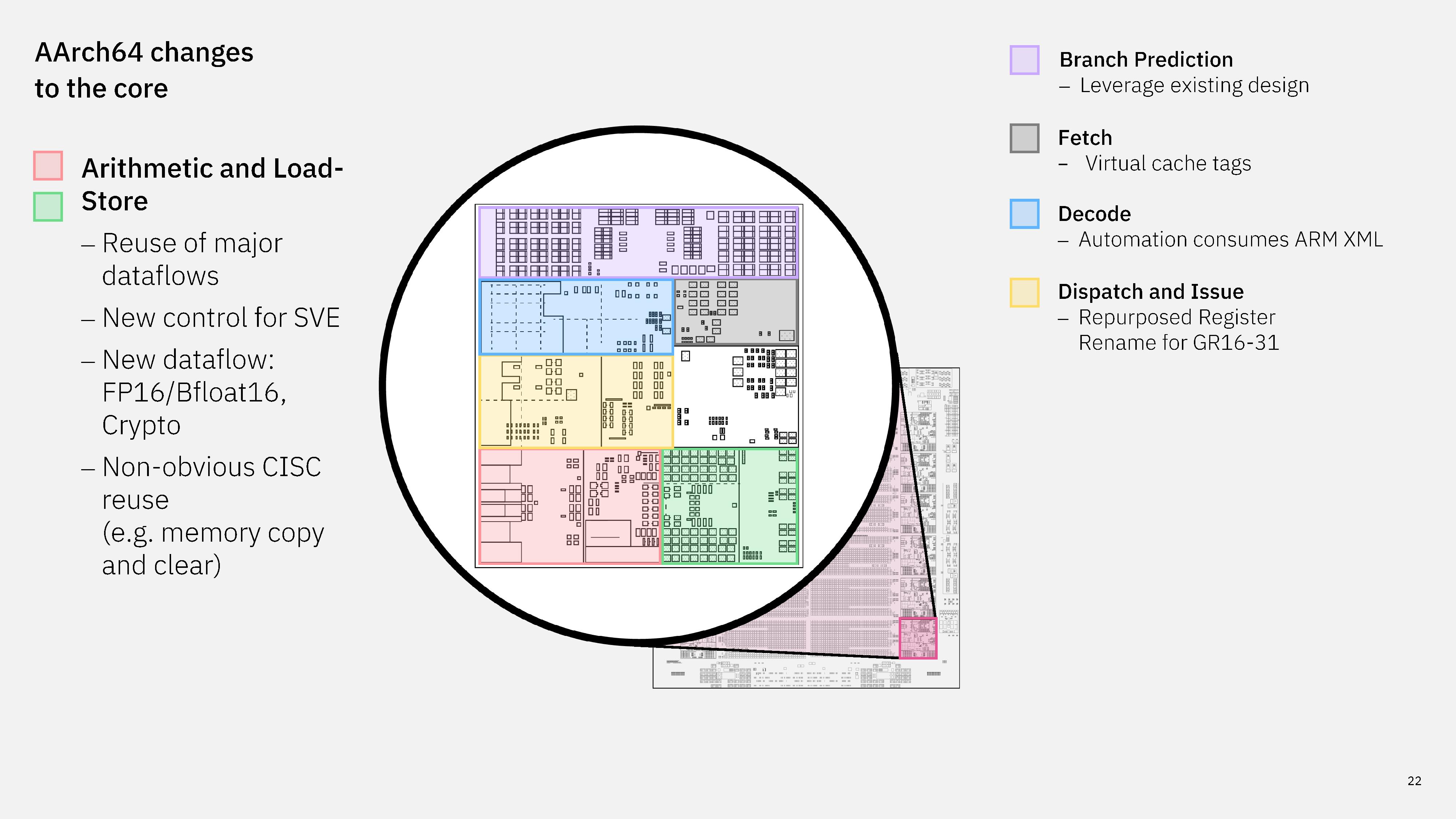
IBM load store in next-gen processor.

(Image credit: IBM)

In the arithmetic and load/store units, much of the major data flow is shared; addition is addition, as IBM put it. However, IBM implemented new hardware structures for SVE and special data types like FP16. IBM also says there was some non-obvious reuse of its existing CISC, such as memory copy and clear.
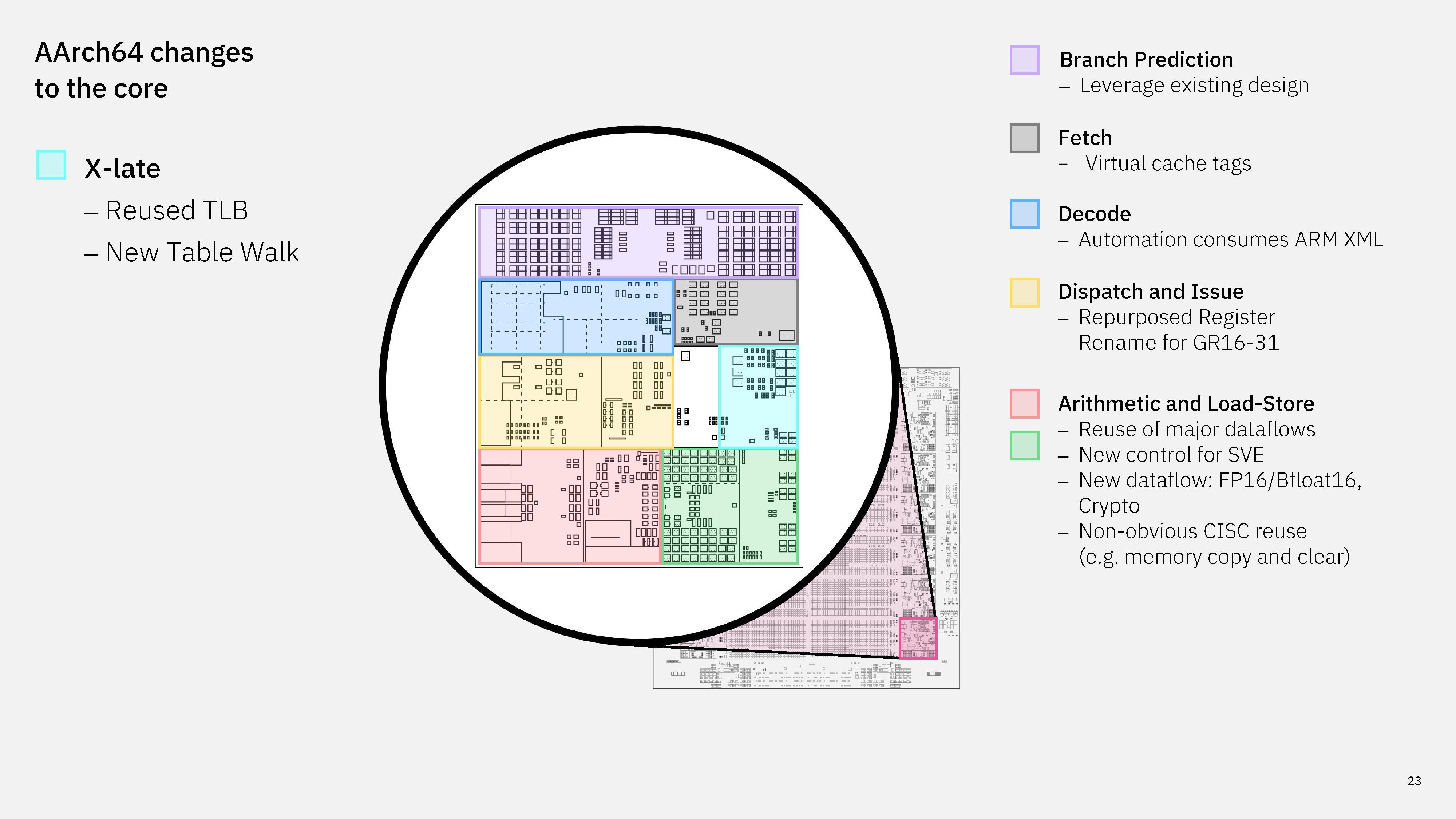
X-late in next-gen IBM CPU.

(Image credit: IBM)

The X-Late, or translation, engine reuses the Translation Lookaside Buffer (TLB) but leverages a new page walk.
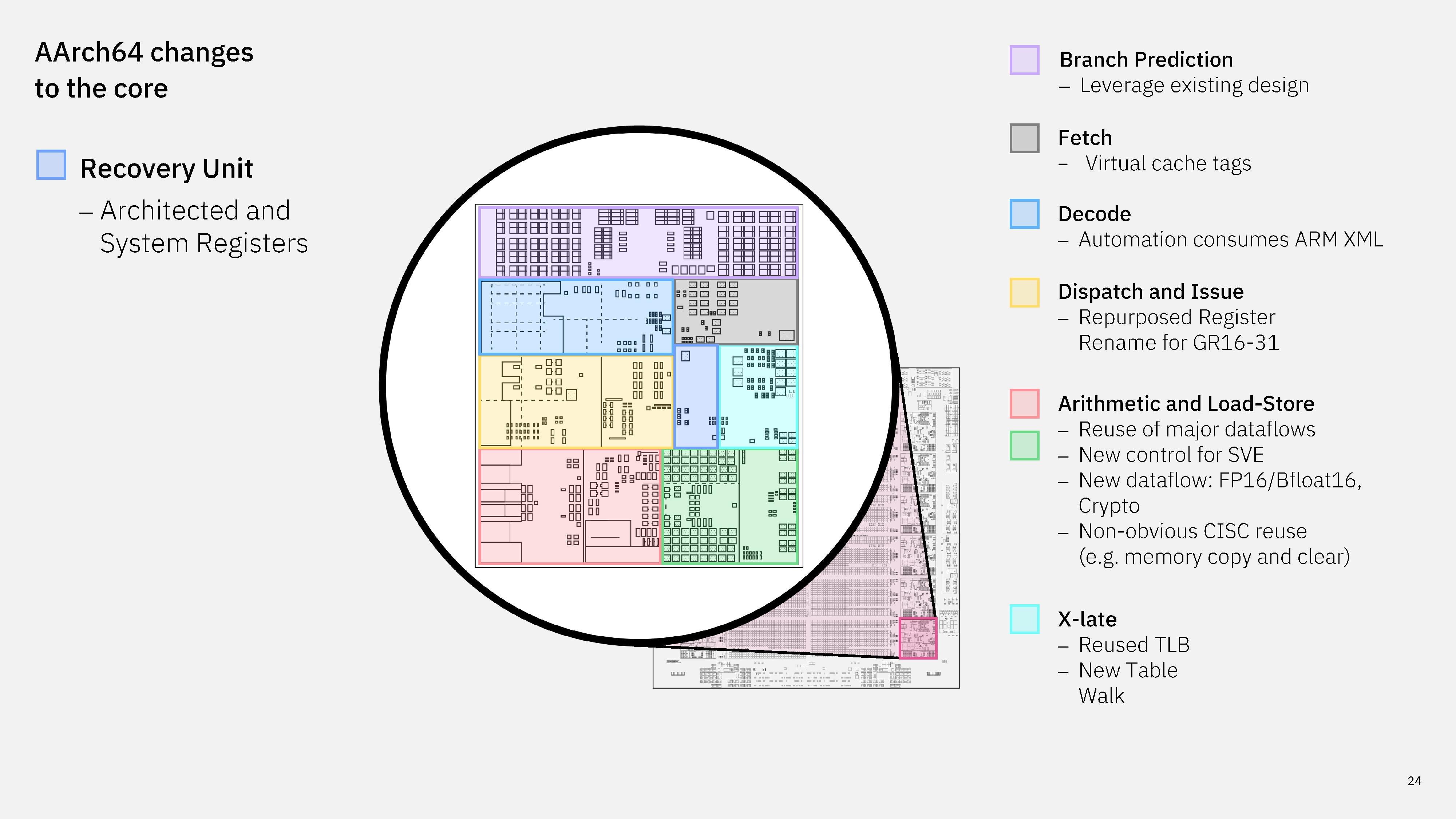
IBM next-gen processor recovery unit.

(Image credit: IBM)

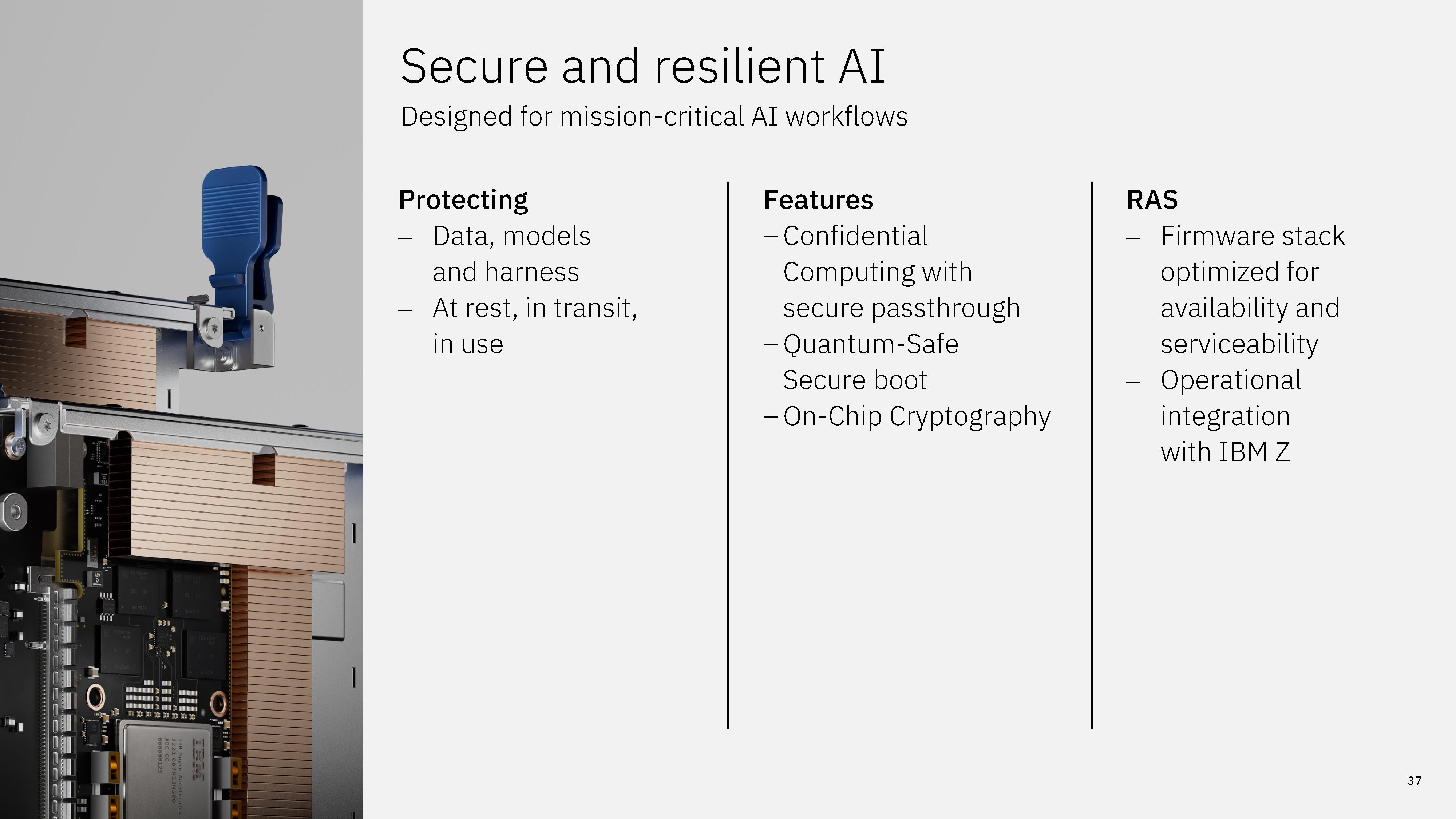
As opposed to a heterogeneous chip, which accomplishes mixing ISAs on the same die by leveraging different cores, IBM says the driving force behind a dual-ISA core was to deliver the scale of Arm software on a mission-critical platform. Mainframes are still the bedrock of vital data movement in financial institutions, governments, and more.

IBM generally ships new mainframes every two and a half to three years, with z17 mainframes revealed in 2024 at Hot Chips. We expect this mainframe to follow a similar timeline. As usual with deep mainframe infrastructure, however, the actual rollout largely depends on the institution's individual needs.

Full IBM Hot Chips 2026 presentation
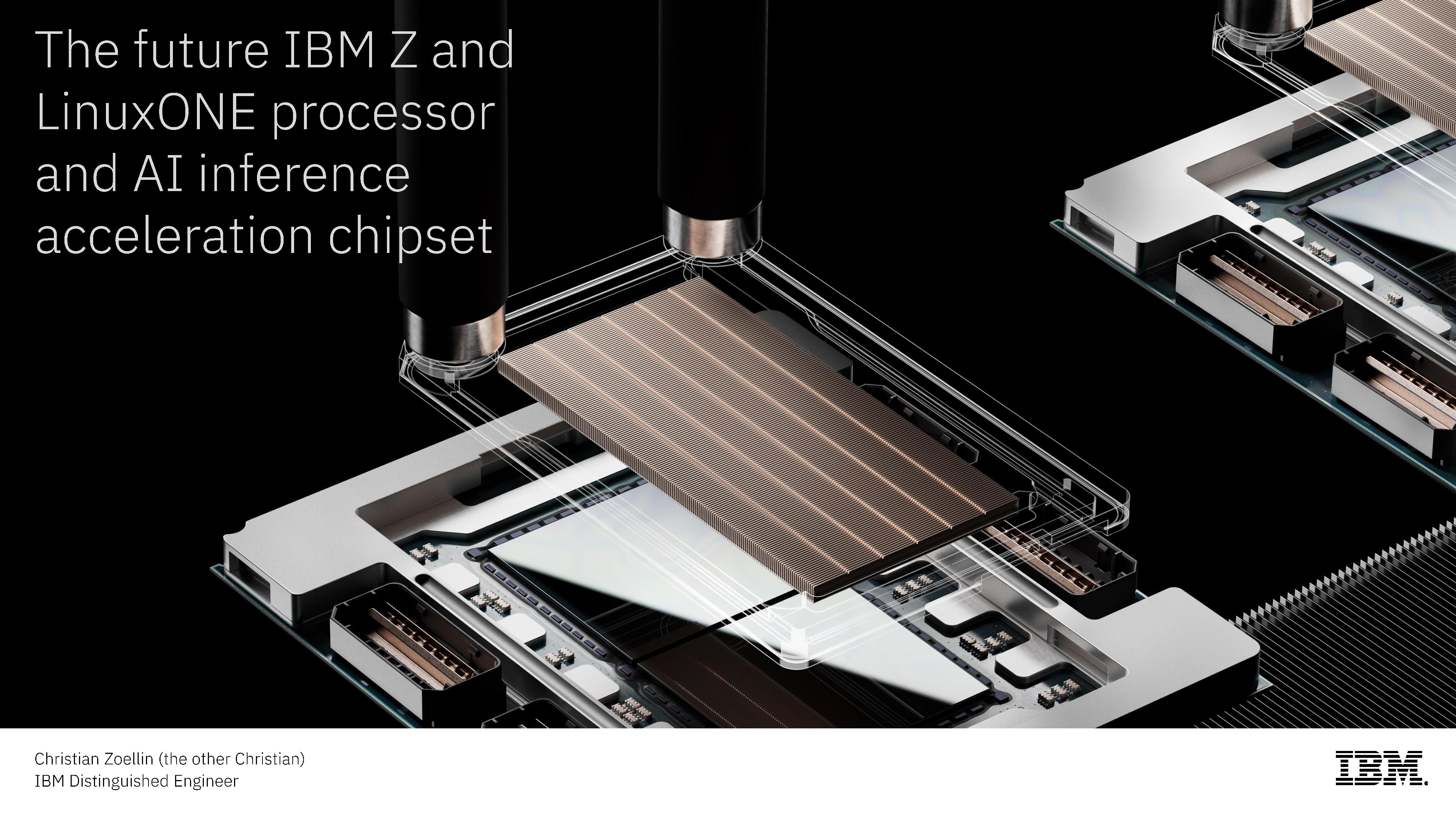
IBM Hot Chips 2026 presentation.
IBM
IBM Hot Chips 2026 presentation.
IBM
IBM Hot Chips 2026 presentation.
IBM
IBM Hot Chips 2026 presentation.
IBM
IBM Hot Chips 2026 presentation.
IBM
IBM Hot Chips 2026 presentation.
IBM
IBM Hot Chips 2026 presentation.
IBM
IBM Hot Chips 2026 presentation.
IBM
IBM Hot Chips 2026 presentation.
IBM
IBM Hot Chips 2026 presentation.
IBM
IBM Hot Chips 2026 presentation.
IBM
IBM Hot Chips 2026 presentation.
IBM
IBM Hot Chips 2026 presentation.
IBM
IBM Hot Chips 2026 presentation.
IBM
IBM Hot Chips 2026 presentation.
IBM
IBM Hot Chips 2026 presentation.
IBM
IBM Hot Chips 2026 presentation.
IBM
IBM Hot Chips 2026 presentation.
IBM
IBM Hot Chips 2026 presentation.
IBM
IBM Hot Chips 2026 presentation.
IBM
IBM Hot Chips 2026 presentation.
IBM
IBM Hot Chips 2026 presentation.
IBM
IBM Hot Chips 2026 presentation.
IBM
IBM Hot Chips 2026 presentation.
IBM
IBM Hot Chips 2026 presentation.
IBM
IBM Hot Chips 2026 presentation.
IBM
IBM Hot Chips 2026 presentation.
IBM
IBM Hot Chips 2026 presentation.
IBM
IBM Hot Chips 2026 presentation.
IBM
IBM Hot Chips 2026 presentation.
IBM
IBM Hot Chips 2026 presentation.
IBM
IBM Hot Chips 2026 presentation.
IBM
IBM Hot Chips 2026 presentation.
IBM
IBM Hot Chips 2026 presentation.
IBM
IBM Hot Chips 2026 presentation.
IBM
IBM Hot Chips 2026 presentation.
IBM
IBM Hot Chips 2026 presentation.
IBM
IBM Hot Chips 2026 presentation.
IBM


Read the whole story
Belfong
6 days ago
reply
Wow...
malaysia
Share this story
Delete

Defining an “Agent Harness”

1 Comment

I’ve recently been asked to explain what an “agent harness” is (particularly after I wrote about my favorite app of the year so far, Open Minis). I realized it was one of those concepts I could understand intuitively but not quite articulate. Thankfully, other people have done a better job of explaining it than I have.

Drew Breunig calls them “situated agents”:

Harrison Chase once excitedly shared an insight that agents are comprised of 4 things: a system prompt, a planning tool, a file system, and subagents. In the year-plus since he said that, I think this remains largely true. (Though you might tweak it to have general tools, etc.)

[…]

Imagine the simplest coding agent, and you at the keys. Let’s slowly zoom out and consider all the elements the harness can manage:

  1. The Session: The current task and context, as both a trajectory and a durable, branchable log. You can zoom backwards, fork, and replay it.
  2. The Environment: The instance, defined as a sandbox, terminal, worktree, computer, and/or container.
  3. The Repo: The project. Versioned with Git, it contains your code, history, current work, AGENTS.md, guides, and hooks.
  4. Memory: The person’s predilections, accrued over time, managing progress and past decisions.
  5. Skills: The domain, artifacts describing reusable workflows or domain knowledge worth wielding in this situation.
  6. The Team: Your colleagues and counterparts. Shared rooms, shared traces, project tracking tools, issues, and bug reports.
    • The Organization: The policies and audits, defined by legal, leadership, and procurement.
    • The Model: The LLMs themselves, the common artifact shared by all. Stochastic blobs we all poke trying to evoke positive outcomes. Log or train on their quirks and adjust.

I also thoroughly enjoyed this explanation and excellent visualization by Ted Spare, Dexter Storey, and Sarim Malik, writing for Rubric Labs:
A harness is the software that translates a model into a system that can affect its environment.

[…]

Functionally, a harness makes a model agentic, meaning it can take action.

And:

As coding agents begin to run for longer, and deploy more intelligence through dispatch, they are owning larger and more complex problems end to end, and the developer is less in the loop to steer the agent. The value of high quality planning increases as agents implement the plans more autonomously. Harnesses like Claude Code and Codex ship with a native planning mode, where the agent must first create a detailed Plan.md file with feedback from the user before executing. These harnesses then place a reference to the plan and the todo list into a top level state (system prompt) so that the agent doesn’t forget what it’s working on across long runs.

Given the multi-model, hybrid structure of the new Siri AI, we should probably assume Apple also made a lightweight “Siri harness” to aid the on-device orchestration of the entire system.
Read the whole story
Belfong
9 days ago
reply
I’m interested to know how agents work. This is useful read.
malaysia
Share this story
Delete

Add your own stuff to Apple Wallet

1 Comment
Glenn Fleishman, art by Shafer Brown

Wallet on iPhone is a bulging catch-all. Apple stores all your payment card information there, and it’s an interface for adding and removing cards, as well as viewing associated details. It’s the place where you interact with your Apple Card (like scheduling payments or viewing transaction reports), the Apple Card savings account, and Apple Cash. But it also handles related but miscellaneous categories of other things: tickets for events, reward cards, membership cards, your library card… really, anything with a number, a scannable code, or a connection to payment winds up there.
Despite all that, Wallet has been deficient: you couldn’t easily add items to Wallet that the party issuing them hadn’t formatted and made available with an “Add to Apple Wallet” button, whether from a website or within its app. Starting in iOS 27—coming in September but available in a public beta now—you can use a new pass-creation tool to make your virtual billfold even larger. Third-party tools still fill the gap for iOS 26 and earlier users, or for those who want customization that Apple isn’t providing in Create a Pass.

Make your own Wallet entry

In iOS 27, open the Wallet app and tap the Add button in the upper-right corner. You’ll notice that among the options you’re familiar with, Create a Pass appears. Tap that.

If you have a device that supports Visual Intelligence and the pass has a barcode or QR code, tap Continue, and Wallet opens a camera sheet.1 When you tap the shutter button, Visual Intelligence analyzes the image and tries to extract elements, like your name, the organization name, or the code. If it can’t, it will offer a Try Again and Create Pass Manually dialog.

If it’s successful, Wallet next displays a preview screen. You can tap Add to accept the pass as it appears, or tap Edit Pass to modify the fields shown and the contents of those fields.

Side by side: photo of backside of food co-op membership card and pass created by Create a Pass in iOS 27.
Scan a card, even a munged-up old one like the at left, and Wallet can extract important details. I added the expiration date.

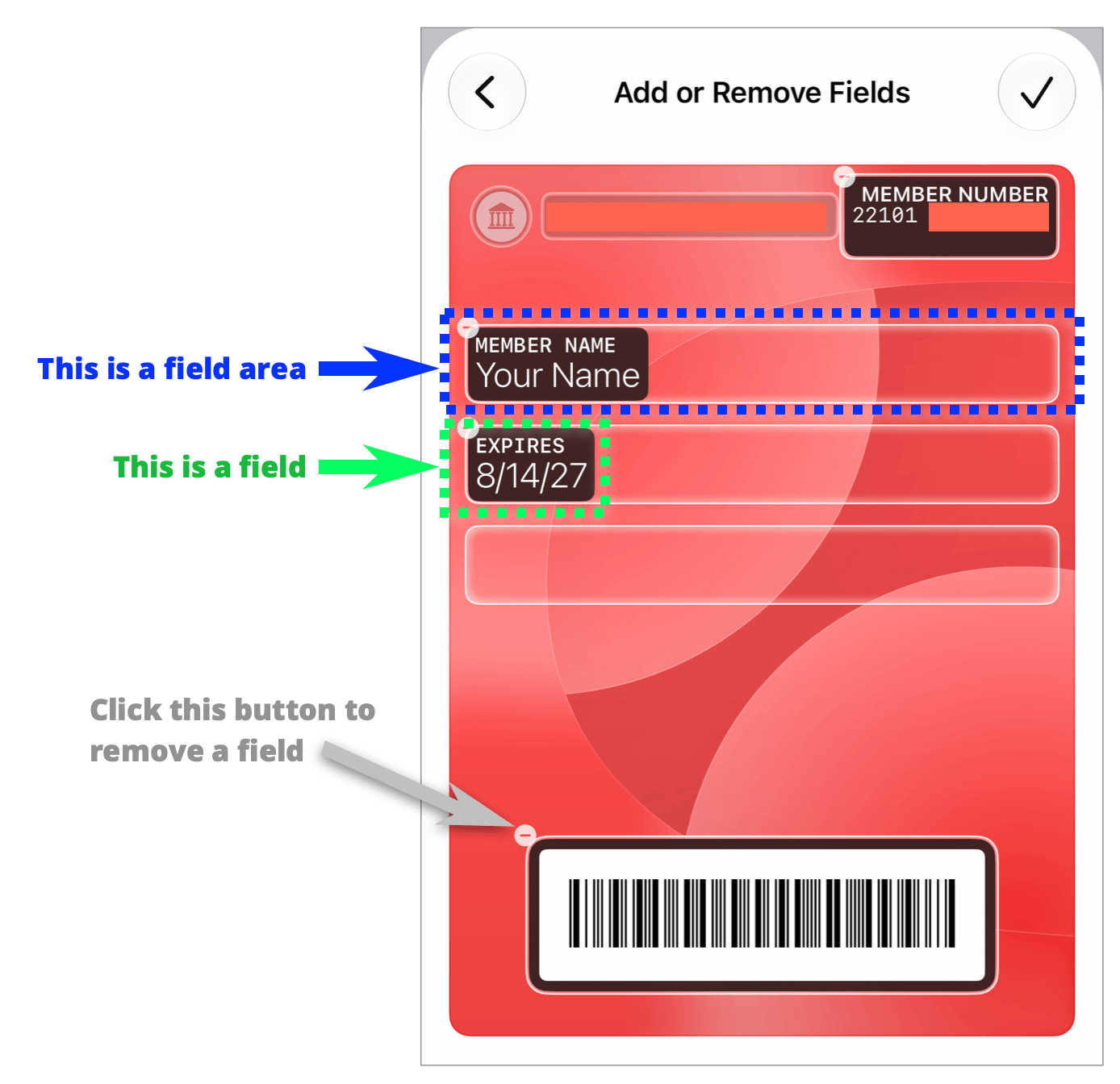
There’s a quirk in editing fields that baffled me for a while, but I teased out the answer in testing. Apple pre-populates field areas, marked with white rounded rectangles with subtle glowing edges. If you tap the Edit button (in the lower-right corner) and choose Add/Remove Fields, you cannot add new field areas. (See the figure for how I’ve labeled this.) What you can do is tap on an existing field within a field area to change it, or you can tap within a glowing rectangle (the field area) to add another field. This is not a great interface, and I expect it will mature.

Figure of a pass created in Wallet for iOS 27 with callouts indicating the various parts.
A field areas, as I call it, is a place you can add and remove fields from.

Tap the Palette icon to change the background color or choose a different background image from a small set in the Wallet library.

If Visual Intelligence isn’t available or you want to build the pass element-by-element:

  1. Tap Create Pass Manually.
  2. On the Choose Pass Template screen, pick the data format and default color scheme to use for your pass: Standard, Membership, or Event. This pre-populates different fields for you to fill out. (You can change the color later via the Palette icon.)
  3. Next, tap fields to enter data. Each field has a label in smaller type and placeholder text in larger type.
  4. Tap Add Code to scan a barcode or QR code.
  5. When finished, tap the blue checkmark.

You can then tap the Palette icon to change its appearance, or tap Edit: Add/Remove Fields icon to further edit the pass.

Side by side screenshots of the generic pass creation screen in Wallet for iOS 27 (left), and a field-editing sheet overlaying the pass (right).
If you create a pass manually, Apple adds a number of field areas and fields for you to modify (left). You have access to many different kinds of fields from an extensive list (right).

After the pass is added to Wallet, you can tap it, tap the More button, then tap Edit Pass. You can also tap Pass Details to see the raw information added. The View Original Photo button lets you bring up the picture you took if you used Visual Intelligence.

If you’re not yet using the iOS 27 beta or want options that Apple isn’t offering, you could try one of these free tools. Be aware, however, that Wallet passes have to be signed, so any data you provide to these companies is sent to them in the clear. Both have details in their privacy policies about how they protect your data.

  • Wallet Creator (iOS app) has over 80 prebuilt templates for existing businesses, or you can roll your own pass or card. Wallet Creator says the app collects no data. However, the App Store’s description for the app, under “Our Terms of Use & Privacy Policy,” provides more information about how data is sent to a server, processed, and deleted.
  • WalletWallet (web app) is a single-page form to create a pass. The page offers no privacy information, but it’s built using a business-oriented API the company makes, and that API has this explanation on the trip your data takes.

My book on Wallet, Take Control of Apple Wallet, will be updated later this year to incorporate all of this new information.

iPad and Mac have empty pockets

While Apple brought the Phone app to iPad and Mac in iPadOS 26 and Tahoe, the company still treats Wallet as a second-class citizen on those two platforms, even though both allow the use of Apple Pay. I’d love to have Wallet synced and fully available for managing all cards, not just payment-related ones, as a standalone app in the future.

[Got a question for the column? You can email glenn@sixcolors.com or use /glenn in our subscriber-only Discord community.]


  1. Visual Intelligence requires Apple Intelligence, which is available on an iPhone 15 Pro, iPhone 15 Pro Max, iPhone Air, or any iPhone 16 or 17 model. 
Read the whole story
Belfong
10 days ago
reply
This is nice. I can put all those loyalty cards into Wallet!
malaysia
Share this story
Delete
Next Page of Stories